
2.6 Modules’ Installation
This chapter describes how to install a module in a UniField instance. It is only for reference.
| Click on Menu Administration 1, Modules 2, Modules 3 Type the module’s name in the Name 4 field and click on Search 5 The module will appear in the list. Click on the Schedule icon 6 | 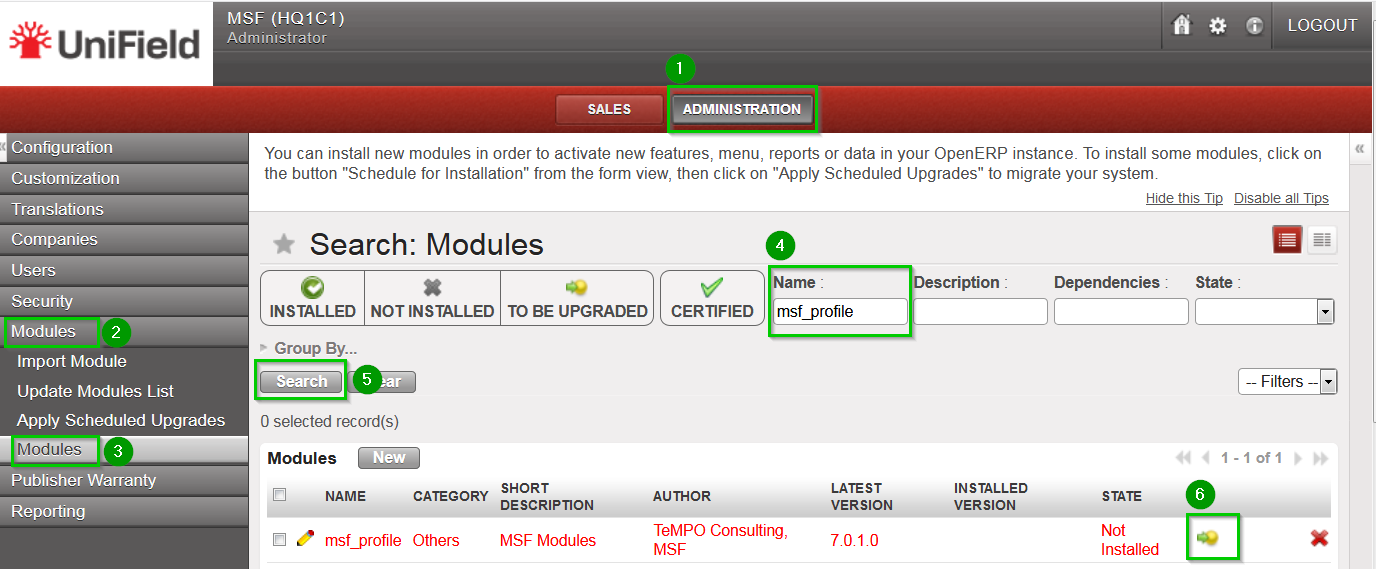 |
The state changes fromNot Installed to To Be Installed 1Click on Apply Scheduled Upgrades 2 The wizard Module Upgrade will open. Click on Start Update 3 Once the wizard is completed click on Cancel (do not click on Start Configuration) | 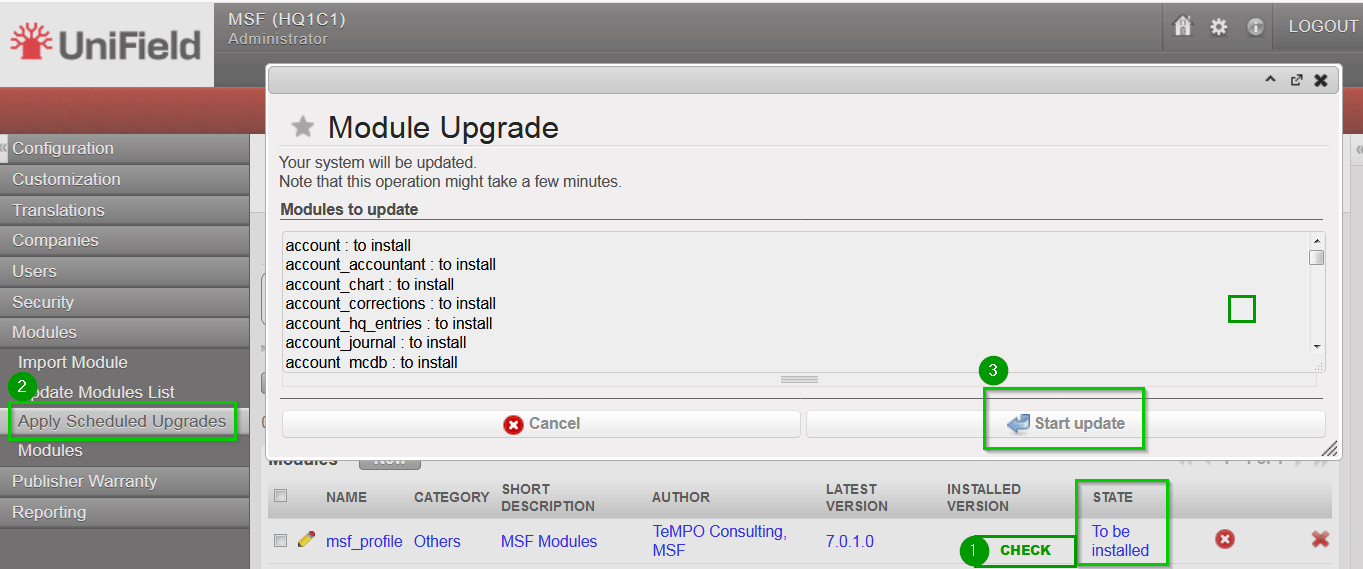 |
2.6.1 Modules to install in the HQ, Coordination and Project instances
Follow the procedure described above and install the following modules. The order is very important and must be respected. Install module:
- msf_profile
ONLY AFTER the module msf_profile is installed, install modules:
- sync_so
- sync_client_web
- update_client
2.6.2 Modules to install in the Synchronization Server 
Follow the procedure described above and install the following modules. The order is very important and must be respected. Install module:
- msf_profile
ONLY AFTER the module msf_profile is installed, install modules:
- sync_remote_warehouse_server
- sync_so
- update_server
-
msf_sync_data_server
