
3.1 Creation of Users in UniField
| Login your UniField instance with the user admin Click on Administration 1, Users 2, Users 3. To create a new user click on New 4 | 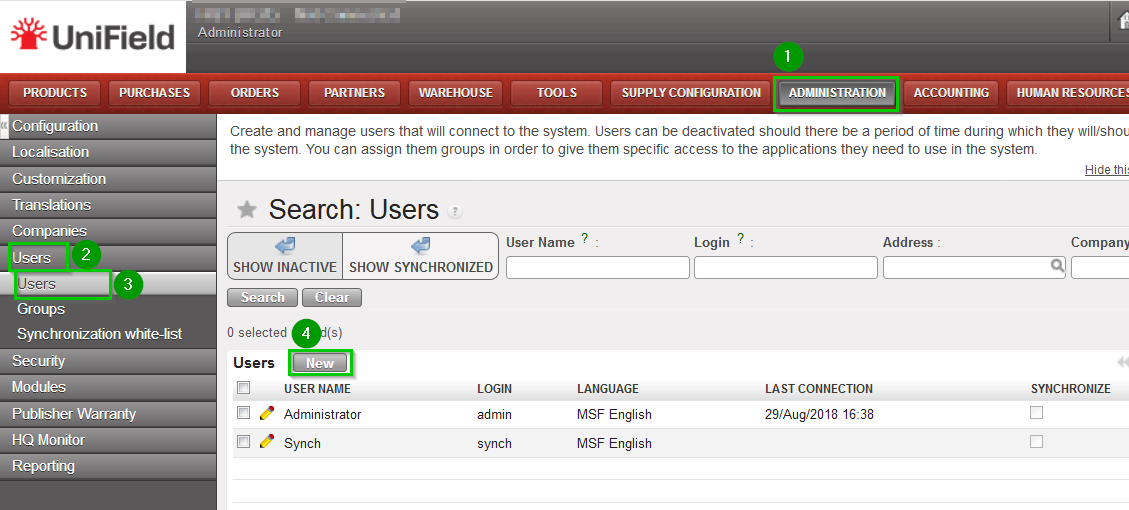 |
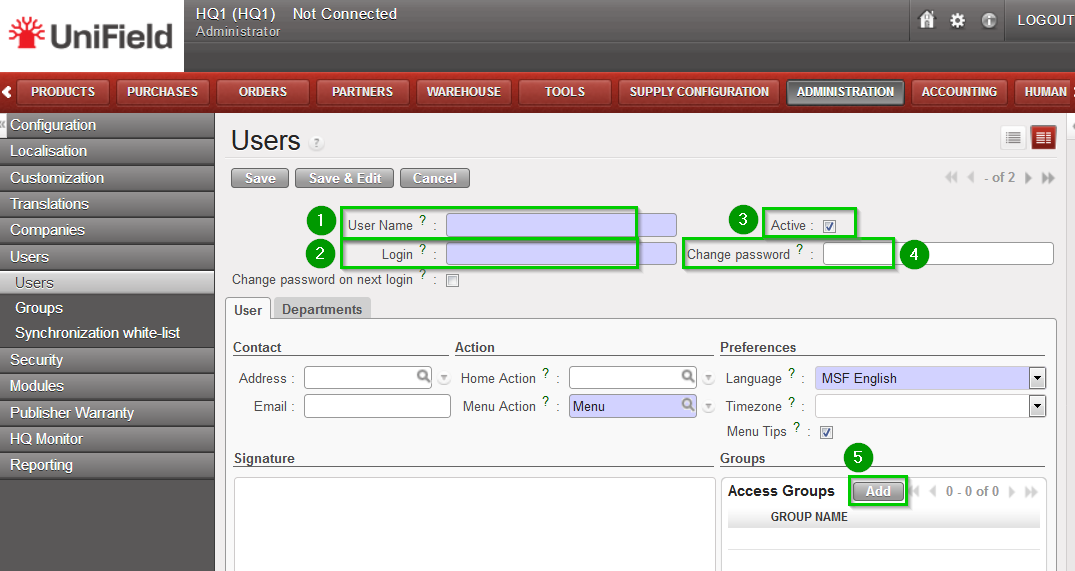
| Fill in the following fields:
|  |
| A pop up window appears. Add the groups the user belongs to by ticking the boxes 1 in front of them and click on Select 2 when you are done. | 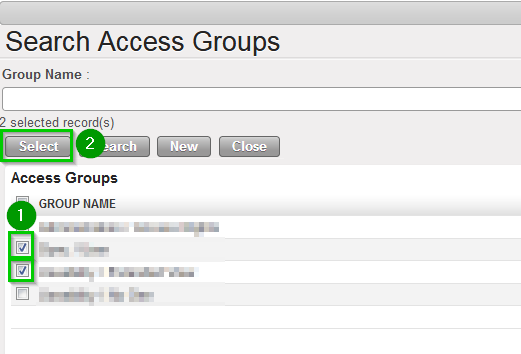 |
| The groups have now been added 1 Click on Save 2 | 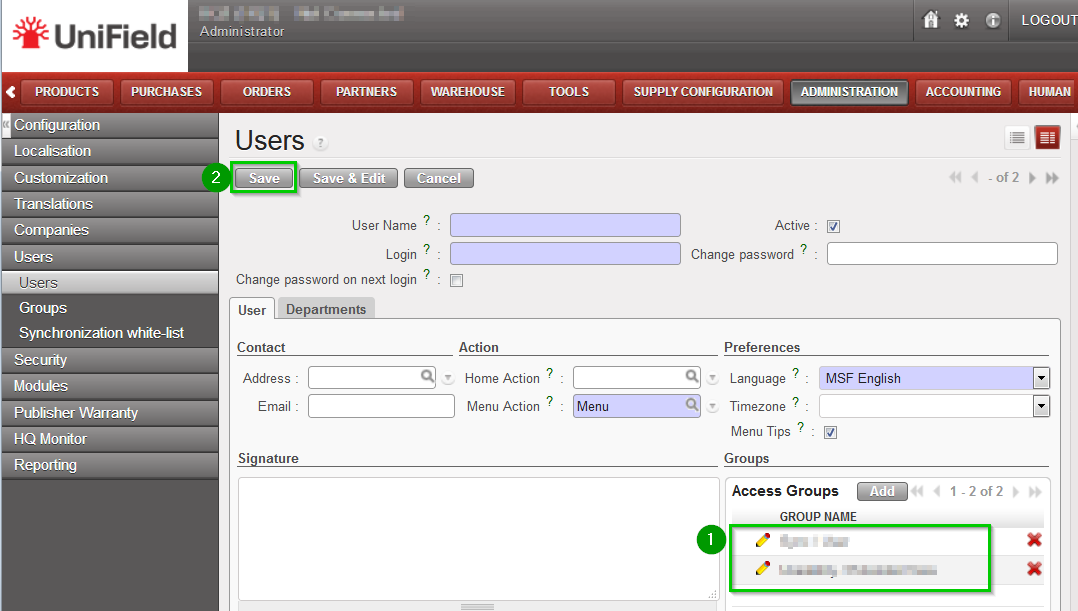 |
