
3.3 How to Remove the “synchronize” Option of a User (only at HQ)
Depending your needs, you have two different option to remove the synchronize option as shown below.
| Option 1: On Menu Administration, Users, Users click on the edit button icon next to the user. Un-tick the box Synchronize and click on Save. The user won’t synchronise anymore until you tick the box again. | 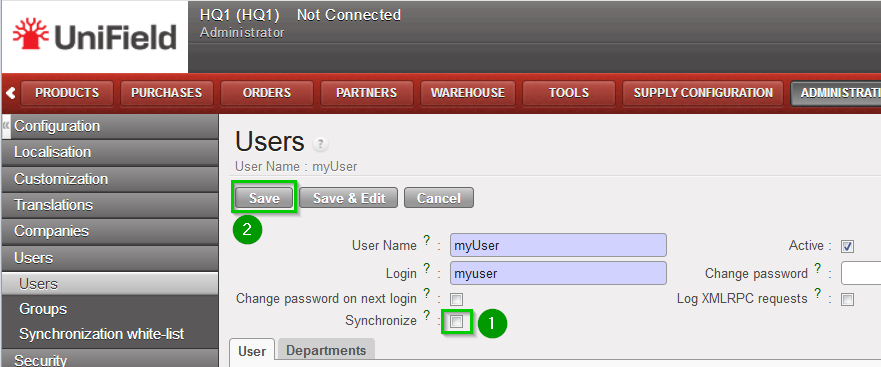 |
| Option 2: On Menu Administration, Users, Synchronisation white-list. Click on the edit icon next to the user. Un-tick the box 1 and click on the Save icon 2. | 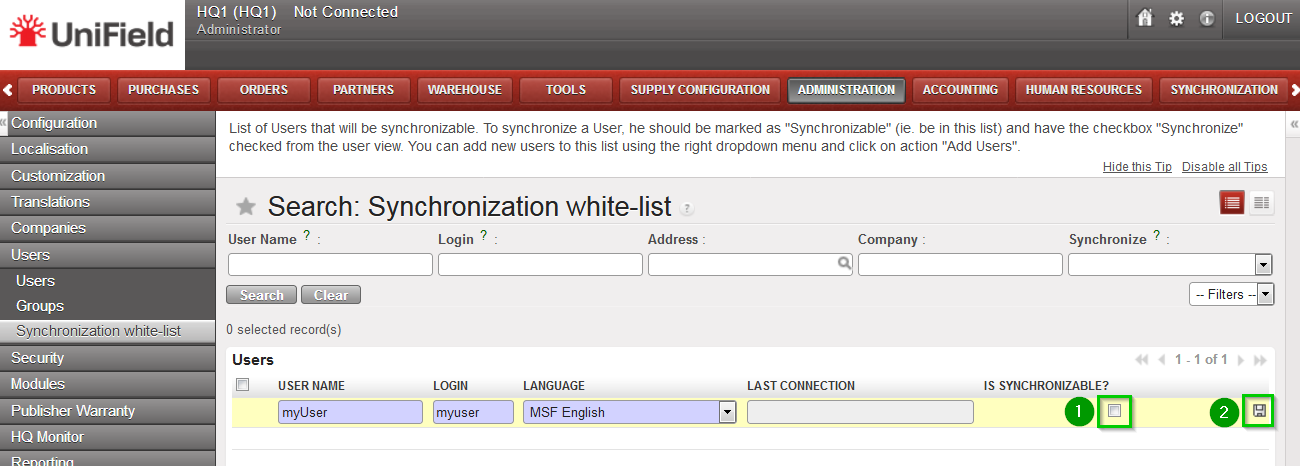 |
| In this way the user is removed from the white-list. The tick box option Synchronise on its user’s profile under Administration, Users, Users will disappear. | 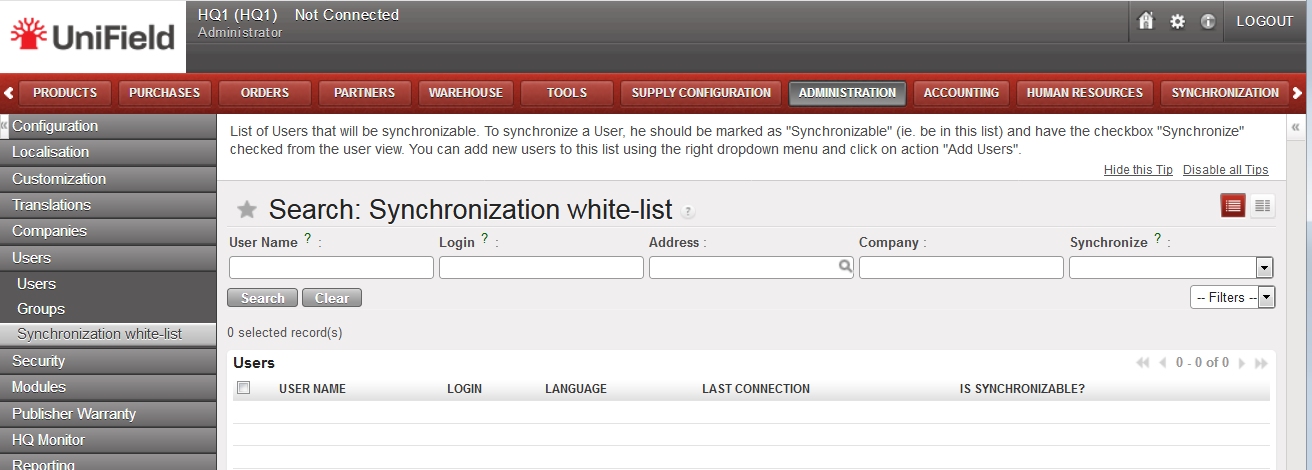 |
