
7.1 How to Activate a New Language
| Click on Menu Administration 1, Translations 2, Languages 3 Choose the language you would like to activate by clicking on the blue arrow 4 | 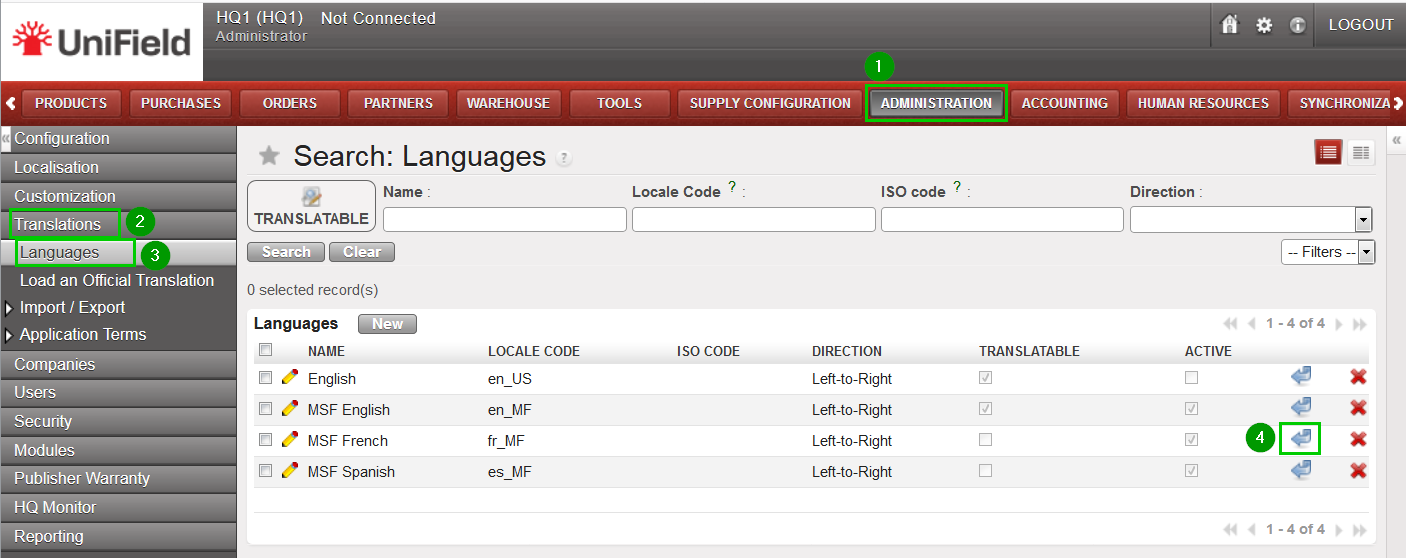 |
| Click Ok 1 to validate the activation of this new language. | 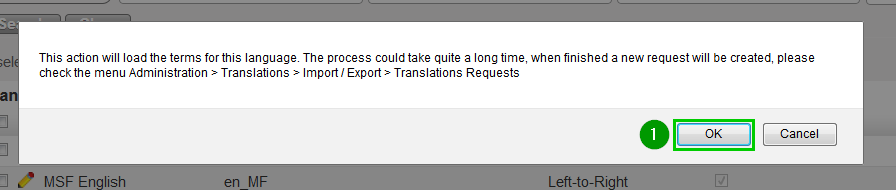 |
| Installing a new language takes time. The interface won’t be fully translated before the translation process is over. You can check that the language is fully translated in menu Administration 1, Translations 2, Import / Export 3, Translations Requests 4. Only translation requests displayed in this interface can be considered as finished. | 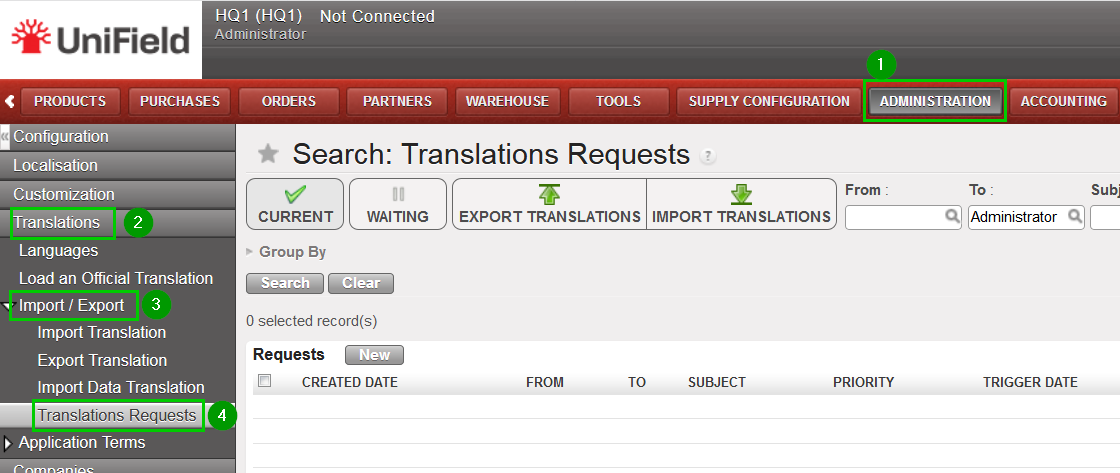 |
| Then open UniField’s preferences by clicking at the small cogwheel icon 1 at the top right of the screen. |  |
| Select the language you would like to use – in our example “MSF French” 1. Only the active languages are available in this select box. | 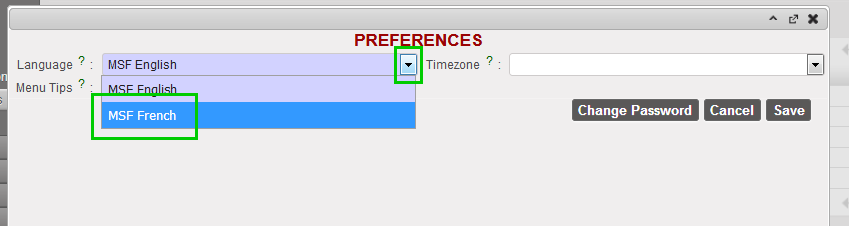 |
