
11.5. Scheduled Actions Configuration.
In UniField you have the possibility to configure and manage the scheduled actions in a single place. Some are important to configure when you create a new instance such as Update stock mission in order not to be launched during the working business hours.
| Click on Menu Administration 1, Configuration 2, Scheduler 3, Scheduled Actions 4 Click on the edit button 5 to open a scheduled action | 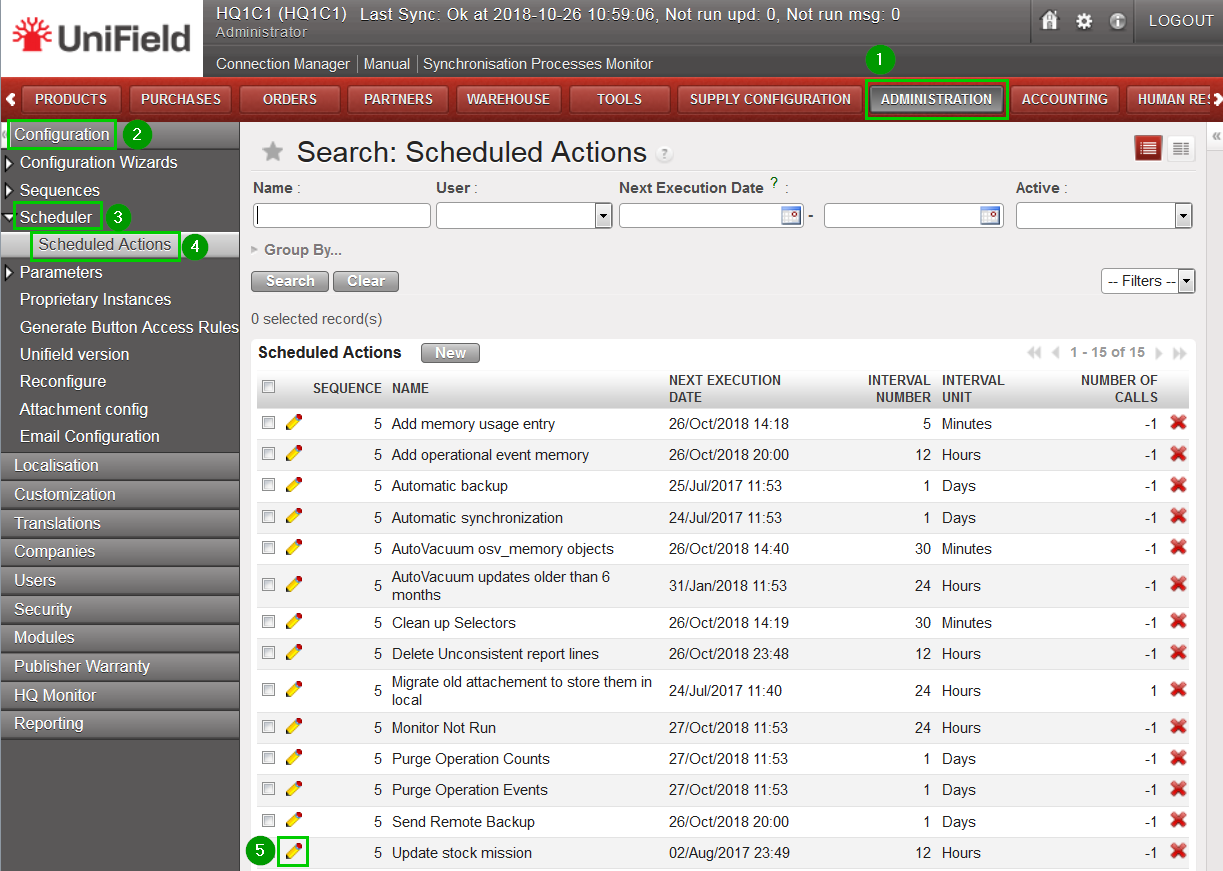 |
Please note that some actions are active by default when you create a new instance and its execution time is set automatically at the creation time of your instance. We recommend checking the configuration and update the execution time of the scheduled actions in the system. In this way they won’t start in the middle of the day and use unnecessary resources while your end-users are working.
