
Supply User Manual ENG -> 1. General Supply -> Track Changes in UniField
Track Changes in UniField
For an easy follow up of the history of changes of supply/finance objects, users can use the Track changes on the right action menu to display information about changes for many objects in supply/finance:
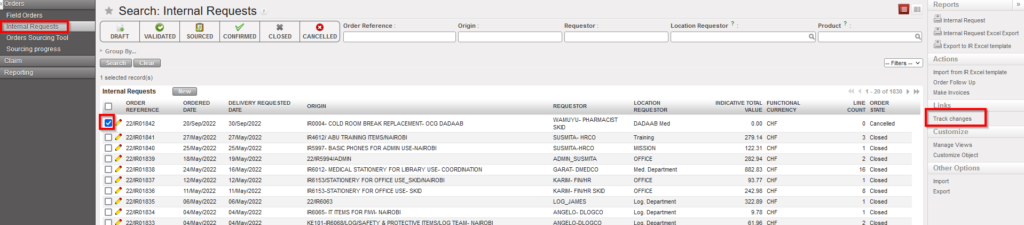
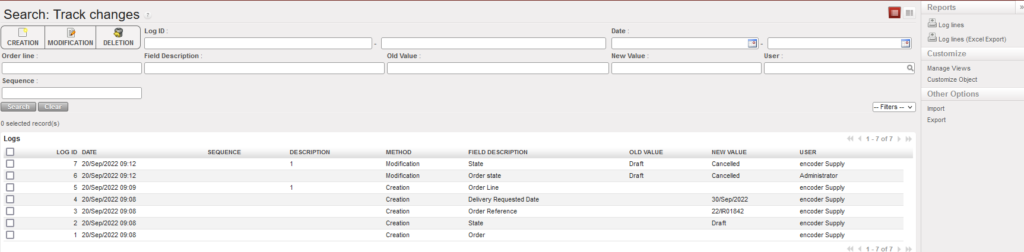
This option is available for below supply/finance objects:
Supply Objects:
- IRs
- FOs
- POs
- RFQ
- INs
- OUTs
- Pick (Parent & child)
- Products
Finance objects:
- Registers
- Customers
- Suppliers
- HQ Entries
- Journal Items
- Journal Entries
- Budgets
- Grant Management
- Periods
- Journals
- Accounts
- Taxes
- Analytic Accounting
- Currency Management
- Product Categories
