
2.7 Instances’ Setup
For setting up each instance (HQ, Coordination, Project and/or SYNC_SERVER  ), it is necessary to create or upload some data. The procedure for uploading some data from a
 .csv file is always the same. This chapter describes how to import a file. It is only for reference.
| Once you are in the menu where to upload the file, open the right-side panel menu by clicking on the double-arrow icon 1 located at the right of the screen. In the Other Options section, click on Import 2 | 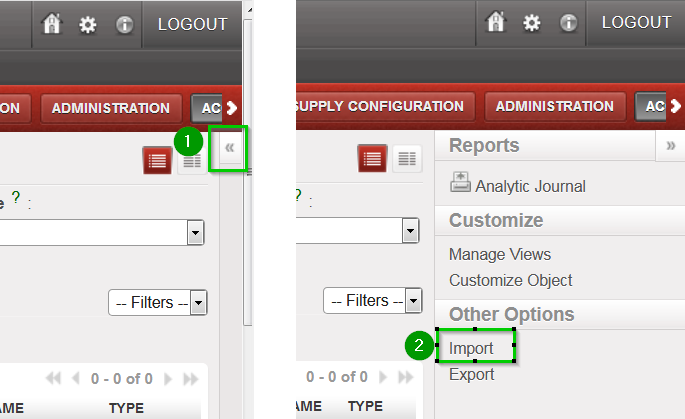 |
| In the following wizard, click on Browse 1, locate the file to be uploaded and click on Import file 2(the wizard will confirm the number of items imported). Click on OK to exit the wizard | 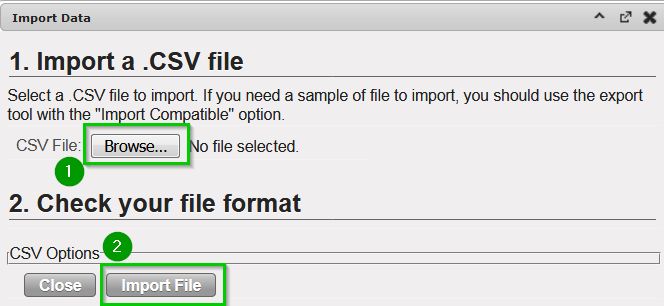 |
The list and all csv file needed to create a Sandbox are available here
