
5.4 Synchronization Task Status (only at client instance)
| Click menu Synchronization 1, Monitoring2, Synchronisation Processes Monitor3. The Synchronization Processes Monitor shows a list of all synchronization rounds that have been made from this instance with the timestamp of the synchronization tasks. The first line in the list indicates the status of the very last synchronization round. For each synchronization round, there are 4 synchronization tasks and the order of the columns is also the order of executing the tasks: Pull Data, Pull Message, Push Data, Push Message. | 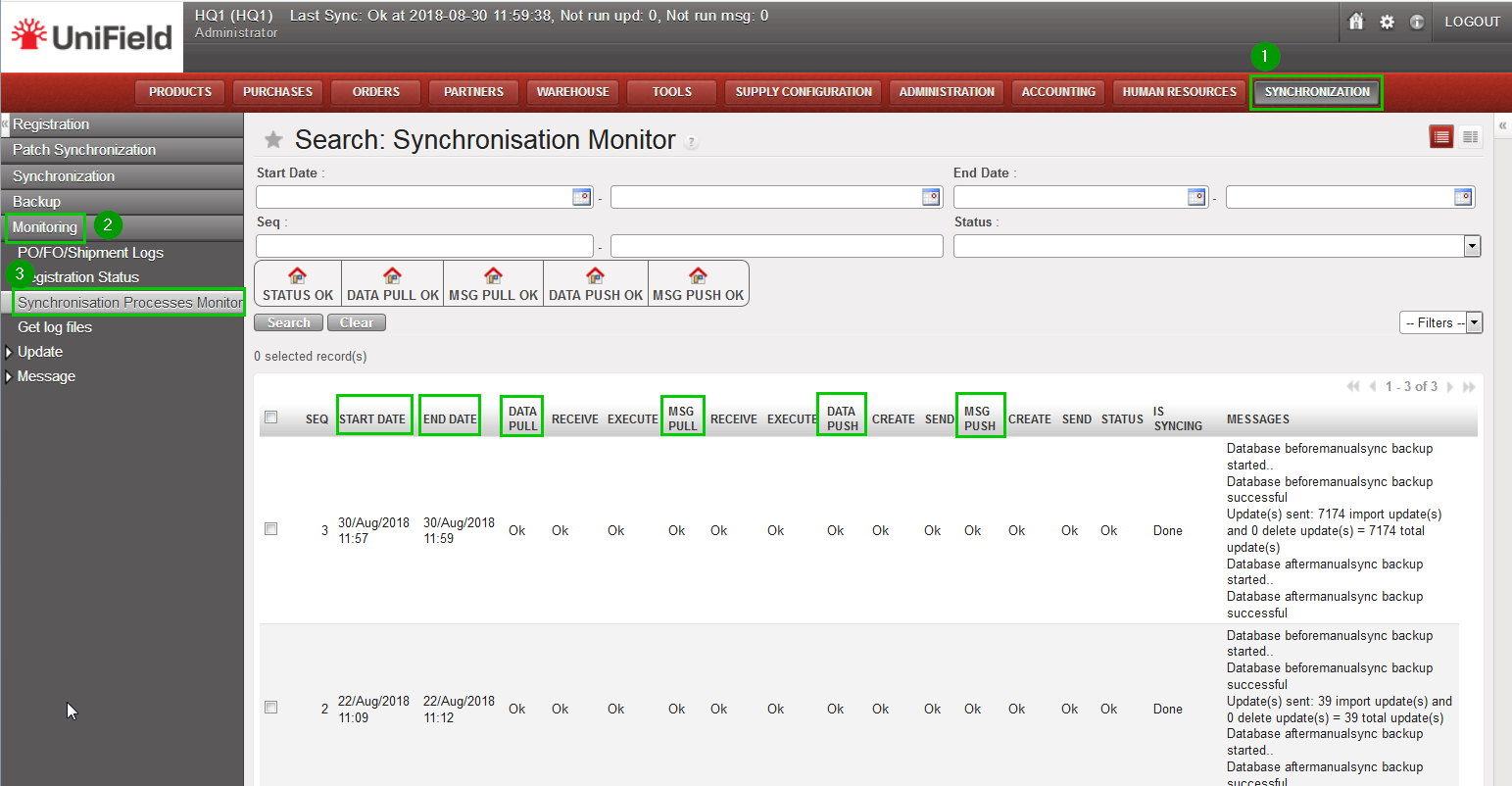 |
There are 3 statuses’: Fail, OK and In Progress:
- In Progress: the task is currently running.
- OK: the task has been successfully executed.
- Fail: some problem occurs during the execution of the task. An error message to explain the failure is also added in the Error Message column.
In some cases, there is another special status: “/” —not applicable . The Error Message is explained in the column.
The column “Status” indicates the final result of the synchronization round: one of the 3 possible values will be shown for the single task described above.
