
9.3 Resetting a Password
When restoring a database, the passwords are kept in the database itself. If you don’t know them but you know the database password you can reset them with the database management tool called pgAdmin. This section explains you how to do so.
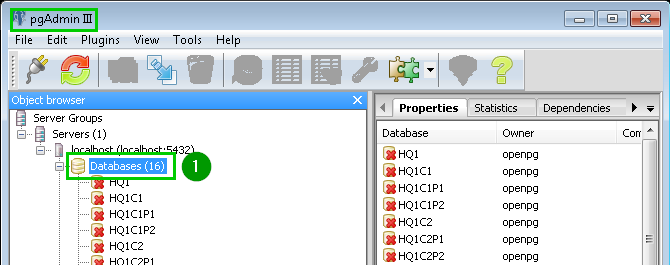
Open your pgAdmin then open Databases 1
|  |
Select the database for which you want to reset the password and type Ctrl + e to open the SQL Editor | 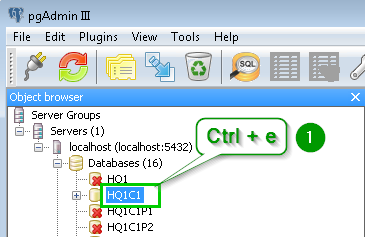 |
| A pop up window opens. Clear the text written in the main text area if necessary. Type the command 1: UPDATE res_users SET password ='myNewPassyword';Click on the play icon 2 in the toolbar. | 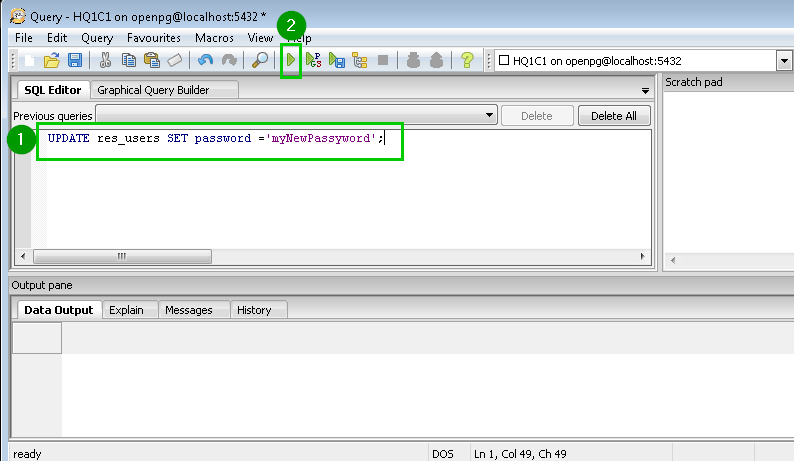 |
| A message appears at the bottom of the window telling you that the passwords have been reset 1 Close the current window without saving and close also the main pgAdmin window. All the passwords are now set to myNewPassword | 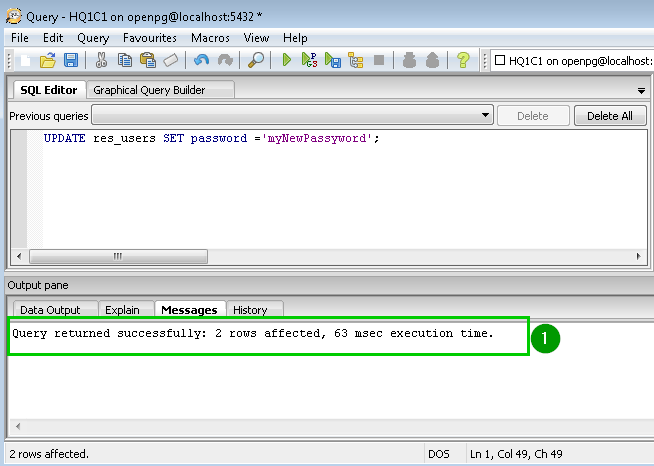 |
