
9.5 Update the Hardware Identifier in the SYNC_SERVER
The last step before starting a synchronisation is to update the Hardware identifier of your instances in the SYNC_SERVER because if you don’t do it and you try to start a synchronisation from any instances in your Sandbox you would face an error.
| Where to find the Hardware identifier. Log in in one of your instance of the sandbox and click on menu Synchronization 1, Registration 2, Maintenance 3, Entity Id 4 A pop up window opens with the Entity Id 5 which is your Hardware identifier. Copy this value. | 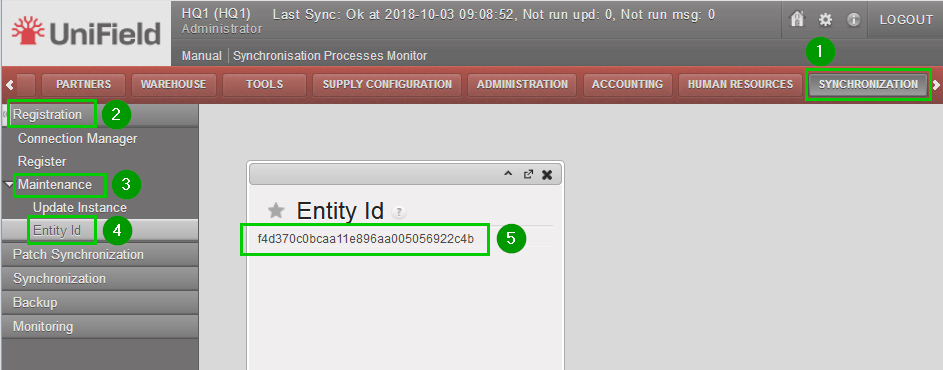 |
| Log out from your instance and log in your_SYNC_SERVER. Click on menu Administration 1, Synchronization 2, Configuration 3, Instance 4. Click on the edit icon 5 of the instance you previously copied the Entity Id. | 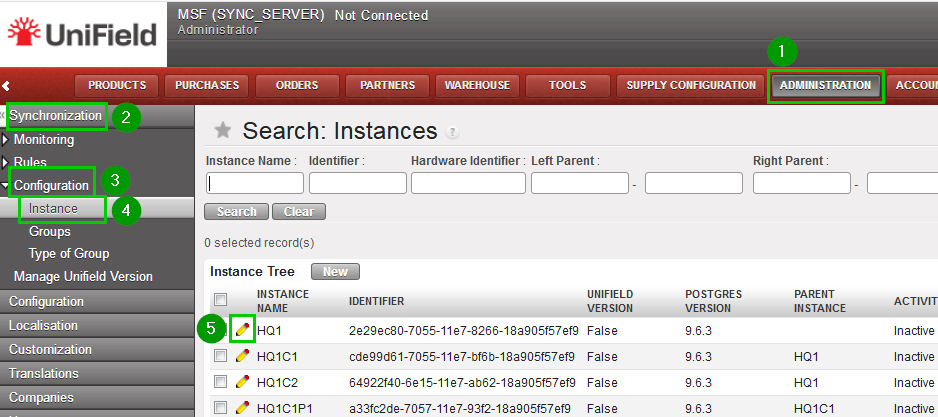 |
| Hardware Identifier 1: paste the Entity Id you copied previously. Click on Save 2 | 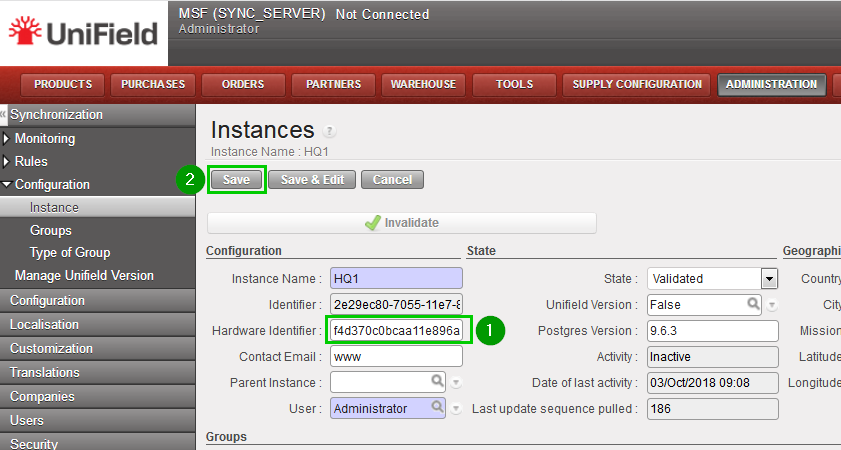 |
Perform the same previous steps for the other instances.
The Sandbox is now ready to be used !!!
