
Supply User Manual ENG -> 5. Warehouse -> 5.13 LU-SU4206: Inventories -> D. HOW TO RE-VALUATE THE COST PRICE/AVERAGE PRICE OF PRODUCTS
D. HOW TO RE-VALUATE THE COST PRICE/AVERAGE PRICE OF PRODUCTS
It may happen that products cost of an instance (cost price in the PMD sheets) are not any more accurate. This can be explained by various reasons such as misuse of the system, inflation, variability in prices,… The direct consequences of wrong products cost prices are that stocks will not be correctly valued and that orders won’t propose correct prices.
Fortunately, the “Product cost revaluation” functionality allows revising cost prices of products. This functionality should be used with great care, in accordance with your OC procedures and involve finance.
Go to: Warehouse / Inventory Management / Product cost revaluation
1.Click on the “New” button.
2. Enter an appropriate “Reference“.
3. The “Creation date” defaults to today’s date but can be changed if needed.
|
|
|
Product Cost Revaluation |
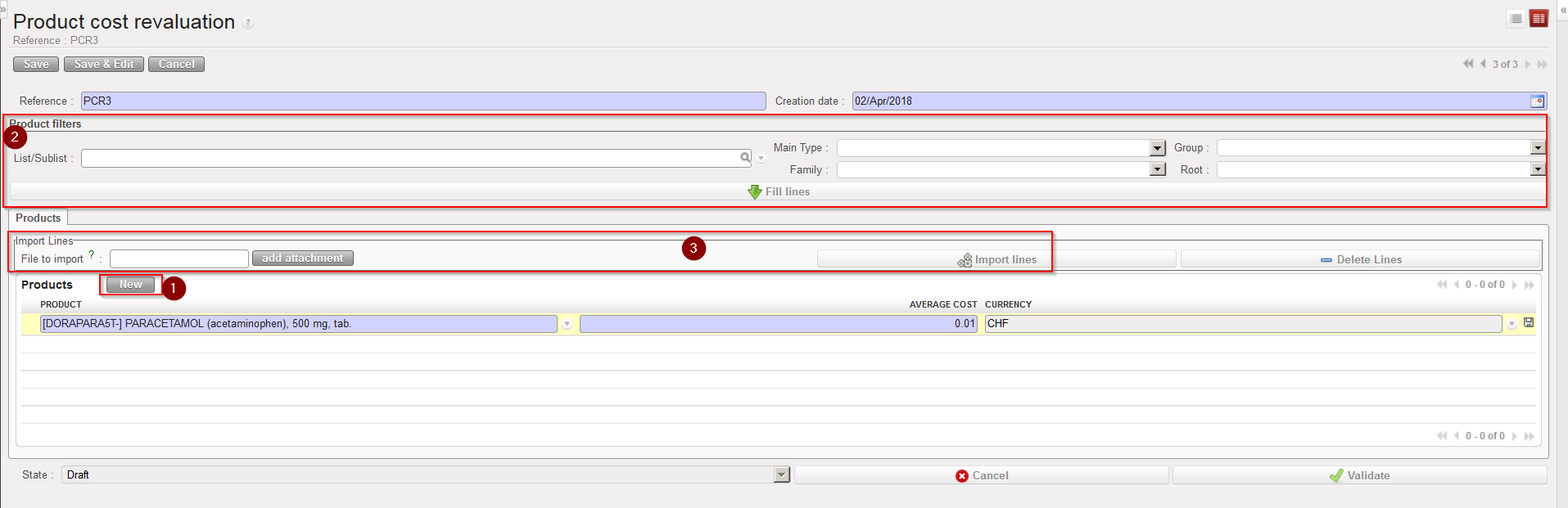
4. Enter the products which you are reevaluating either by:
-
- Adding products manually using the “New” button.
- Using the Product filters area (“List/Sublist” or “Nomenclature”) then clicking on the “Fill lines” button.
- Importing a file (by clicking on the “add attachment” button, browsing and selecting the file, then clicking “Import lines”).
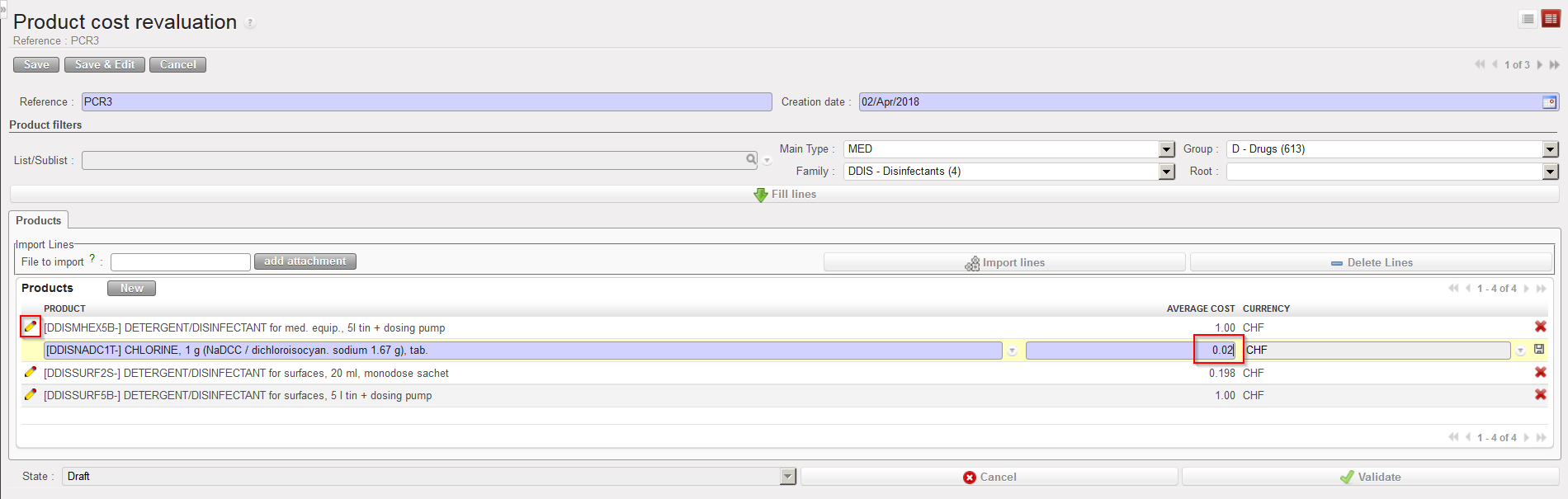
5. The system displays on each line, the product, the current cost price on the instance (in the functional currency) and the functional currency. To edit each line, click on the pencil icon.
6. For each line, update the cost price (average cost) as needed and save the change by clicking on the floppy disk at the end of the line. Note that if you used an import file this step has probably already been done as new prices have probably been included in the imported Excel file.
|
|
|
Product Cost Revaluation – Updating a cost price |
7. When each line has been updated and saved, click on the “Validate” button.
8. Finally, click on the “Confirm” button. The status of the document switches to “Done“. No more changes can be done on the document. The cost price of the products has been updated on the PMD sheet.
The Product Cost Revaluation functionality offers and export option in the action menu (“Cost Reevaluation Excel Export”). Use it to generate a template that can be used to prepare an excel file for import.
Note that if you select the option “Track Changes – Product prices“, available in the action menu of the PMD sheet, you will be able to see the evolution of the cost price of a product, including the changes due to product cost revaluations.
