
Supply User Manual ENG -> 5. Warehouse -> 5.18 LU-SU4304: Movements Reports -> A. RECEIVE PRODUCTS
A. RECEIVE PRODUCTS
This functionality allows to analyze Incoming Shipments. It can for example be used to see if a particular product has arrived or is expected to arrive.
Go to: Warehouse / Product Moves / Receive Products
|
|
|
Receive Products |
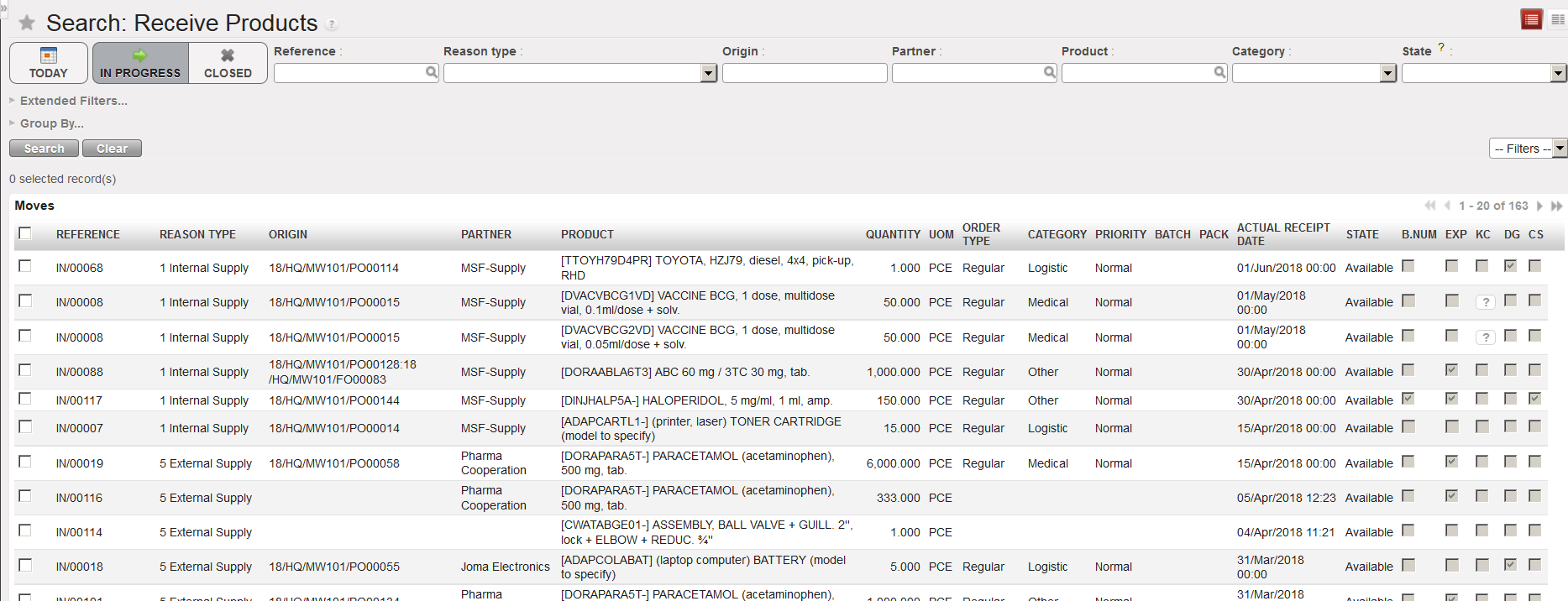
- The system will by default show all receptions which are expected / in progress. To search for a specific product, clear all applied filters by clicking on the “Clear” button.
- In the “Product” filter, enter the product on which you wish to investigate.
- Click on the “Search” button.
|
|
|
Receive Products |
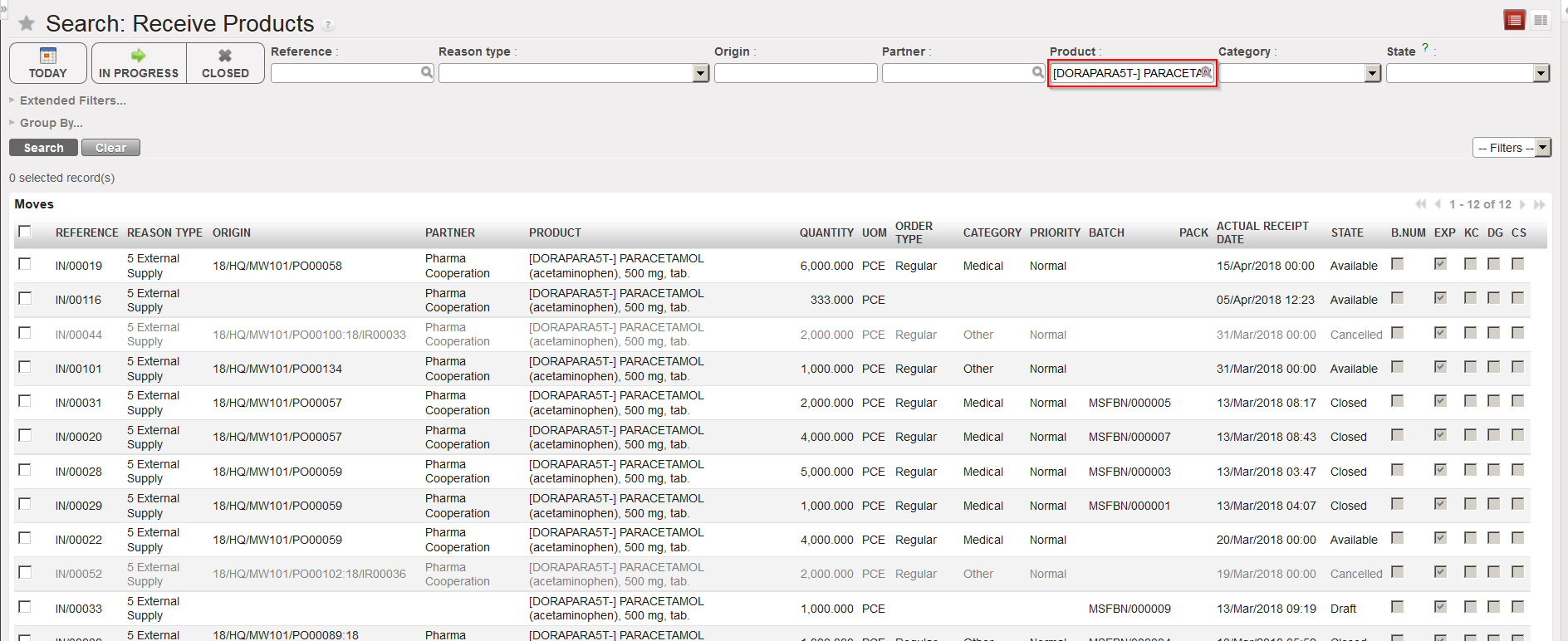
The system shows all Incoming Shipments where this product is involved.
This functionality can also be useful for the warehouse officer to see all deliveries which are due to arrive today, thanks to the “Today” filter which will display INs expected today.
