
Supply User Manual ENG -> 5. Warehouse -> 5.8 LU-SU4201: Internal Moves -> D. HOW TO EXPORT AN INTERNAL MOVE
D. HOW TO EXPORT AN INTERNAL MOVE
An Internal Move can be exported to PDF or Excel. This may be useful if you want to communicate about a planned transfer or to get a needed validation (signature).
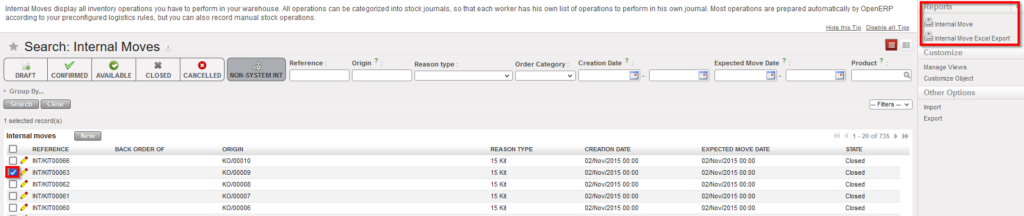
Go to: Warehouse / Warehouse Management / Internal Moves
- Using a checkbox, select the Internal Move you wish to export.
- In the action menu, select the option “Internal Move” to export the INT to PDF or the option “Internal Move Excel Export” to export the INT to Excel.
 |
|
Exporting an Internal Move to PDF or Excel |
|
|
|
Internal Move in PDF format |
|
|
|
Internal Move in Excel format |
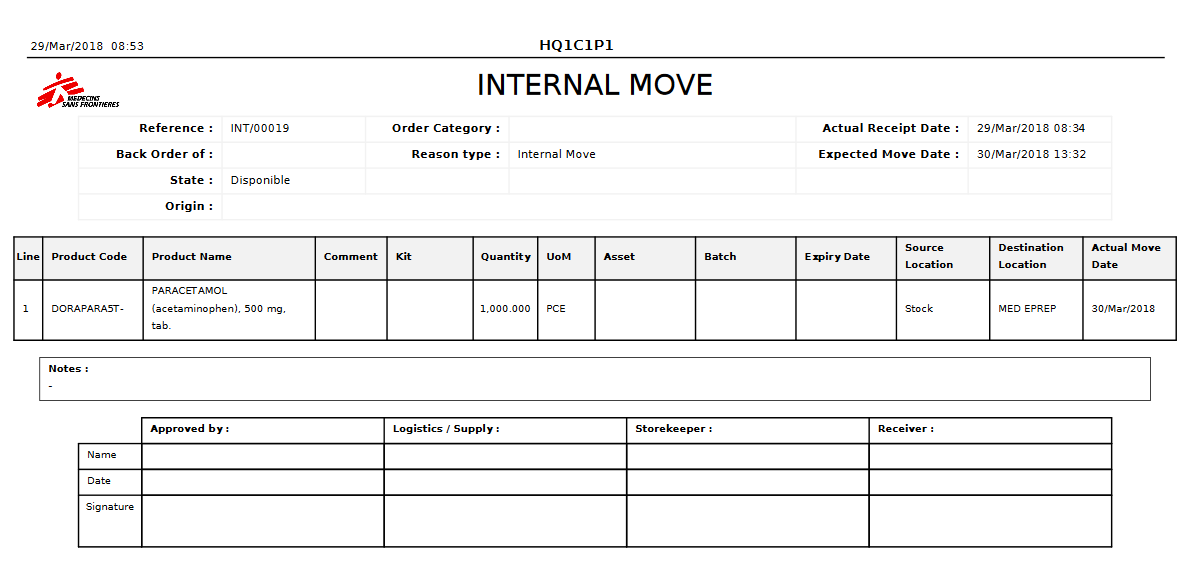

Note that these export options are also available in the action menu from within the INT.
If you tick several check-boxes in the “Search: Internal Moves” screen, you may export several INTs in one step. In PDF, you will get one page per INT. In Excel, you will get one sheet per INT.
