
Supply User Manual ENG -> 4. Procurement -> 4.4 LU-SU3103: Field Orders (FOs) – General -> D. How to add one or multiple Analytical Distribution (AD) to Field Orders Line/lines
D. How to add one or multiple Analytical Distribution (AD) to Field Orders Line/lines
This functionality enables users to add or update the Analytical distributions (ADs), (Cost Centers and Destinations) the Draft FO lines, users have 3 options to use for adding or updating the ADs:
1- Adding AD/ADs at the header level:
Go to: Orders > Field Order > Analytical Distribution
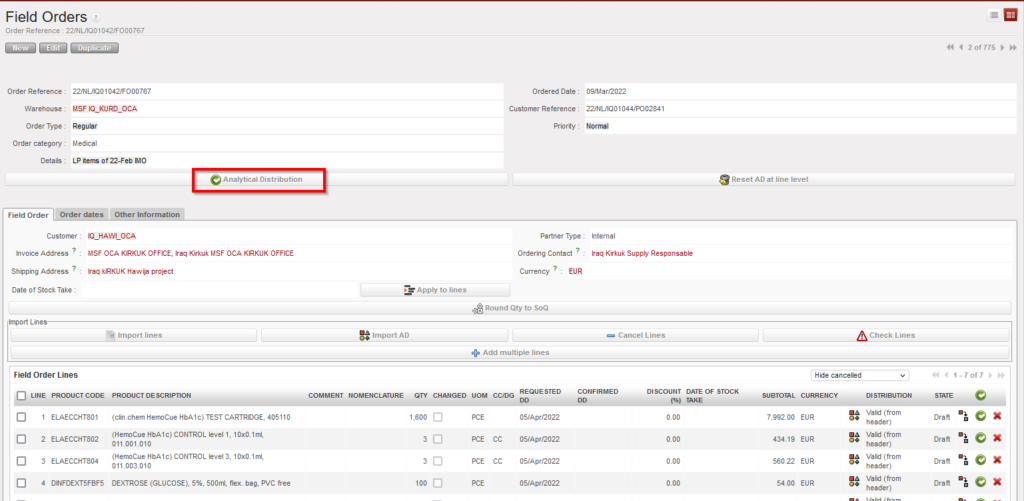
by clicking on the “Analytical distribution”, new screen will be opened, and then by clicking on “New” user can add one AD or more to be applied on all FO lines same way.

2- Adding AD/ADs at line level manually:
User can add the AD to the line manually by clicking on AD icon on the line level, new screen will be opened, and then by clicking on “New” user can add the AD to the line:

3- Adding AD/ADs by importing
This option makes it easier for users to add one or more ADs to a single line or to add different ADs to multiple lines in the same Draft FO. Unlike with the first option (adding AD at header level), this option can be used to add different ADs to different lines,
This can be done by clicking the “Import AD” button, exporting the template shown from the page that pops up and entering the Cost Centre, Destination and Percentage information for each line in the exported document. If a line has multiple ADs, the values in these three columns must be separated by semicolon (;).
If a line has been split and AD information is entered in the import document, the values entered in the first line will be used to fill all lines split from the same line number.
In the import file, only the AD values will be imported. No other information can be modified or added via the import file. Percentages must add up to “100%” and the total number of semicolons in the Percentage, Cost Center and Destination columns must be the same. The system will check that Line number and Product Code match those of onscreen PO.
If there is already an AD added in onscreen FO, the exported template will show entered values. It is possible to remove (delete) AD values that were already entered on screen by importing a file where the line’s AD values are blank. At import, there is a check that AD values exist, but the main/secondary check will remain after import, when line/FO is validated.
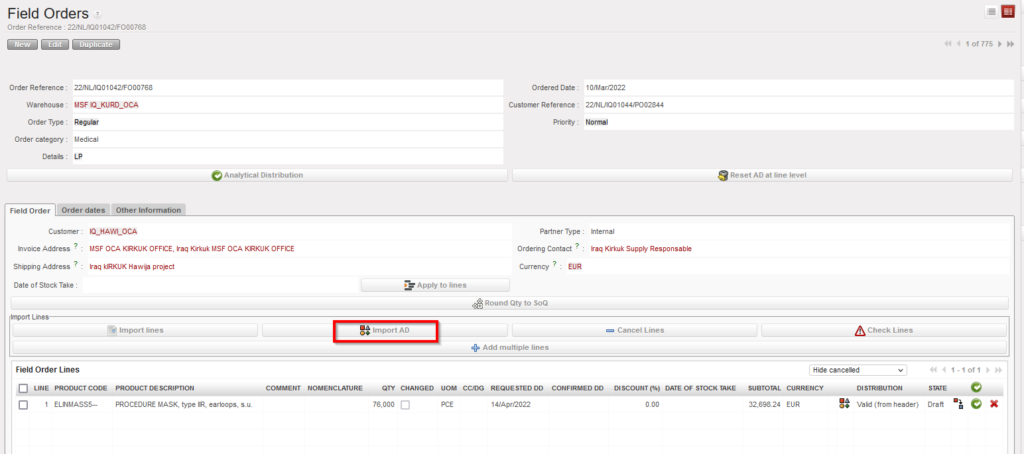


*** Same options are available for Draft PO.
