
5.5 Monitoring the Data and Messages Exchanged (only at client instance)
| Click on menu Synchronization 1, Monitoring 2, Update or Message 3. The sub-menu Update Received 4 displays the data exchanged and Message display the messages exchanged between the current instance and other instances. | 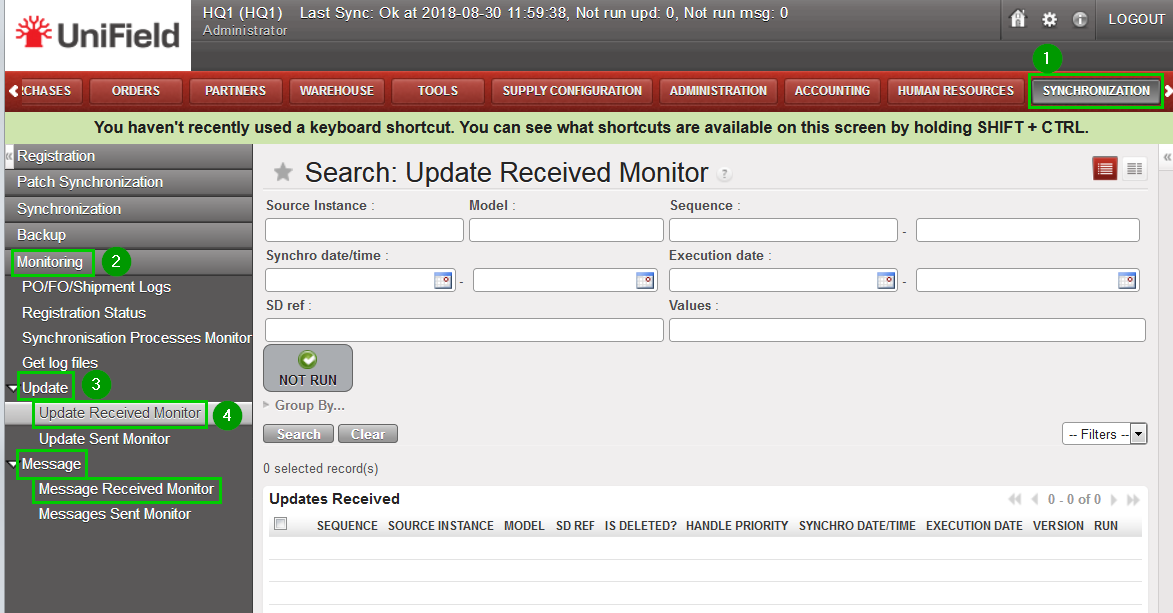 |
| Click/Unclick the Not Run button 1 to show the lines that successfully executed or not; the entries that were exchanged but failed to be executed are highlighted in red. | 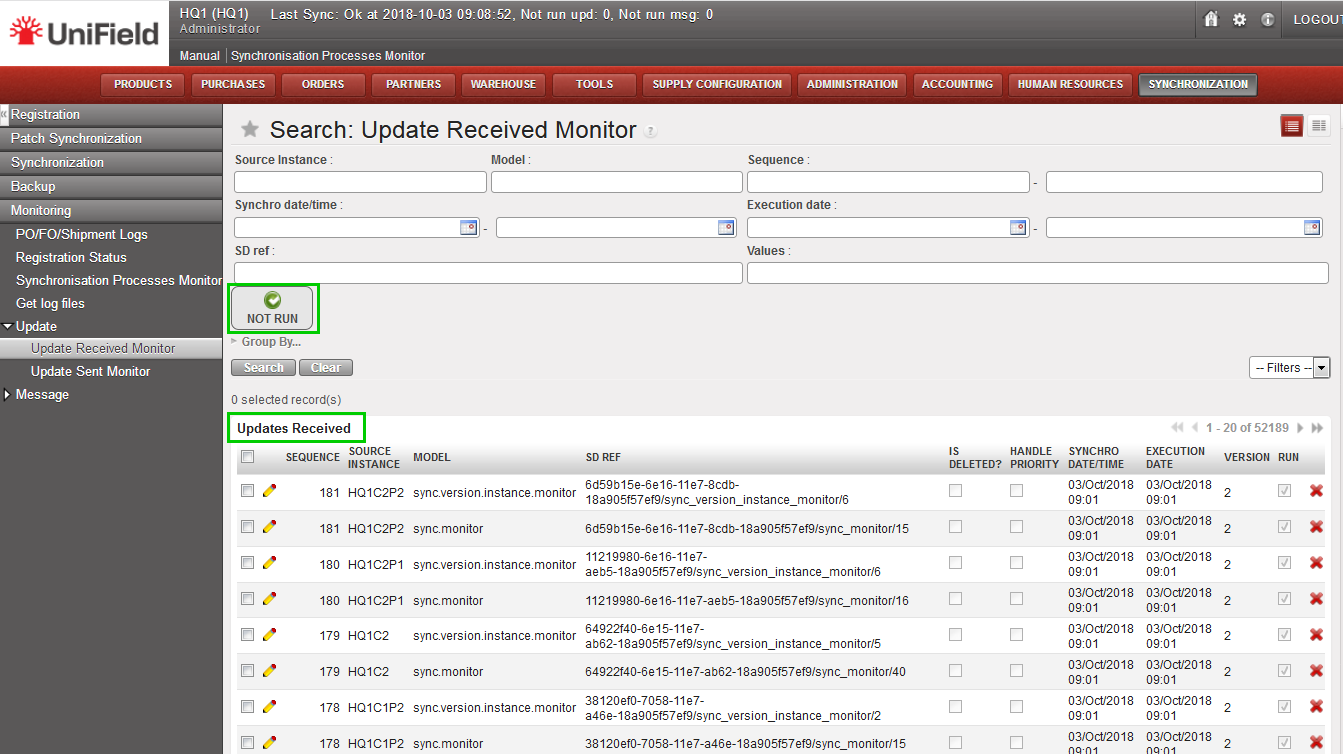 |
| Click on a line of this list to show the content of the data or message exchanged with all relevant information to the run status and error message. More information on what to do with the Not Run lines in the troubleshooting section. | 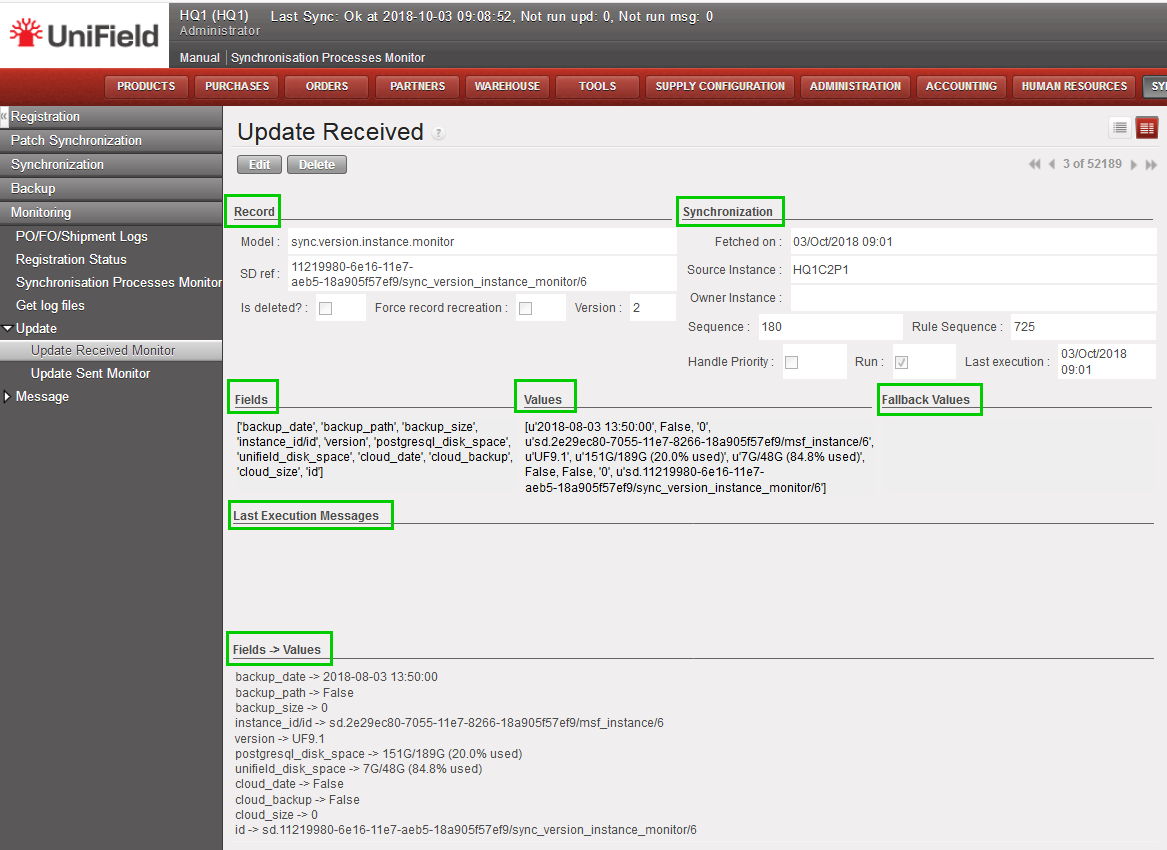 |
