
Supply User Manual ENG -> Products -> 3.8 MML / MSL -> B. How to view MML Products
How to view MML Products
The MML Products menu shows a list of all products that are in an OC’s Medical Master List (MML) (the list of all OC Valiated products). This list is managed at HQ level in the MSL Tool outside of UniField and the data synchronizes to every UniField instance.
Go to: Products / MML / MML Products
In addition to listing all validated products, the MML product list shows country/project specific restrictions, Use Comments and the product’s statuses.
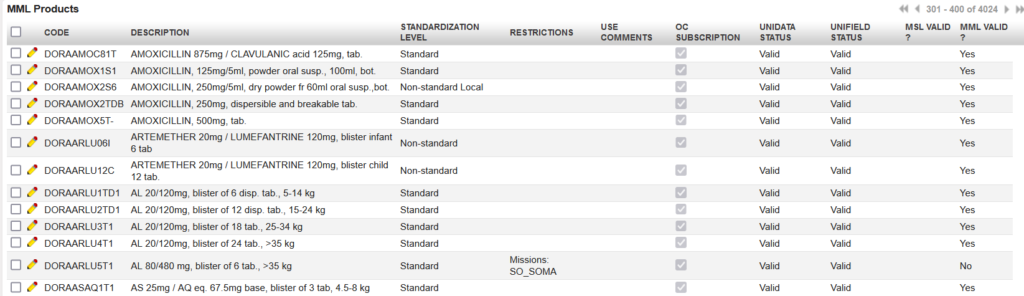
Any product which is added to the OC’s MML list (validated) or which is removed from it (devalidated) is added to / removed from the visible MML in UniField at HQ and synched down to all instances below. Any changes to the list will also be updated and synch down automatically.
