
Supply User Manual ENG -> Products -> 3.2 LU-SU2101: General Product Management -> I. How to declare a new product as a service
I. How to declare a new product as a service
This option is to create / convert a product into a service in UniField; this is required in order to create Purchase Orders for services like transport, construction, electricity or any other service needed to be contracted.
Each type of service needs to be entered as a product in the database. The price can be edited in the actual purchase order itself.

Service with reception
 Please note: The UoM in the purchase order service with reception can be percentage (100%) as this will facilitate payment in installments for a service if this was the payment term agreed with the supplier.
To indicate that a product is a service –> Go to: Products / Products
- In the “Information” tab, go to “Product Type field” and select the option “Service with Reception”
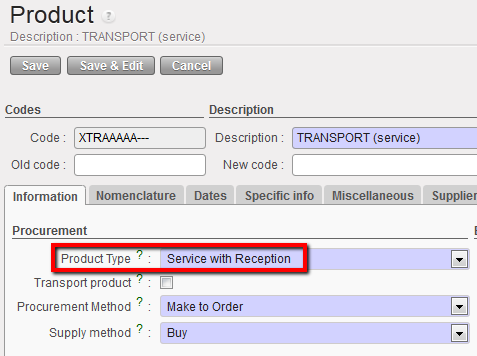
Service with Reception Product Type
2. Tick the “Transport product” checkbox if the service is transport-related such as car rental or transport services.
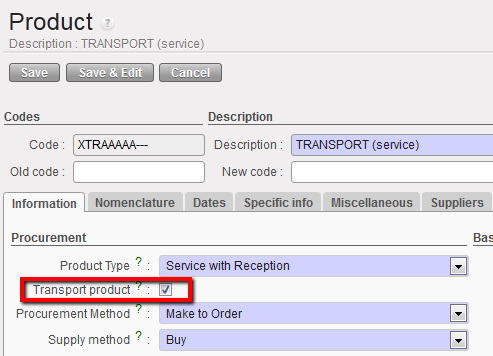
3. Click on Save
