
Supply User Manual ENG -> Products -> 3.5 Assets -> D. How to view the events and follow up (history) of an asset
D. How to view the events and follow up (history) of an asset
Go to: Products/ Assets /Asset Forms
- Use the search fields in the header to find the asset that you want to see the history
- Click anywhere on the line of the asset you would like to see (except on the pencil/edit icon!) the record of this asset will open
- Click on the “Event History” tab at the top of the page to view the history for this specific asset
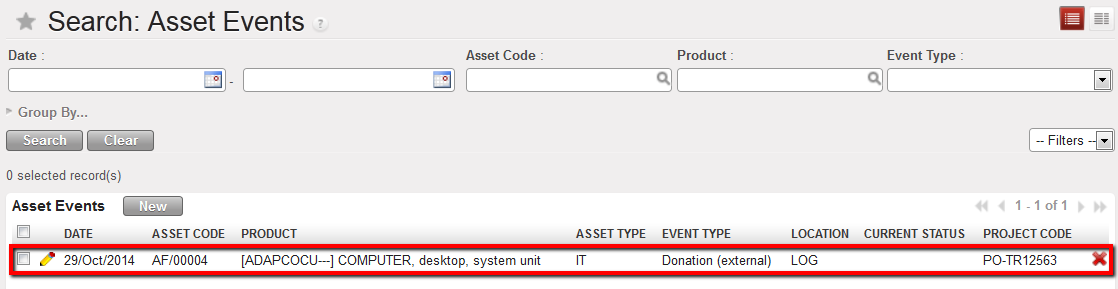
Asset follow-up
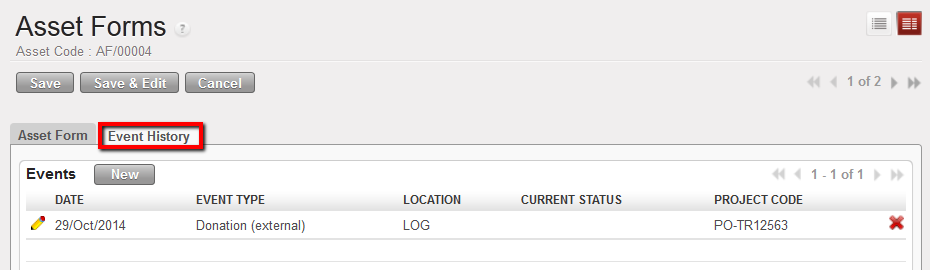
Asset Event History tab showing history/events for asset selected

Please note: It is important for the asset to be treated as a product when receiving it (e.g. in an incoming shipment), it needs to be processed the same way (and the appropriate documents created and managed) as for products for the stock when they are ordered, sent, stored etc,
