
Supply User Manual ENG -> Products -> 3.6 LU-SU2105: Kits/Modules -> A. LU Introduction (LU-SU2105)
A. LU Introduction (LU-SU2105)
Kit as a product
Products are the main items used in UniField. In order to be ordered, purchased, delivered, stocked or dispatched in UniField, an item needs to be registered as product in the system. In consequence, Kits are considered as single products, despite being groups of products on their own (i.e. kits for cholera for 10,000 people)
They are treated as single products throughout the whole supply chain (from order to reception) and their content is managed in a dedicated separated submenu called Kit Management, under the menu Products.
Kits content are not visible in the warehouse but can be displayed when the Kit is being purchased or after its reception.
When some products are inter-related, they may be called a module: for example, a laptop and a charger cable may be called a module (i.e. Module 1 showed in the below graph). There may be several modules in a kit.
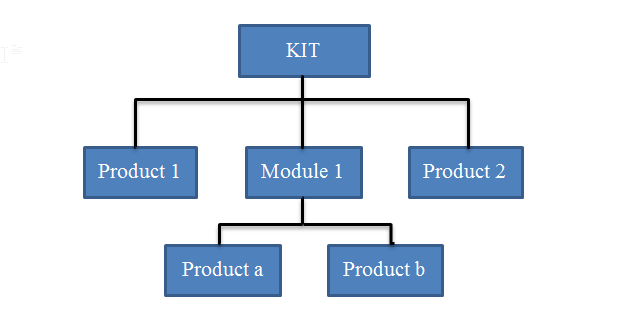
General Structure of a Kit
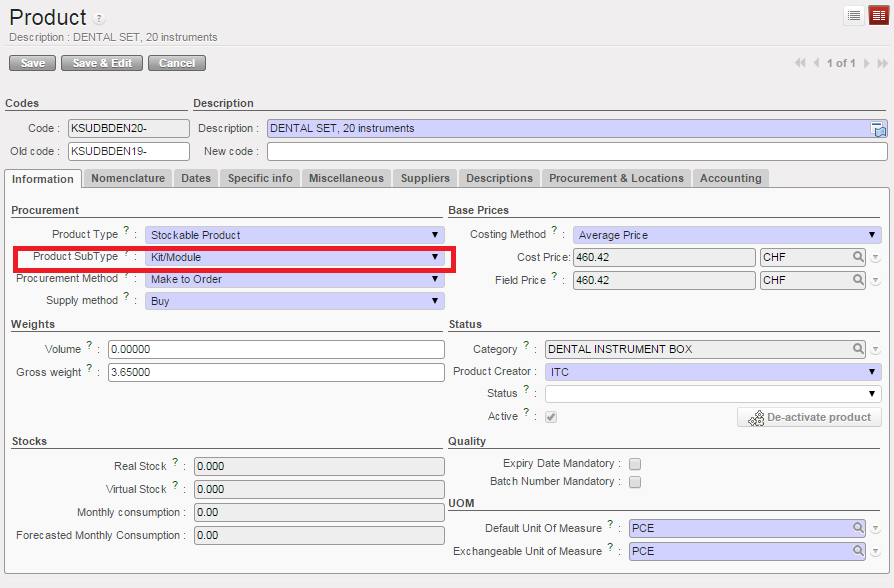
For a product to be considered as a Kit in UniField, the product Sub-Type should be “Kit/Module” on the product page.
The LEFO (Last expiry, first out) rule will apply when creating KITs. When creating a KIT, Unifield allows you the option of selecting items based on FEFO (First Expired First Out) or LEFO rule.
Choosing LEFO will select the products with the longest expiry date, allowing the kit to stay “fresh” longer, reducing the frequency of updating kits by UF user.
FEFO is applied automatically to all other stock operations. The advantage for using LEFO for KIT production is that KIT stays “fresh” and ready to use longer. It also requires less workload for the KIT refresh.
