
Supply User Manual ENG -> 4. Procurement -> 4.6 LU-SU3201: Purchase Orders (POs) - Generals -> F. How to Merge Purchase Orders.
F. How to Merge Purchase Orders.
UniField allows the merging of several POs if they are in the state “Draft” and are addressed to the same supplier.
Go to: Purchases / Purchase Management / Purchase Orders
- Use the check boxes to select the Purchase Orders you want to merge (make sure they are in the state “Draft” and are addressed to the same supplier).
- Click the option “Merge Purchase orders” in the action menu.
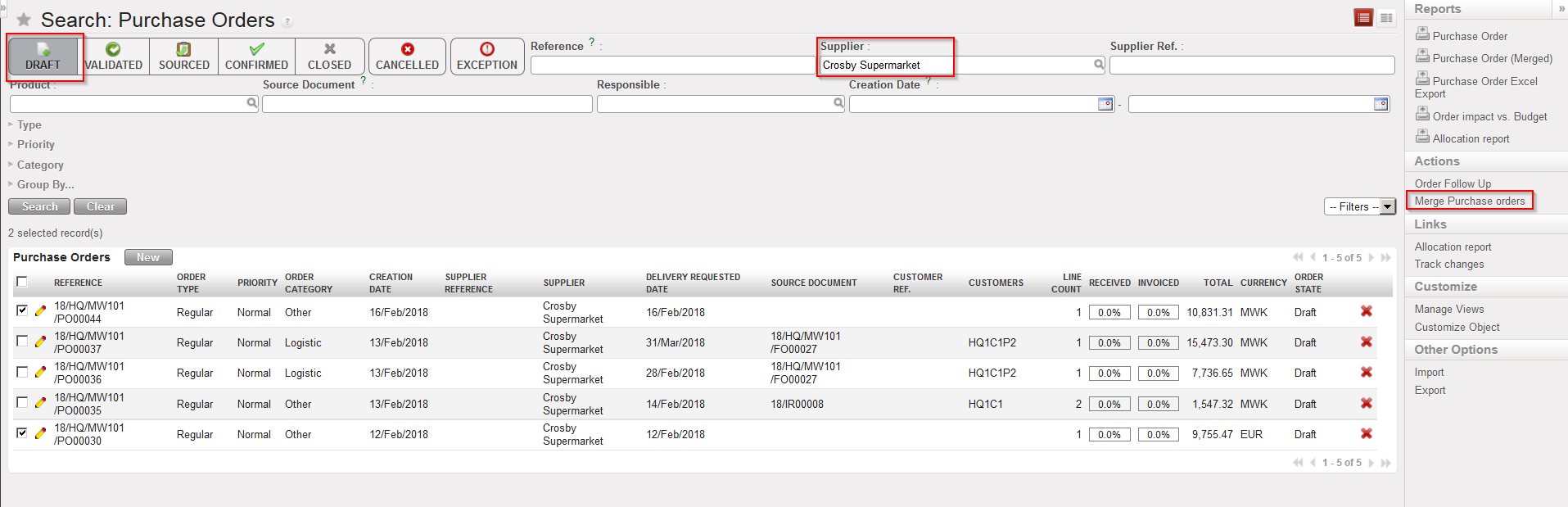 |
| Selecting POs for merging |
3. A message appears to inform the user about the merge that he/she is about to do.
Information such as Sourcing Group and Destination Partner (for DPO) if different in both Pos will be taken from the template PO.
 |
| Message before POs merging |
A report related to POs merging is also available. It displays multiple Internal Requests which were sourced to the same supplier. The output reporting format is a PDF document ready for validation.
Go to: Purchases / Purchase Management / Purchase Orders
- Click on the check box on the left part of the screen of the line of the Purchase Order to print.
- The Action Menu is displayed on the right end of the screen.
- Click on the “Purchase Order (Merged)” option.
N.B. This function will export only merged purchase orders ( from 11/03/2026). An error message will appear if it is used for a non-merged PO. - The PO will be exported in PDF format.
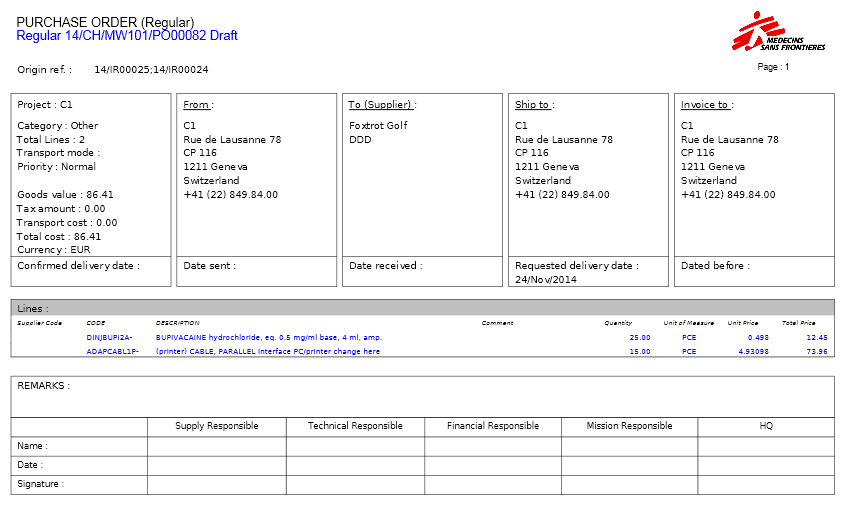 |
| PDF version of a merged PO |
