H. b) How to validate a PO at line level
b) i. How to validate several lines of a PO
If the user has the appropriate user rights, he will be able to validate a PO at line level. This can be done for 1 line or for some lines.
According to the OC procedure in place this validation could/could not be allowed (refer to your OC procedures) How to validate 1 line of a PO
Go to: Purchases / Purchase Management / Purchase Orders
- Open the PO that you wish to validate (in edit or display mode). This PO should not yet be fully validated but still draft (or draft-p).
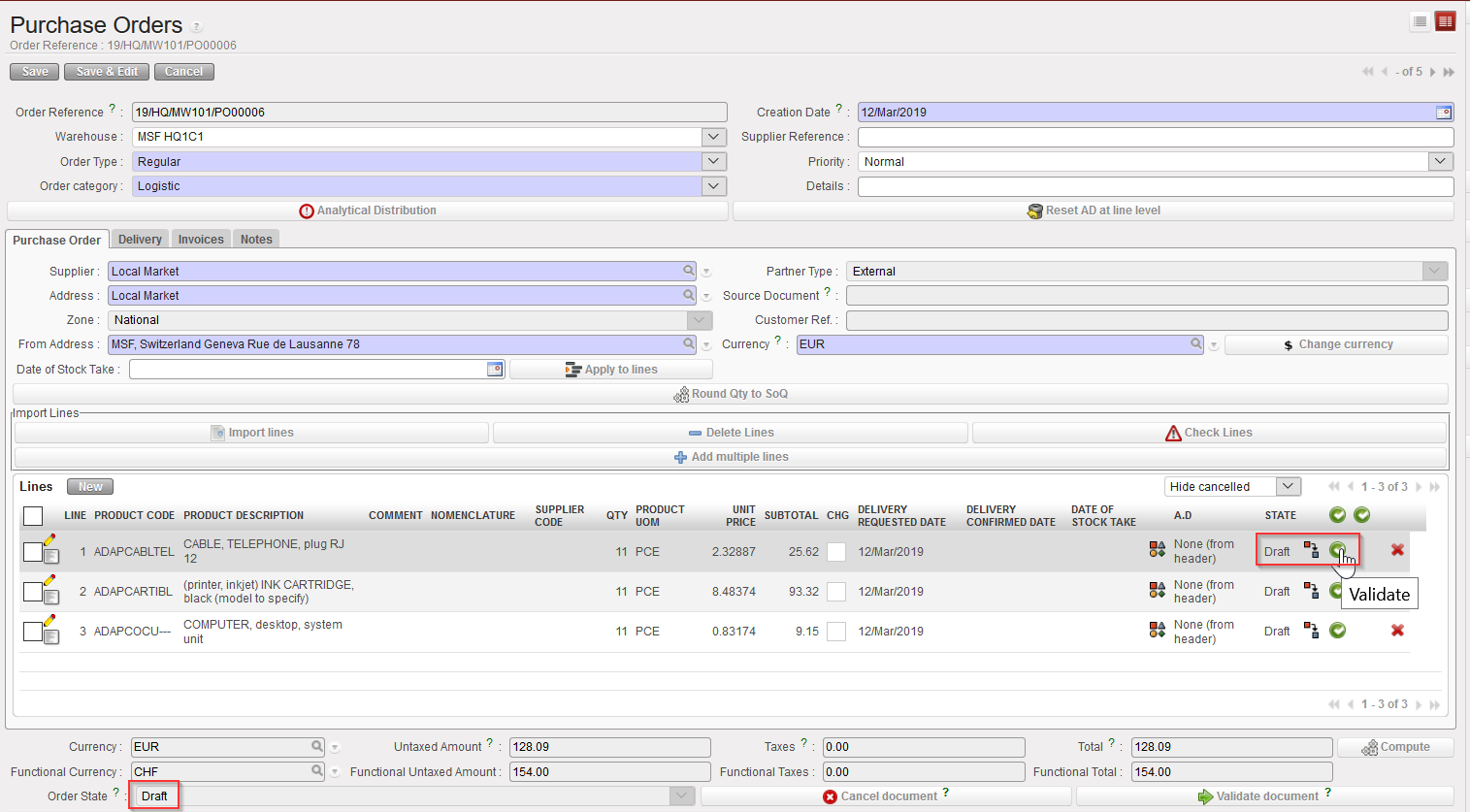
- Click on the green button (Validate) located at the right of the line you wish to validate.
|
|
|
Validating 1 line of a PO |
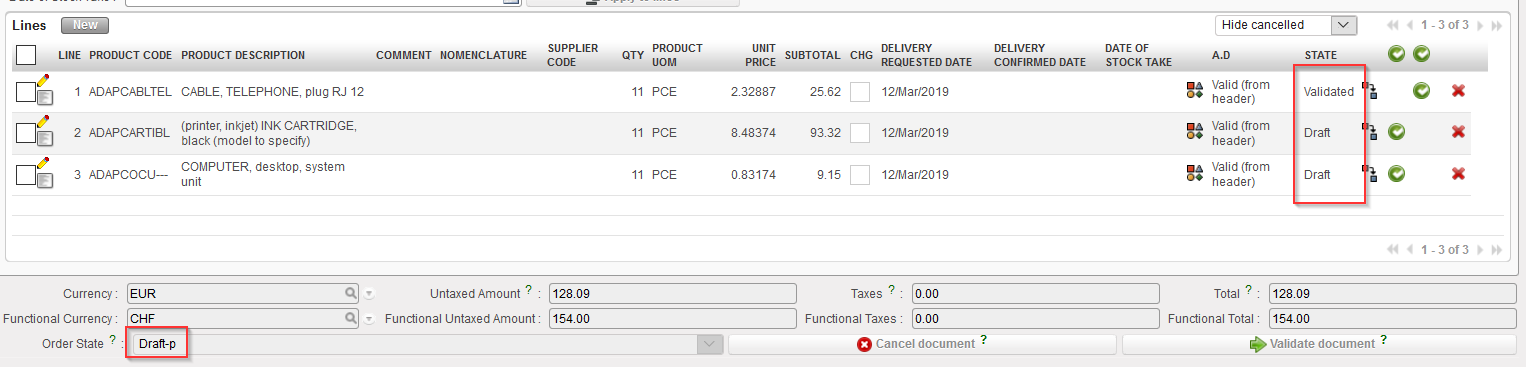
3. The PO switches to “Draft-p” (partially validated). The validated PO-line switches to “Validated” while the other lines stay in status “Draft“.
|
|
|
1 line of a PO validated |