
The below steps show how to cancel & resource a validated Purchase Order which has been generated by the OST following the sourcing of an FO on order.
Go to: Purchases / Purchase Management / Purchase Orders
- Click on the line of the Purchase Order on which you need to cancel & resource.
- Click on the “Cancel document” button at the bottom of the PO screen.
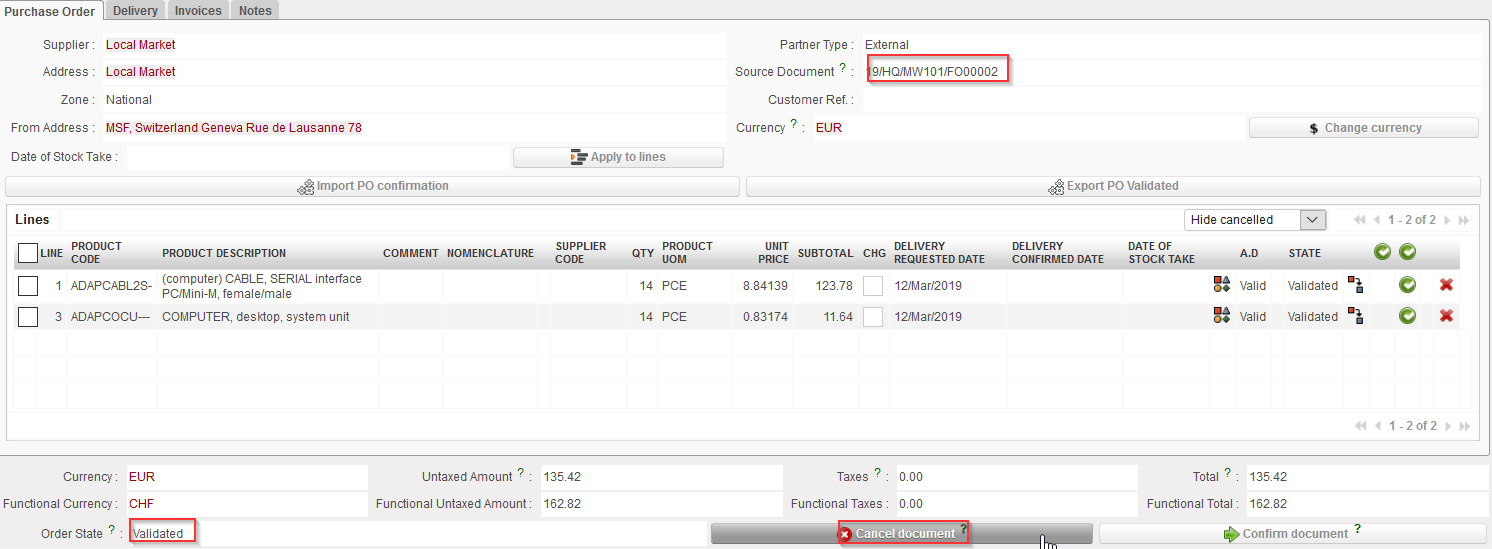 |
| Cancelling an entire PO |
3. Select “Cancel & Resource” on the pop-up window.
 |
| Cancelling & Resourcing an entire PO |
4. The PO switches to state “Cancelled” while the PO-lines switch to state “Cancelled-r” (use the filter at the top of the “Lines” table to see them).
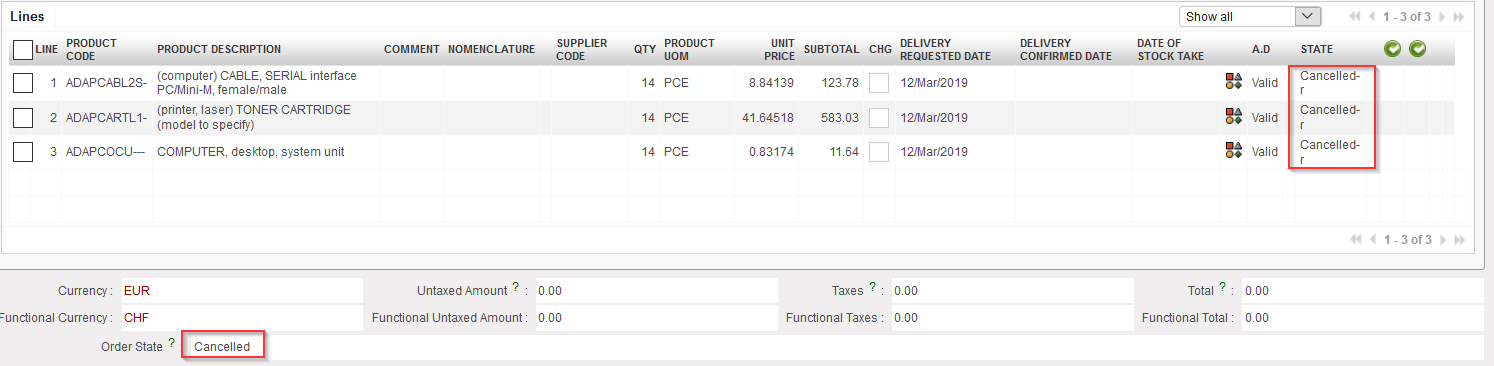 |
| Cancelled & Resourced PO |
5. On the FO which was sourced on order, the original lines switch to state “Cancelled-r” and new lines (copy of the original ones) are added in state “Resourced-v“. These lines can be resourced in the OST. Note that the FO is in state “Sourced-p“.
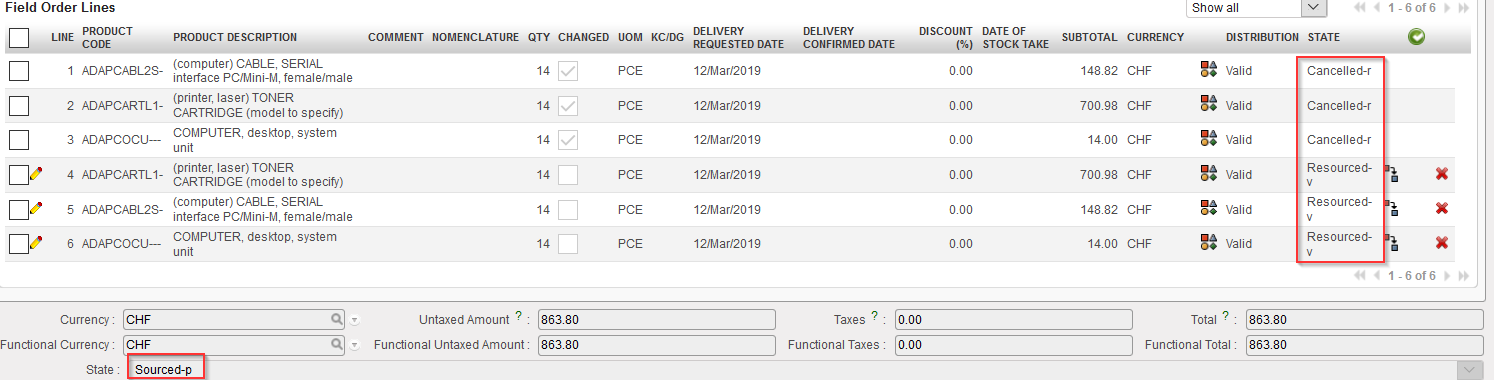 |
| FO after cancel & resource |
