
I. b) From RFQ
RFQs not created from a Tender (but from scratch or by the OST) may also trigger the creation of a PO as soon as the RFQ is in the state “Updated“. For RFQs created from scratch, use the button “Generate Po” at the bottom of the screen. For RFQs created by the OST, use the button “Continue sourcing” at the bottom of the screen.
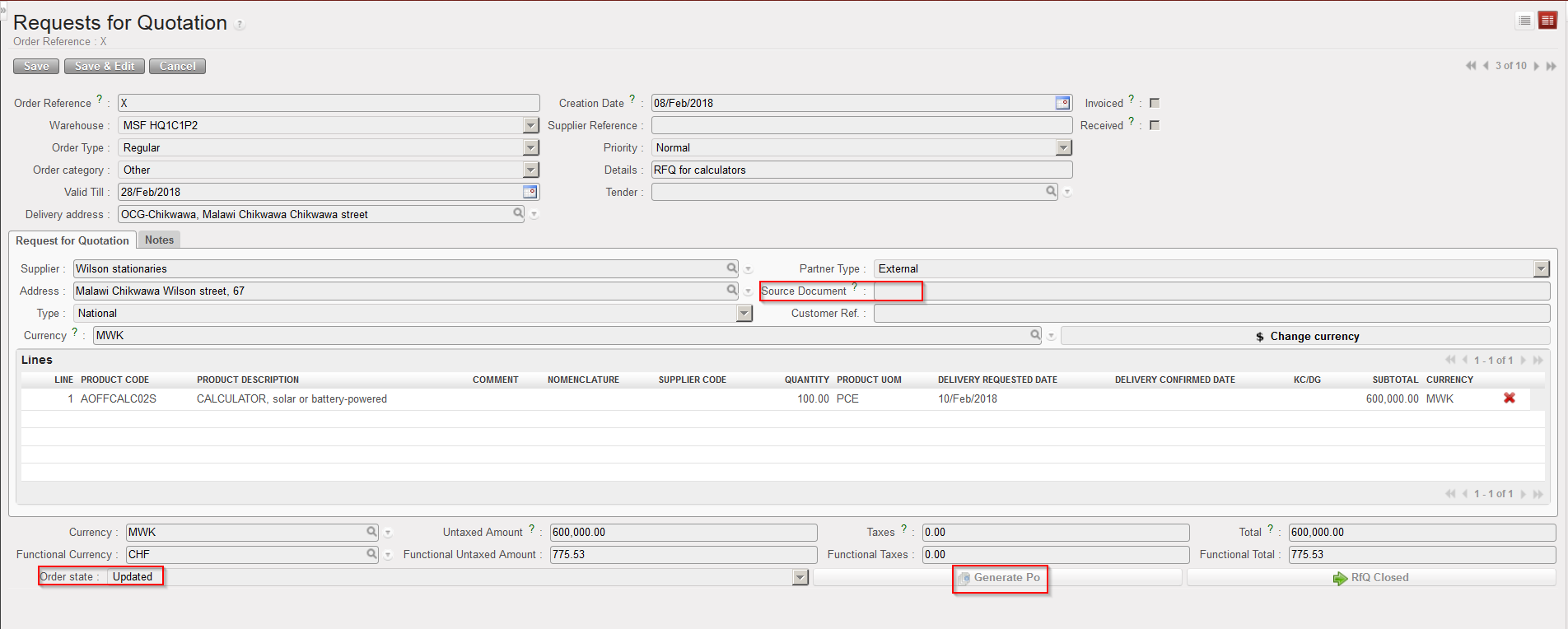 |
| Creating a PO from an RFQ created from scratch |
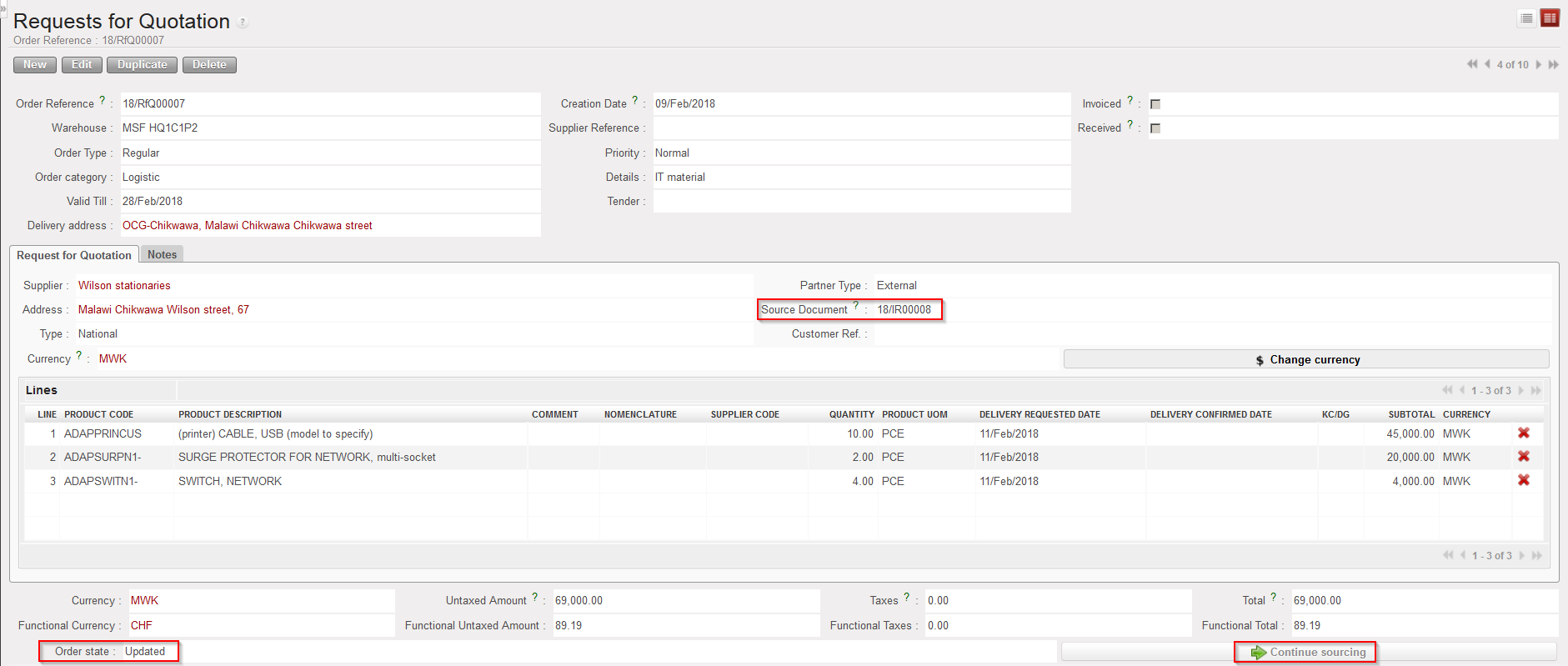 |
| Creating a PO from an RFQ created by the OST |
Note that the generation of the PO will also update the PMD sheet of the involved products (see below).
Once the PO has been generated, RFQs created from scratch should be closed manually. It will be automatic for RFQs created by the OST.
