
Supply User Manual ENG -> 4. Procurement -> 4.9 LU-SU3301: Procurement Reporting -> B. How to use the Field Order Analysis
B. How to use the Field Order Analysis
UniField offers a useful tool to analyze Field Orders. You can use this to display and analyze requests for supplies from partners according to different filters.
Field Orders have to be followed-up on a regular basis to ensure that all field requests are answered to within the requested time limits, and to avoid having any pending or “forgotten” requests.
The “Field Manager Dashboard” (first screen your reach if you click on ORDERS in the UF menu bar) and the “Search: Filed Orders” screen (which you reach through Orders/Field Orders) are already offering some information about FOs : state, picking percentage, responsible, customer, customer reference,…
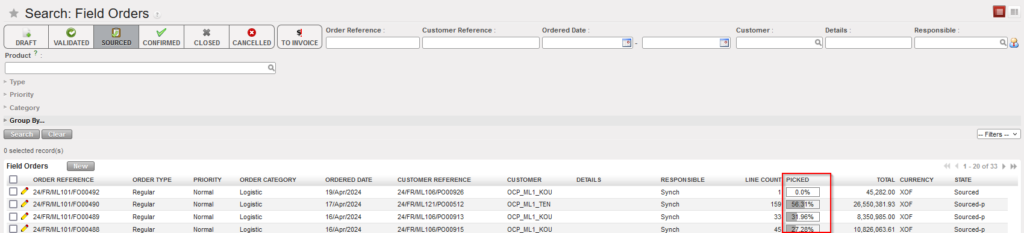
The “Field Order Analysis” gives additional information.
Go to: Orders / Reporting / Field Order Analysis
 |
| Field Order Analysis |
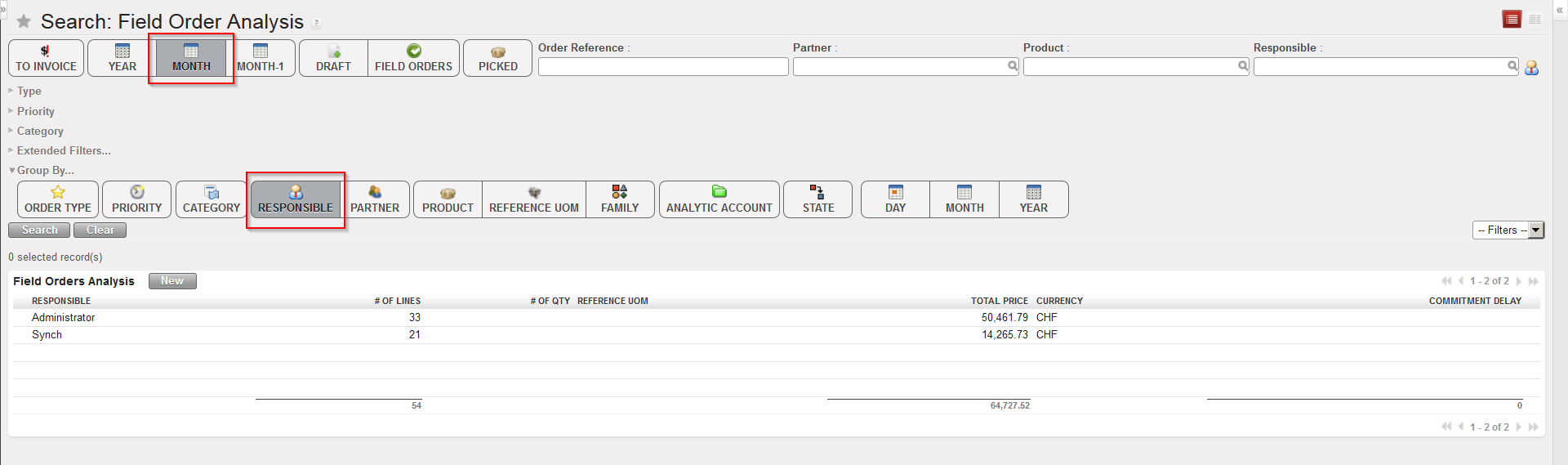
- By default, FOs created during the current month appear on the screen and are grouped by responsible (user who created the FO). Note that all FOs created by synchronization have user “Synch” as response be.
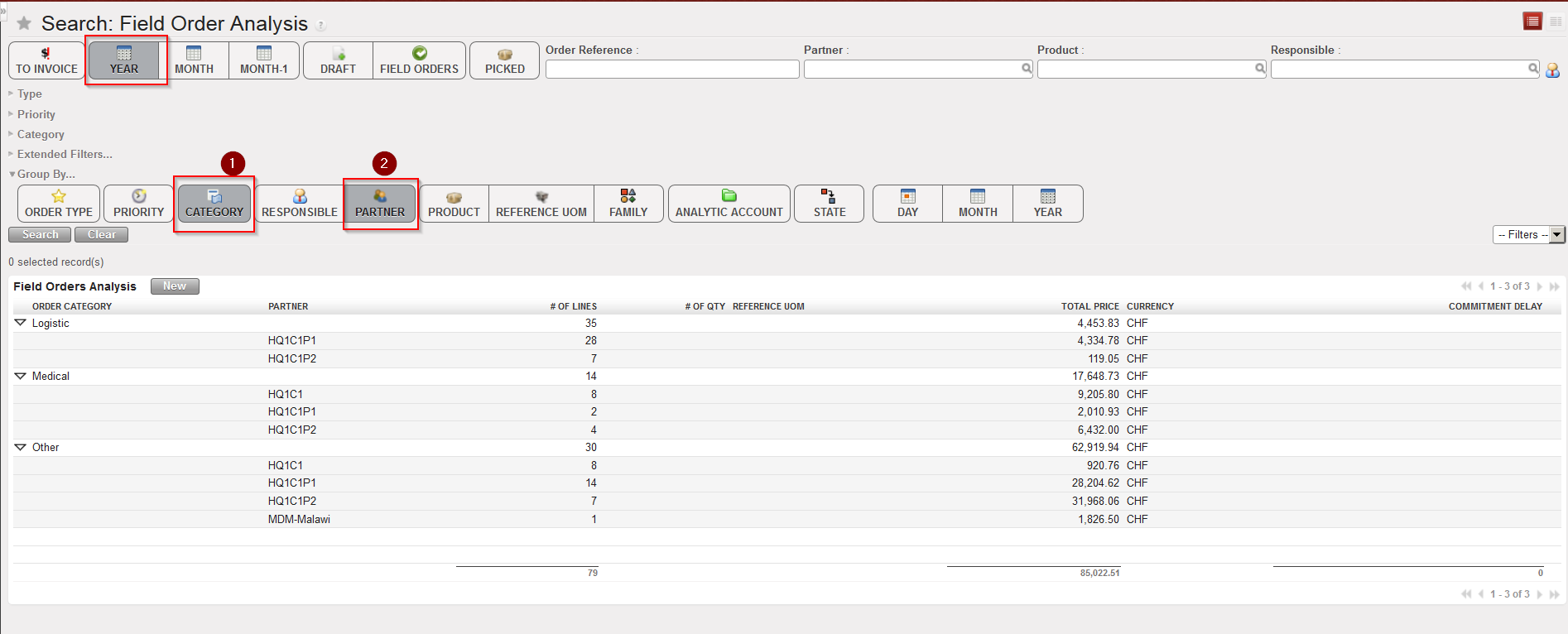
- You may change these default filters and show more (or less) FOs and grouped them according to other criteria (e.g. Show all FOs created this year and group them by order category (1) and customer (2) as show in the screen below).
- The details can be viewed by clicking on the “Expand All” button.
 |
| Field Order Analysis |
Note that the order in which you select the “Group by” buttons directly impacts on the results displayed. For example, if you want to see Field Orders grouped by Partner then by Category, you should click the buttons in this order: Partner, Category.
