
Supply User Manual ENG -> 4. Procurement -> 4.9 LU-SU3301: Procurement Reporting -> G. How to view Local Transport Cost Follow up
G. How to view Local Transport Cost Follow up
For national purchases, there is no possibility to add the transport cost on the PO. For these POs, you should encode transport costs on specific “Transport” POs and use products with type “Service with Reception” flagged as transport products.
Note that transport (services) purchases may be encoded through this category of POs for local and international purchases if preferred.
The system will give an overview of these transport costs in the “Local Transports Costs” report.
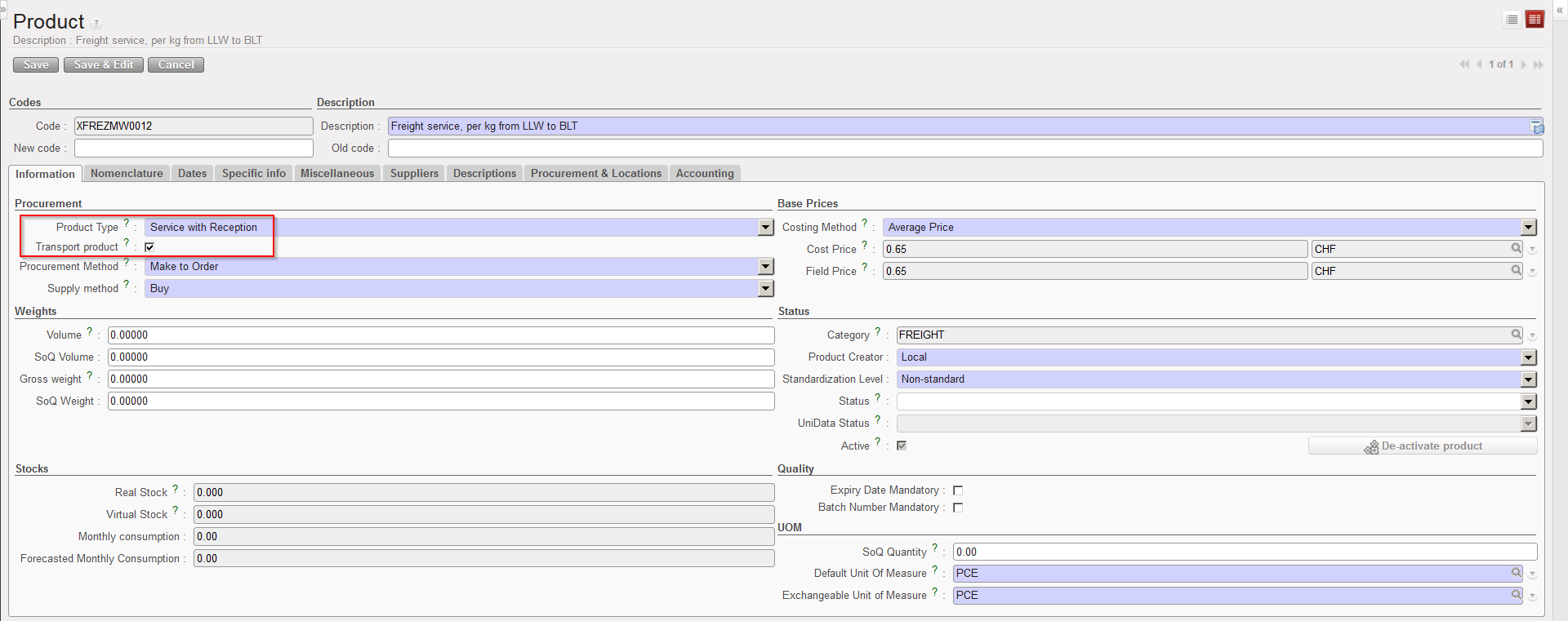 |
| Products with type “Service with Reception” flagged as transport product |
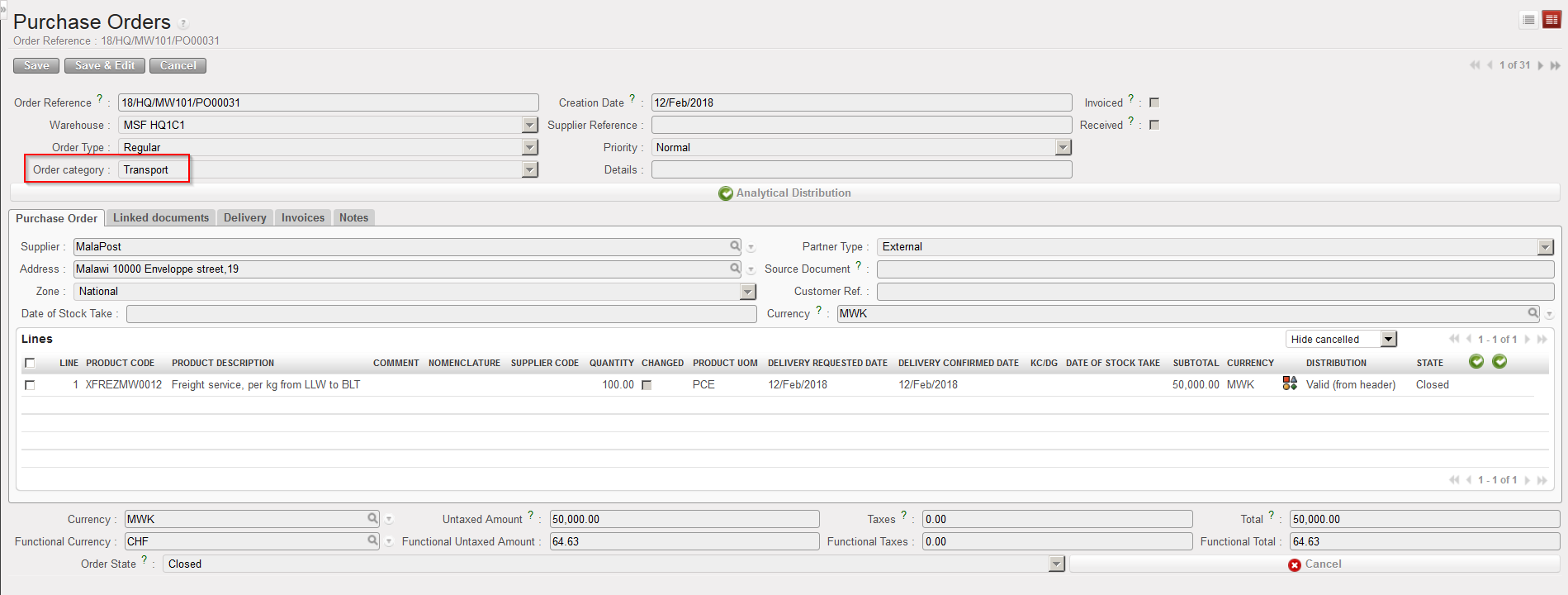 |
| Transport PO |
Go to: Purchases / Reporting / Transport Costs
- Click on “Local Transport Costs” under the “Transport costs” sub option.
- The system displays a report with information include in “Transports” PO.
- To view details of each line, click on the “Expand All“.
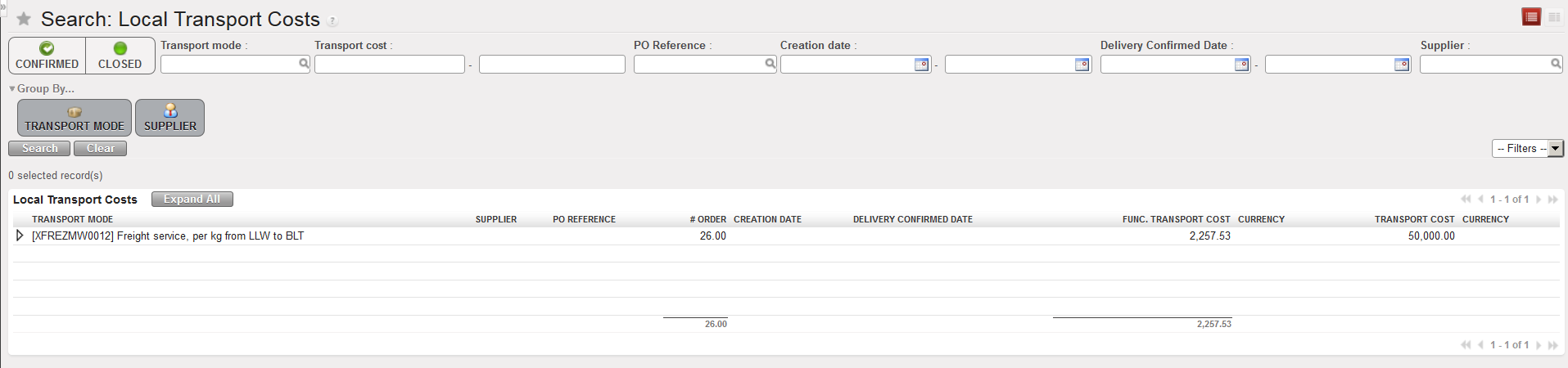 |
| Local transport costs report |
