
Supply User Manual ENG -> 4. Procurement -> 4.10 LU-SU3401: Procurement Advanced Features -> H. How to source one order (IR or FO) on several POs for the same ESC (and same RDD)
H. How to source one order (IR or FO) on several POs for the same ESC (and same RDD)
It may happens that there is the need to split 1 request (IR or FO) sourced on order on several POs, even if all the lines of this request are sourced to the same supplier and are requested for the same date.
UniField offers an option to do this type of sourcing but this option is only available for ESC suppliers.
Examples:
In some countries, import taxes are different according to the nature of the products imported. If you group together on the same PO all products which follow different import tax regimes, authorities could decide to tax all products at the same (high) tax rate. Splitting lines on different POs according to the tax regime they follow may help avoiding this and allow substantial economies.
When sourcing on order to an ESC, you might decide at this point how goods will be shipped. As the mode of transport is defined on the PO header, sourcing on different POs will allow you to ship different lines of an order with different modes of transport.
The “order creation mode” field on a partner already allows splitting requests on different POs according to different rules: by project, by category, by category & project or by order. The objective here is to go even further as in this case we want to be able to split 1 single request on different POs, even if all lines are sourced to the same ESC and are requested for the same date.
The “Sourcing group” feature allows doing this type of sourcing. It can be activated on the partner form for ESC supplier only. Basically, when “Split PO” is activated (“Yes“), this option will force users to add “sourcing groups” in the OST that will allow the generation of several POs for 1 single request.
To activate the “Split PO” feature on a partner (ESC)
Go to: Partners / Suppliers
- Select a supplier (whose partner type is “ESC“).
- Fill the “Split PO” field with “Yes” (note that this field is only existing on ESC partners).
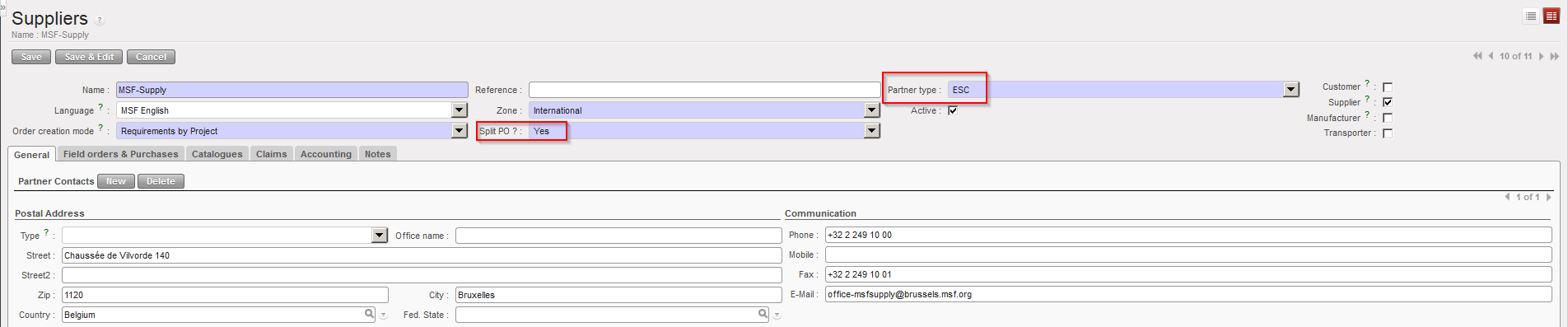 |
| Split PO field on partner sheet (ESC only) |
To create the “sourcing groups“
Go to: Supply Configuration / Orders / Sourcing groups
- Click on “New” to create a new sourcing group.
- Enter a name and a description.
- Save the line.
 |
| Creation of sourcing groups |
To use the “sourcing groups” in the OST (we assume that you have validated IR or FO).
Go to: Orders / Orders / Orders Sourcing Tool
- Enter a supplier for the lines you want to source (it should be an ESC).
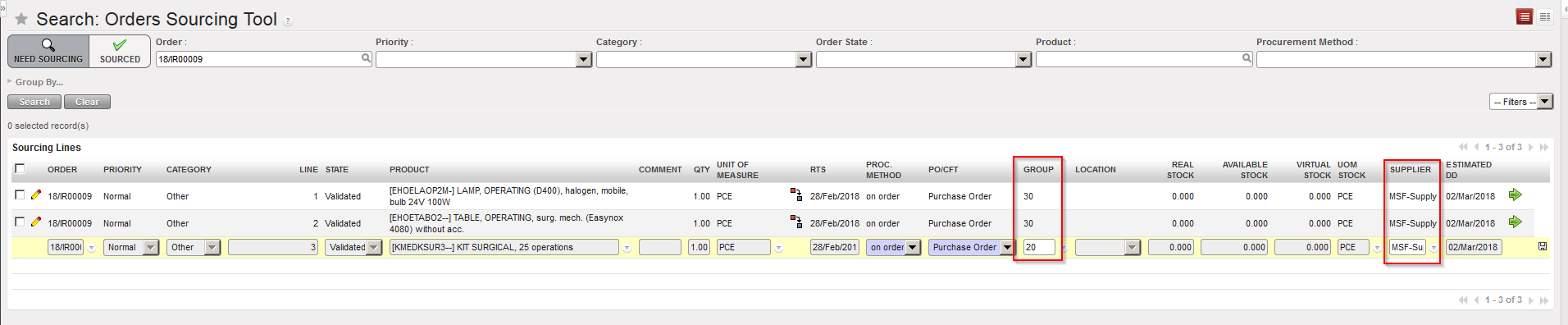 |
| Using “sourcing groups” in the OST |
- Select a “Group” for each of the lines you wish to source.
- Source the lines.
 |
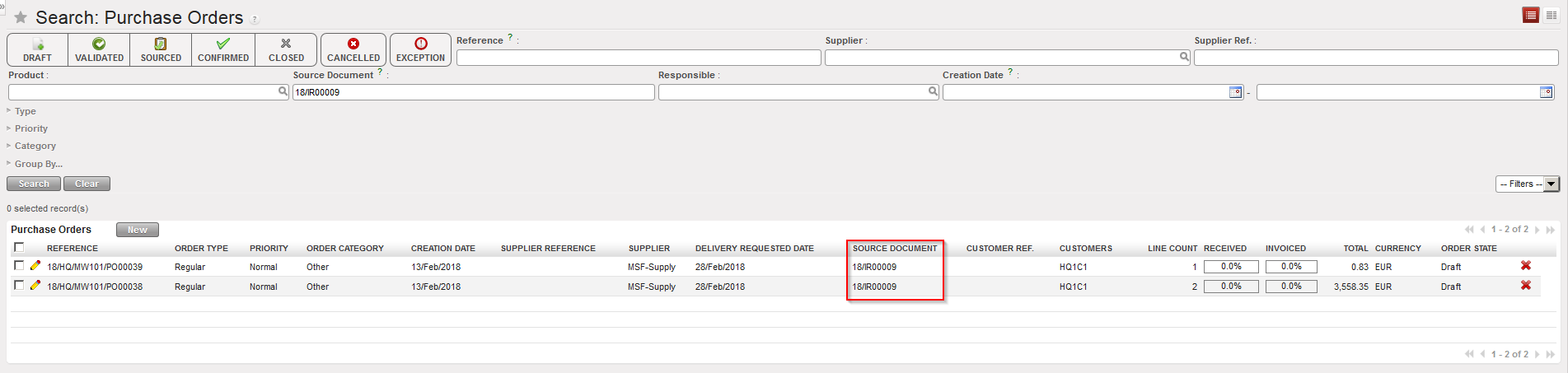 |
| Sourcing has been done using “sourcing groups” feature |
