Supply User Manual ENG ->Supply Configurations -> 2.3 LU-SU1103:Synchronization -> B. LU-SU1103: Connection to the synchronization server
B. LU-SU1103: Connection to the synchronization server
To be able to synchronize, the UniField instance needs to be connected to the synchronization server. The connection to the synchronization server is done through the Connection Manager.
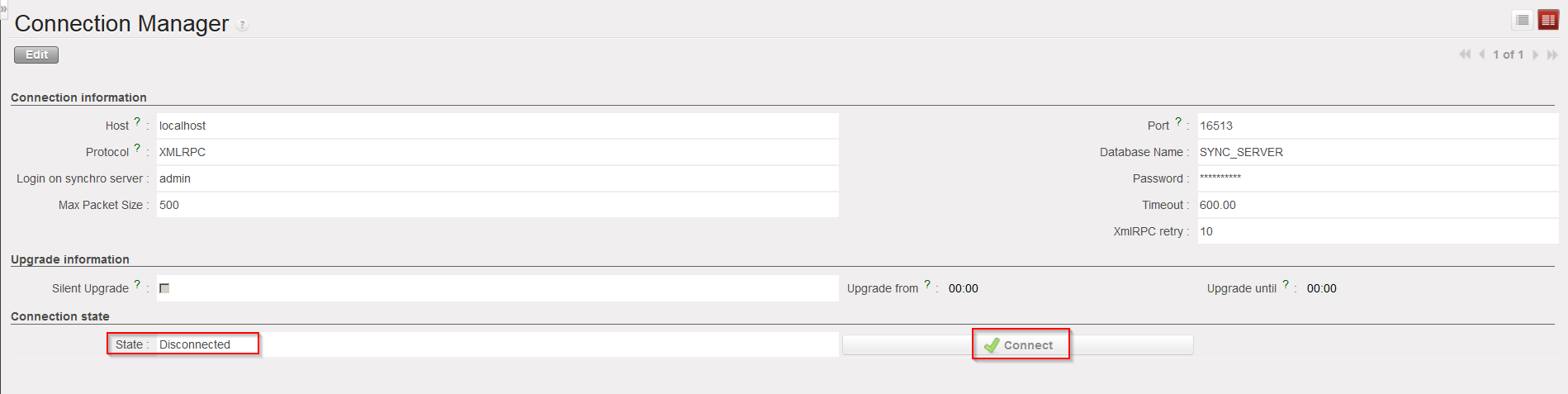
Go to: Synchronization / Registration / Connection Manager
There should be one line appearing which represents the connection to the synchronization server.
|
|
|
Connection to synchronization server |

- Click on the line to open it and check the “Connection state“. If the “State” is “Disconnected“, click on the button “Connect” to connect the instance to the synchronization server.
|
|
|
Connection to synchronization server |