
Supply User Manual ENG -> 5. Warehouse -> 5.7 LU-SU4106:Shipment Documentation -> B. DOCUMENTATION FROM SHIPMENT
B. DOCUMENTATION FROM SHIPMENT
All needed shipping documentation can be generated from the shipment (freight manifest, invoice, free gift certificate and packing lists). Depending on the information entered in the different steps (pick/pack/ship), the generated documentation could include more or less information. Ensure that the “Document Information” and “Transport Information” tabs of the shipment are filled in so that the documentation will include all the necessary information (otherwise, this part of the documentation will be blank). Logically, as only sub SHIPS will be sent to customers, the generation of the documentation should be done from a sub SHIP in the state “Dispatched“.
Go to: Warehouse / Warehouse Management / Deliveries / Shipment
- Using the check boxes, select the shipment (sub SHIP in state “Dispatched”) for which you want to generate the documentation.
- In the control panel, 5 options allow you to export 5 different documents.
|
|
|
Generating shipment documentation |
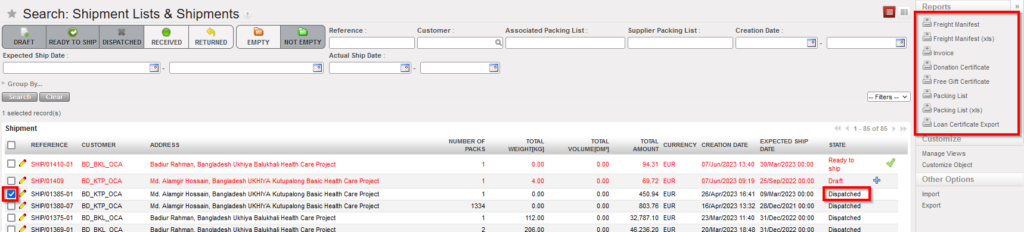
3. The “Freight Manifest” option allows exporting a freight manifest in PDF and in Excel.
|
|
|
Freight Manifest in PDF |
|
|
|
Freight Manifest in Excel |
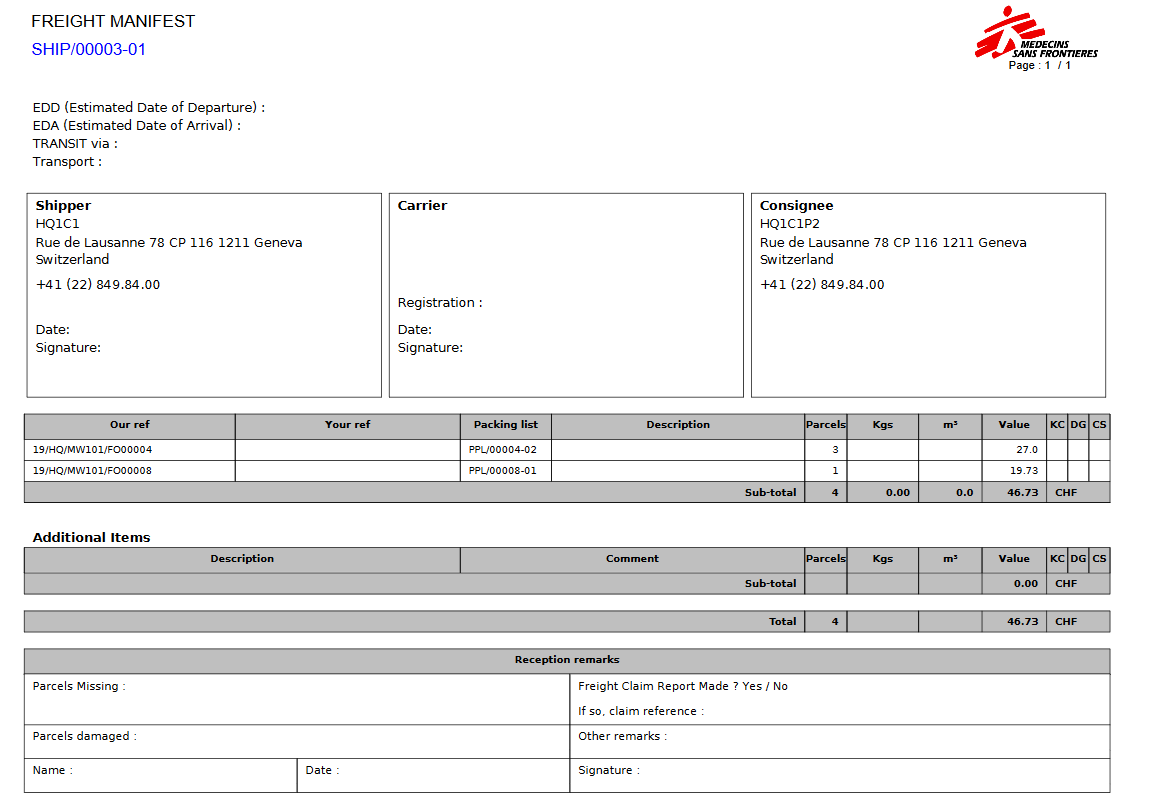
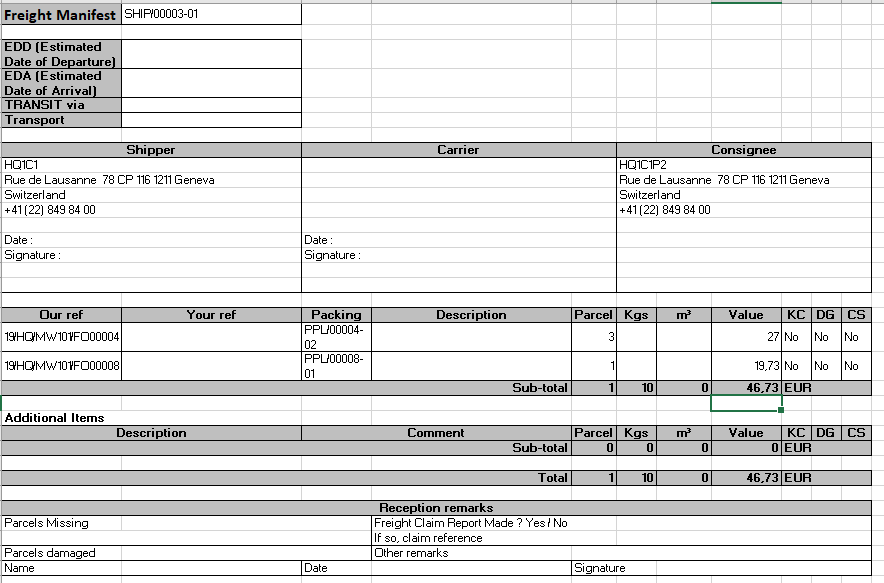
Shipper, carrier and consignee information appear on the manifest. Involved packing lists, number of parcels, weight, volume and value also appear. “Our ref” is for the FO reference at sending instance while “your ref” will be for the PO at the receiving instance.
4. The “Invoice” option allows exporting proforma invoices to PDF.
|
|
|
Proforma invoice in PDF |
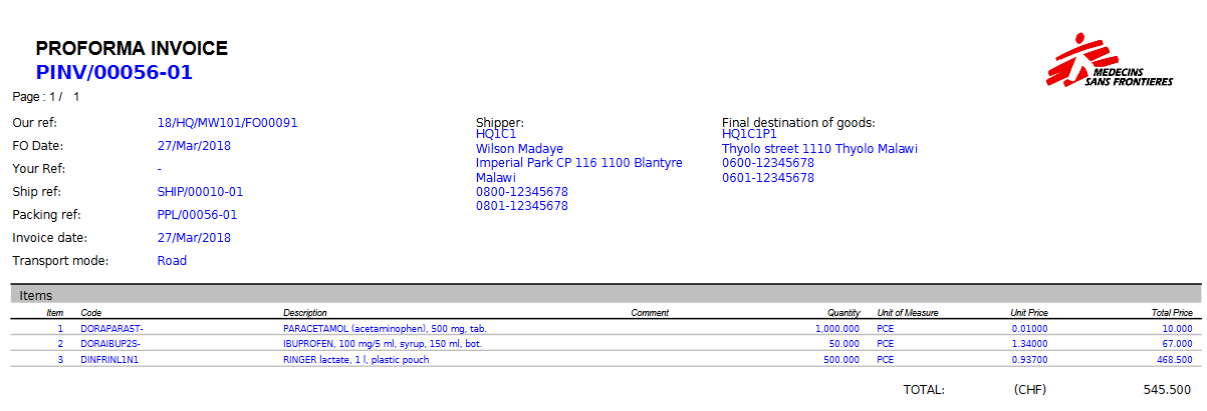
One proforma invoice is generated for each involved PPL and includes quantities and prices for each product.
5. “Donation Certificate” option allows exporting the Certificate of Donation in PDF, it is available for all SHIPs and OUTs for all Reason Types.
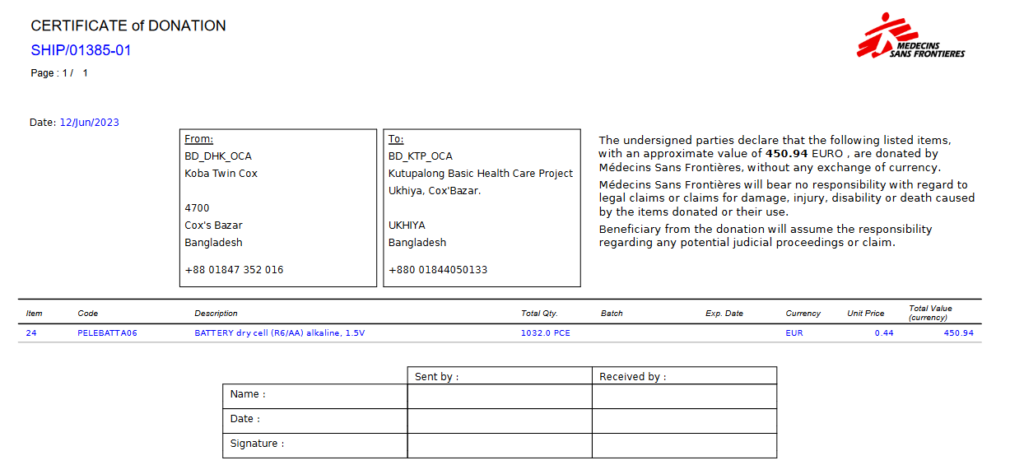
Certificate of Donation in PDF
6. The “Free Gift Certificate” option allows exporting a free gift certificate to PDF, it is available in the action menu for all SHIPs and OUTs.
|
|
|
Free gift certificate in PDF |
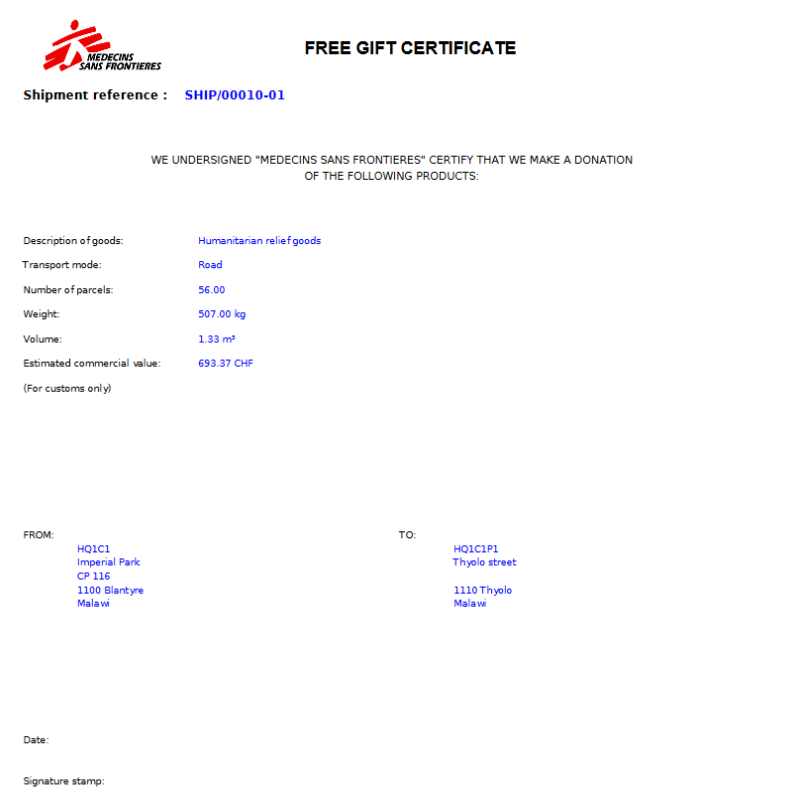
The free gift certificate includes information such as the total number of parcels, total weight, total volume and total value
7. The “Packing List” option allows exporting to PDF all the packing lists (including parcels details) included in the shipment.
|
|
|
Packing List in PDF |
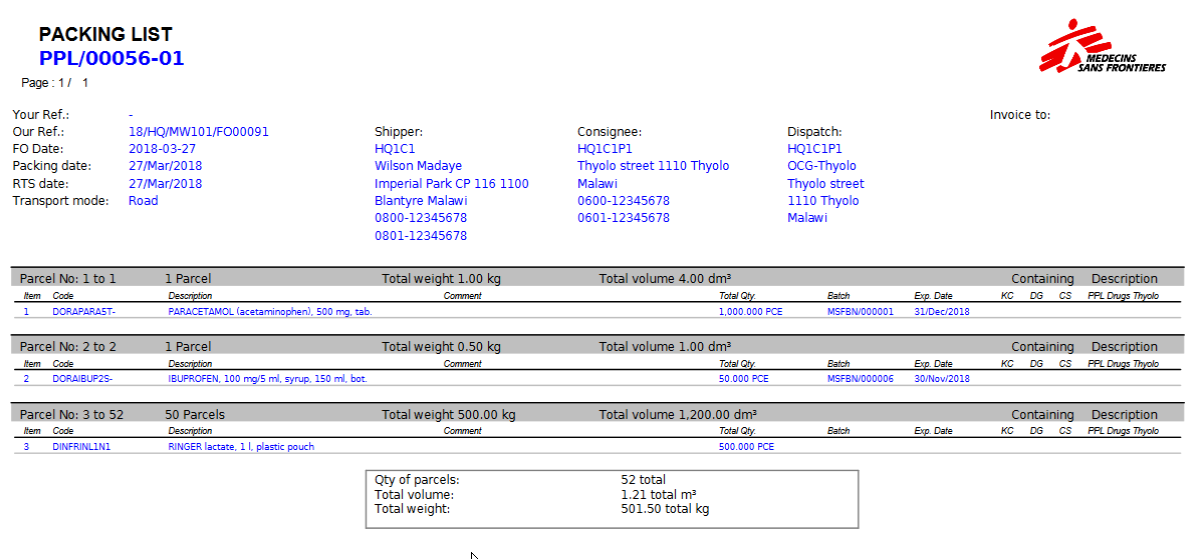
8. The “Packing List (xls)” option allows exporting to Excel all the packing lists (including parcels details) included in the shipment.
|
|
|
Packing List in Excel |
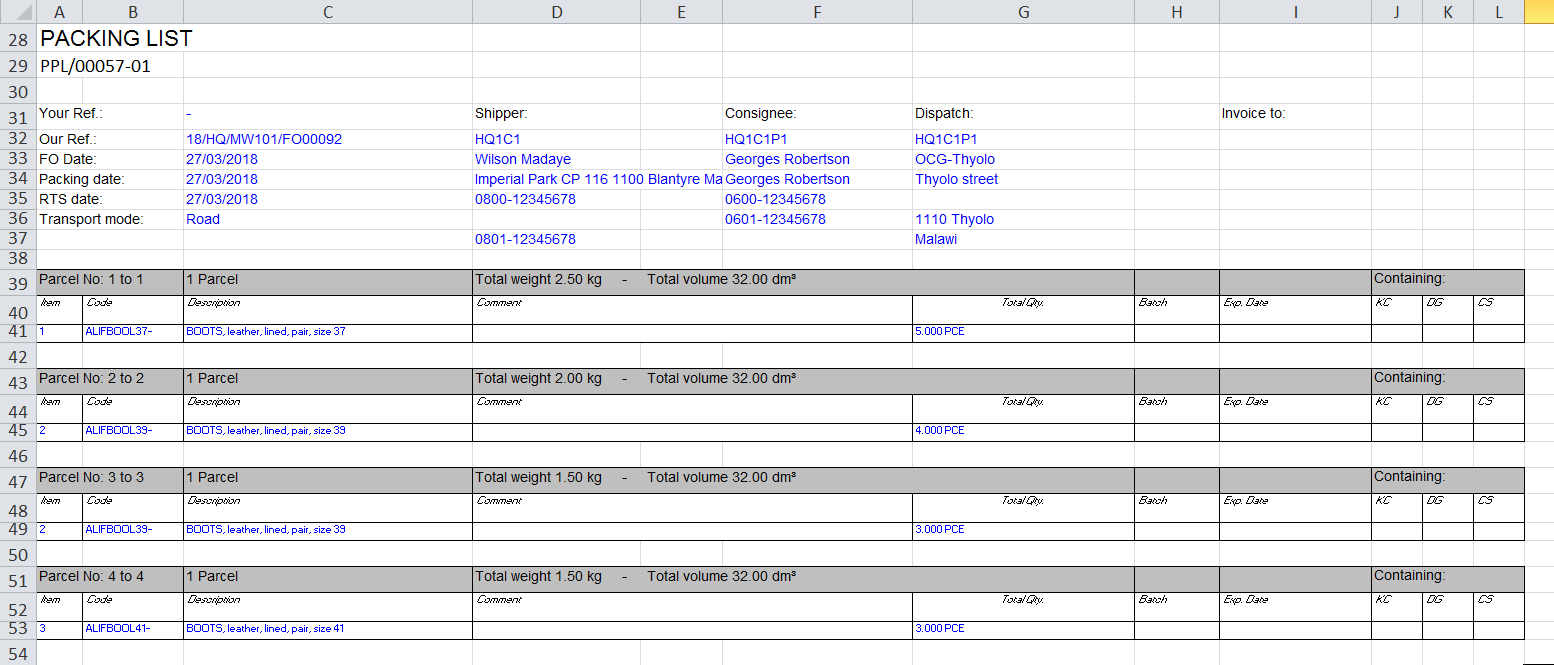
9. “Loan Certificate Export” option allows exporting to pdf the Loan certificate, it is available in the Action Menu for all INs and OUTs (not draft Ships and Delivery Orders) if there is a line or more linked with “Loan” or “Loan Return” reason type.
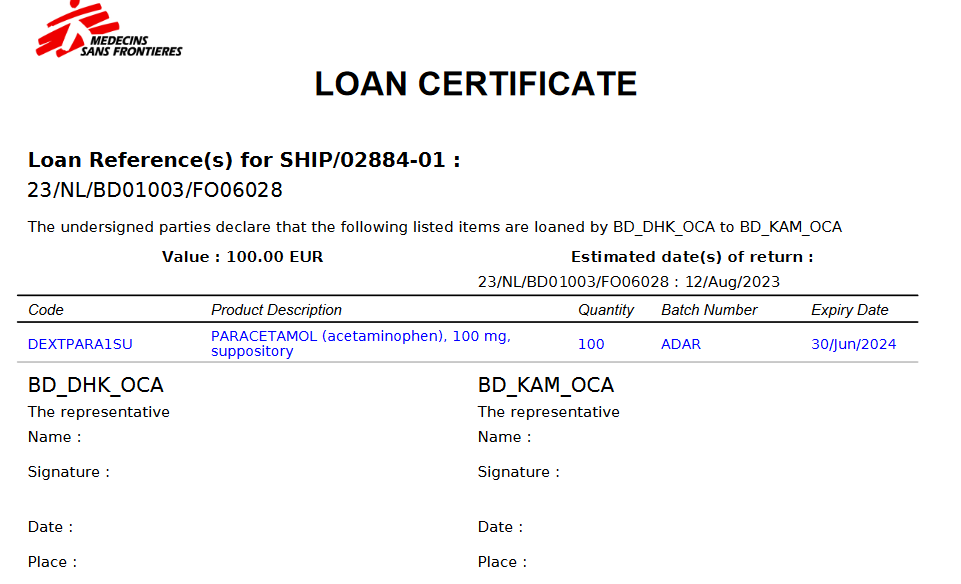
If there is a Loan and a Loan Return in the same SHIP, it is possible to select the document you want to view.
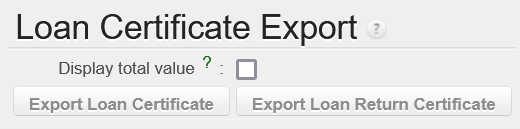
It is optional to show the total value of the loan in the pdf.
Note that the generation of these documents may also be done from within the shipment as the 8 options are available in the action menu.
Note that the generation of these documents may also be done from main SHIPs if needed. It can also be done if the state of the shipment is different than “Shipped“. However, some documents (invoices and freight certificates) cannot be generated if the state of the “Shipment” is “Draft“.
