
Supply User Manual ENG -> Products -> 3.6 LU-SU2105: Kits/Modules -> B. How to create a Kit Product
B. How to create a Kit Product
A Kit is created the same way as a product, so the product creation procedure seen earlier can be followed here. However, normally there will be no need to create the Kit as a product because products will be automatically synchronized from HQ.
Remember, if you need to create a Kit as a product, the only difference will be on the product sub-type which should begin with the letter K to indicate that the product is a kit.
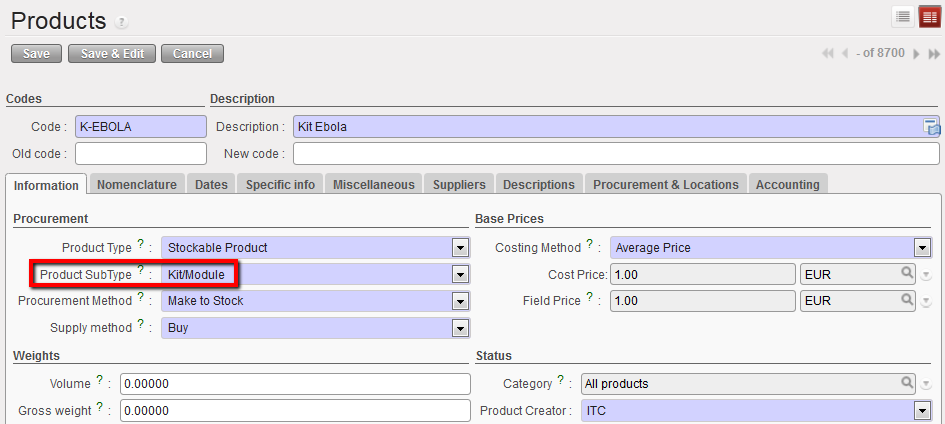
KIT Sub-Type
Theoretical Kit composition List
A Theoretical Kit Composition List (TKCL) represents the list of items that are supposed to compose the KIT. It can be manually created or imported at HQ once and synchronized downwards to all projects and coordination. The main purpose of the Theoretical Kit Composition List is to give an overview of the theoretical content of a Kit when it is being ordered or when we want to produce Kits locally.
It is not always practical to manually enter all the lines of a Theoretical Kit Composition List especially when there are a lot of lines to process. To speed up the process, use an import file to import all the lines at once.
Remember, a Theoretical Kit Composition List can only be used when its status is “completed”. However, having a Theoretical Kit Composition List in status “completed” in the system doesn’t trigger any process and doesn’t affect the related kit in any way. It just means that there is a list ready to be used.
