Supply User Manual ENG -> Products -> 3.2 LU-SU2101: General Product Management -> B. How to update and change product attribute
B. How to update and change product attribute
(Specific examples of this will be covered in this Learning Unit)
Update of product attributes can be done directly on the selected product form or via a mass products update.
Product form update:
Go to: Products/ Products / Products
- Use the filters at header level to search for and find the product you want to update.
- Select the product by clicking on the pencil icon

of the product to edit - Make the necessary amendments
- Save
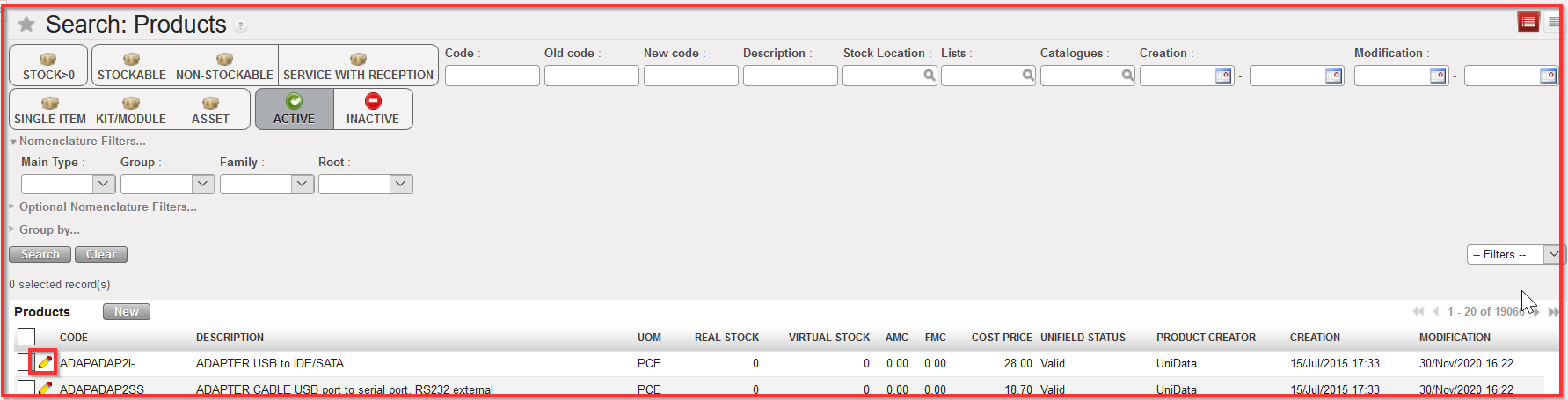 Editing a product form
Products mass update:
Please note that this mass update can only be done for Local products and HQ, ITC and ESC products. Local products can only be updated from Coordination and HQ, ITC and ESC ones only from HQ.
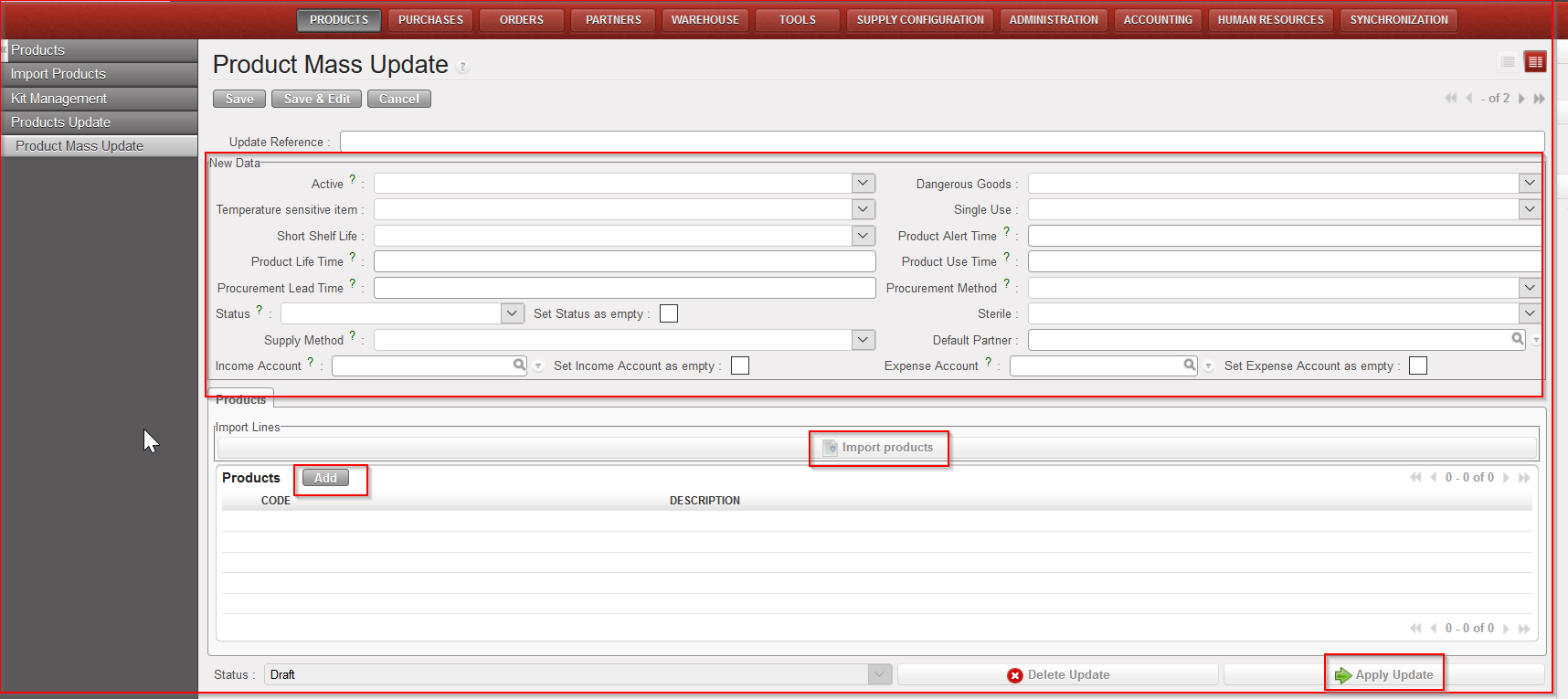
Go to: Products/ Products update / Product mass update
- Click on “New”
- Enter an “Update reference” (not mandatory)
- Select among the different fields (Active, Dangerous goods, Temperature sensitive, Status, Supply method…) the ones you need to update similarly for several products
- Add products
- Click on “Add” to select the products to update
- Click “Import products” to upload the products via an Excel file
- Click on “Apply Update”