
Supply User Manual ENG -> Products -> 3.7 Products Reports -> B. Report – Stopped Products
B. Report – Stopped Products
This report is generated in excel at HQ level and shows every product which has the Status set as “Stopped”, the header information of the product is displayed (code, description, product creator, Unidata status), and below this it lists each instance where the product is present in stock or is in the order pipeline. OC guidelines should be consulted before taking any further action.
Go to: Tools>Tools> Export Stopped Products
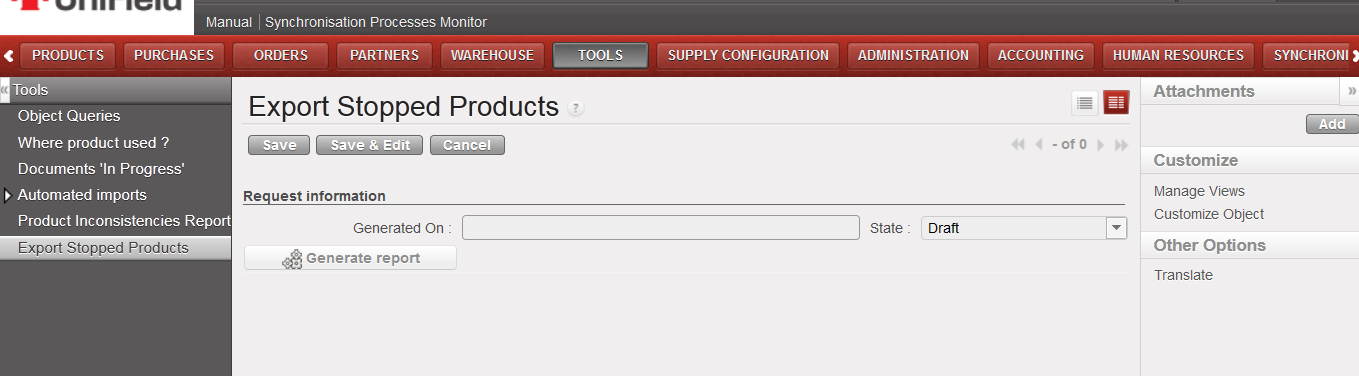
Export Stopped Products – access
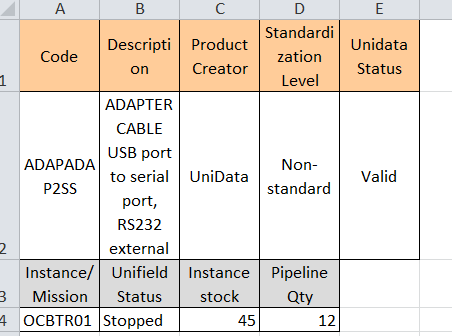
Export Stopped Products – screen
