
Supply User Manual ENG -> 5. Warehouse -> 5.7 LU-SU4106:Shipment Documentation -> C. DOCUMENTATION FROM DELIVERY ORDER
C. DOCUMENTATION FROM DELIVERY ORDER
If you decide to ship a freight to a customer using a simple out process, a documentation may also be generated. However, you will not have all the details which are available with the full process.
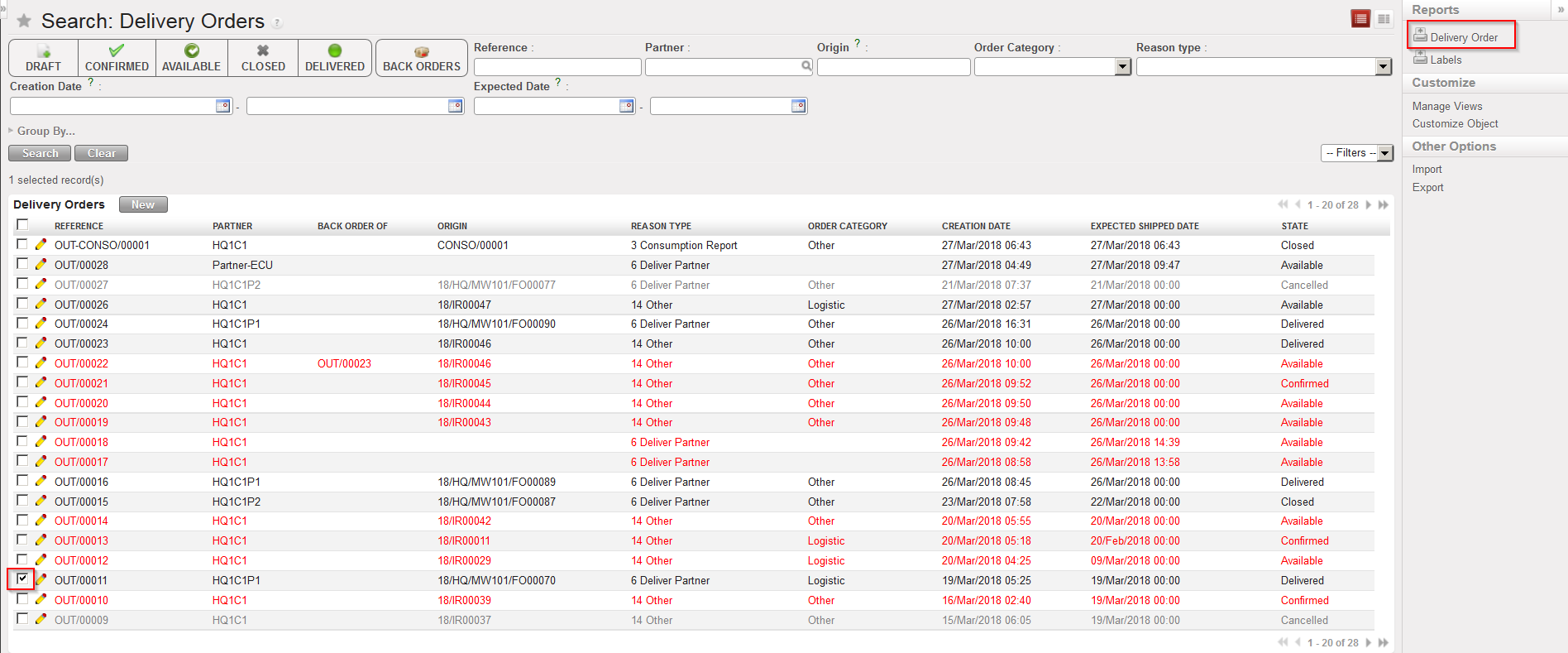
Go to: Warehouse / Warehouse Management / Deliveries / Delivery Orders
- Using the check boxes, select the Delivery Order you wish to print.
- In the action menu, select the option “Delivery Order”.
|
|
|
Exporting a Delivery Order to PDF |
|
|
|
Delivery Order in PDF |
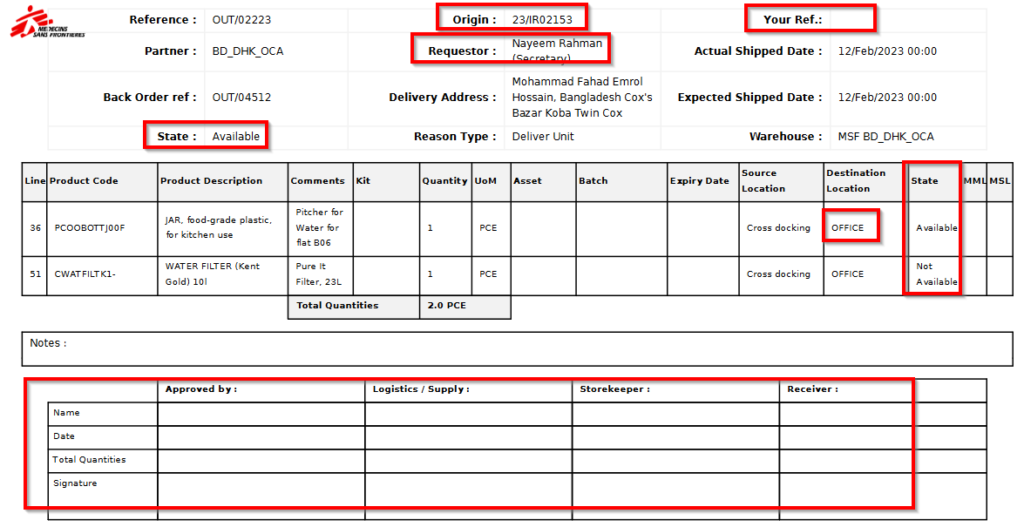
This documentation can also be used for internal deliveries (to ECU) and signature boxes may be useful to authorize shipment and acknowledge receptions.
Information such as “Origin”, “Destination location”, “Requestor” ( same field coming from IR; “Contact name” if from FO) and “Your Ref” (PO from other instance) can be automatically populated from preceding documents (IR, FO…).
