
Supply User Manual ENG -> 4. Procurement -> 4.5 LU-SU3104: Field Orders (FOs) - Specifics -> C. How to create a "Standard donation" FO
C. How to create a “Standard donation” FO
The process of creation of a “Standard donation” is the same as for the “Donation before expiry” seen above. The difference here is that the goods to be donated are not chosen based on their expiry date but on different criteria defined by the warehouse manager or any other person in charge (excess of products, lack of space in the warehouse, products not needed, donation required by third party, regular donation done to support a local partner,…).
To create a “Standard donation“, follow the same steps as for the creation of a “Donation before expiry” but select “Standard donation” as order type.
|
|
|
Standard donation |
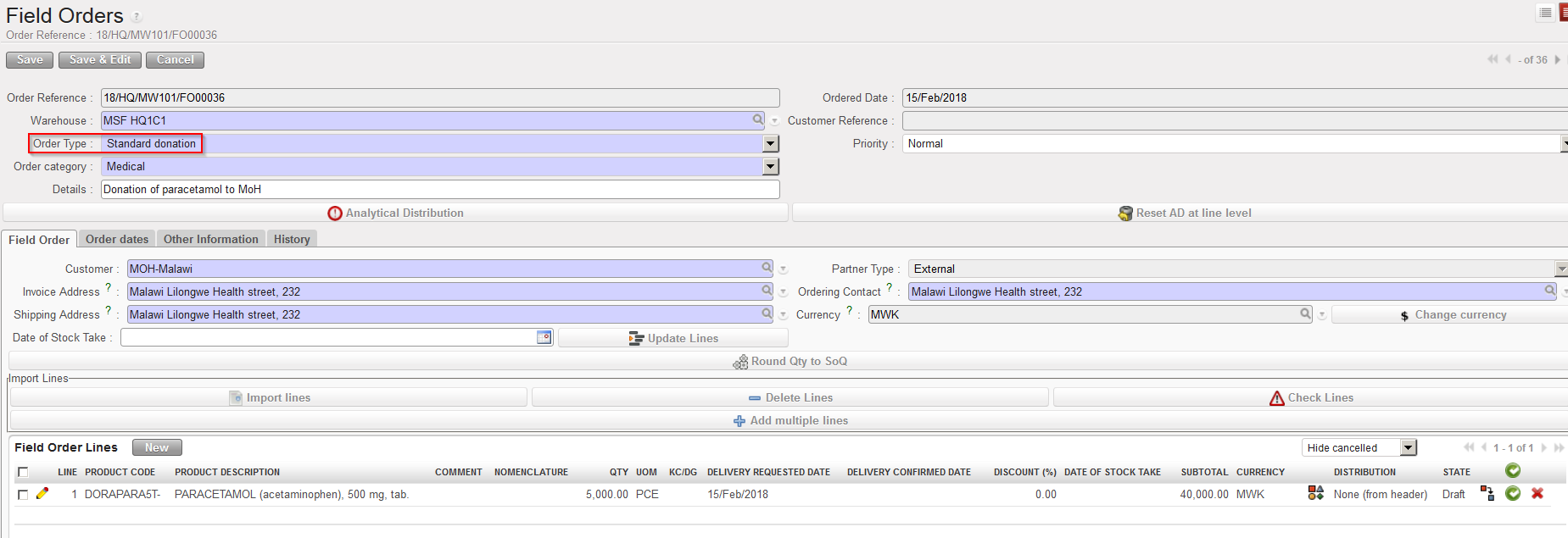
Note that the validation of a “Standard donation” FO does not require an Analytical Distribution.
