
Supply User Manual ENG -> 4. Procurement -> 4.6 LU-SU3201: Purchase Orders (POs) - Generals -> C. How to create an Internal Request with Products by Nomenclature.
C. How to create an Internal Request with Products by Nomenclature.
There might be situations in which the mission needs to order unreferenced products (which may be called non codified products, NC products or * products): for instance at project level when the local products have not been created yet by the coordination for intra-mission orders or at coordination level when ESC suppliers are in a better position to determine the accurate products code required.
UniField now allows the ordering of products by nomenclature for all type of suppliers. The new product code will be created once the order is being managed at coordination or ESC level.
The new product code will then be synchronized to the instance and replace the unreferenced description. Note that UniField will require a correct codification at some point, i.e. you will not be able do a full supply process if the product is not correctly codified in a later stage ( at PO confirmation) .
These products can be ordered together with other referenced products on the same Internal Request. The only difference is in the way the product line is actually inserted in the IR.
1.Click on the “New” button on the “Products” tab to add a product line.
2. Fill the “Comment instead of the product” field with a clear product description.
3. Fill quantity and estimated unit price.
4. Save the product line by clicking on the floppy disk at the right of the line.
5. Click on the “Configurator”  icon.
icon.
 |
| Internal Request by nomenclature – Configurator Icon |
6. Open the “Nomenclature Selection” tab on the configurator pop-up.
7. Select the full nomenclature in the “Main Type“, “Group“, “Family” and optionally the “Root” fields.
8. Click on “Save and Close“.
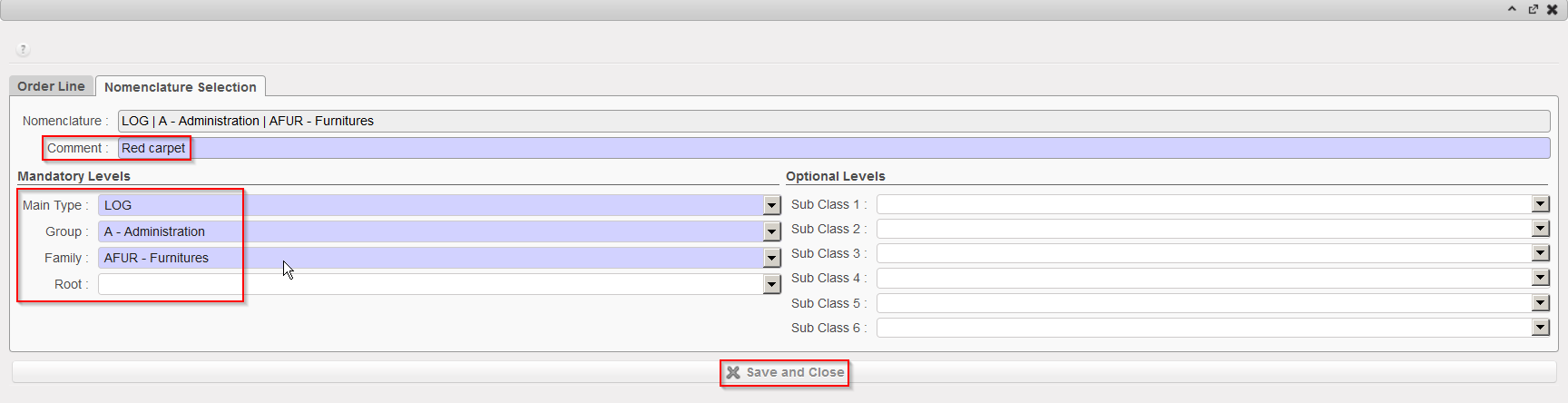 |
| Internal Request by nomenclature – Nomenclature selection |
9. The product field will appear empty.
10. The Nomenclature levels together with the comment will help the coordination or the ESC supplier to define the requested product and create a new code for it if needed.
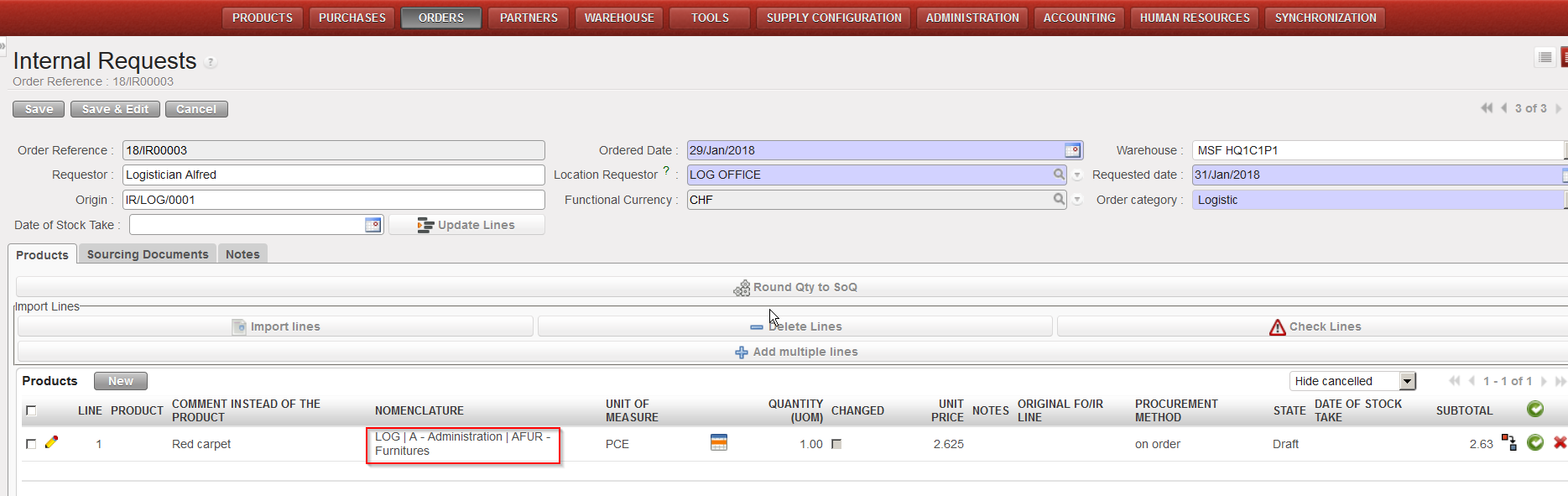 |
| Internal Request – Product by Nomenclature |
Note that the “Comment instead of the product” field can also be used for regular IR lines even if you have entered existing product codes. It will help to add complementary information to specify more requirements on the products. This comment will be carried out through all the Supply flow (this is also valid for comment added at FO or PO level).
