Supply User Manual ENG -> 5. Warehouse -> 5.3 LU-SU4102: Picking -> C. HOW TO EXPORT A PPL TO AN EXCEL FILE
C. HOW TO EXPORT A PPL TO AN EXCEL FILE
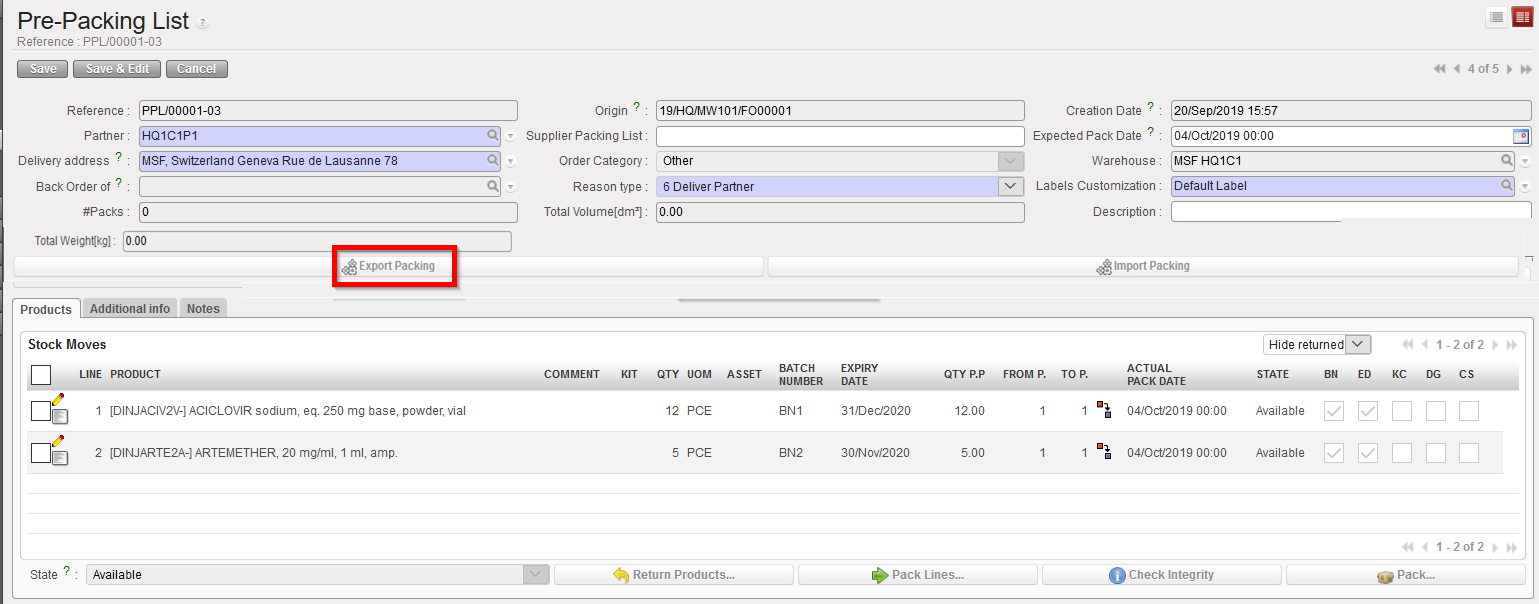
Available PPL can be exported to Excel file with the information on screen:
Go to: Warehouse / Warehouse Management / Deliveries / Packing
- Using the check boxes, tick the PPL you wish to Export
- Click on the “Export Packing” button
|
|
|
Selecting a PPL and exporting it to Excel |
|
|
|
PPL in Excel |