
Supply User Manual ENG -> 5. Warehouse -> 5.2 LU-SU4101: Incoming Shipments -> C. How to export an Incoming Shipment
C. How to export an Incoming Shipment
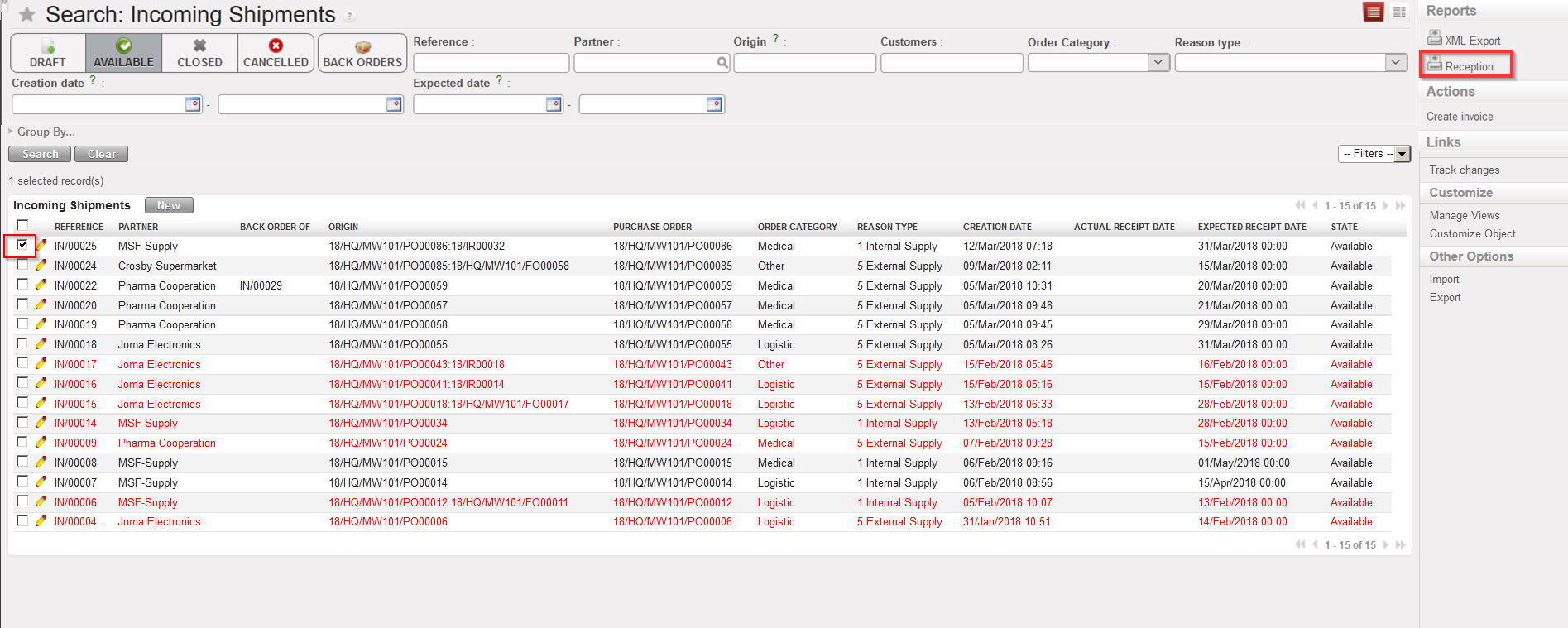
An Incoming Shipment can be exported to PDF (and printed) by selecting the option “Reception” in the action menu (under “Reports”).
It can also be exported to Excel (XML Spreadsheet 2003 format) by selecting the option “XML Export” in the action menu (under “Reports”) although this will only be possible for “Closed” Incoming Shipments.
|
|
|
Exporting an Incoming Shipment to PDF |
|
|
|
Incoming Shipment exported to PDF |
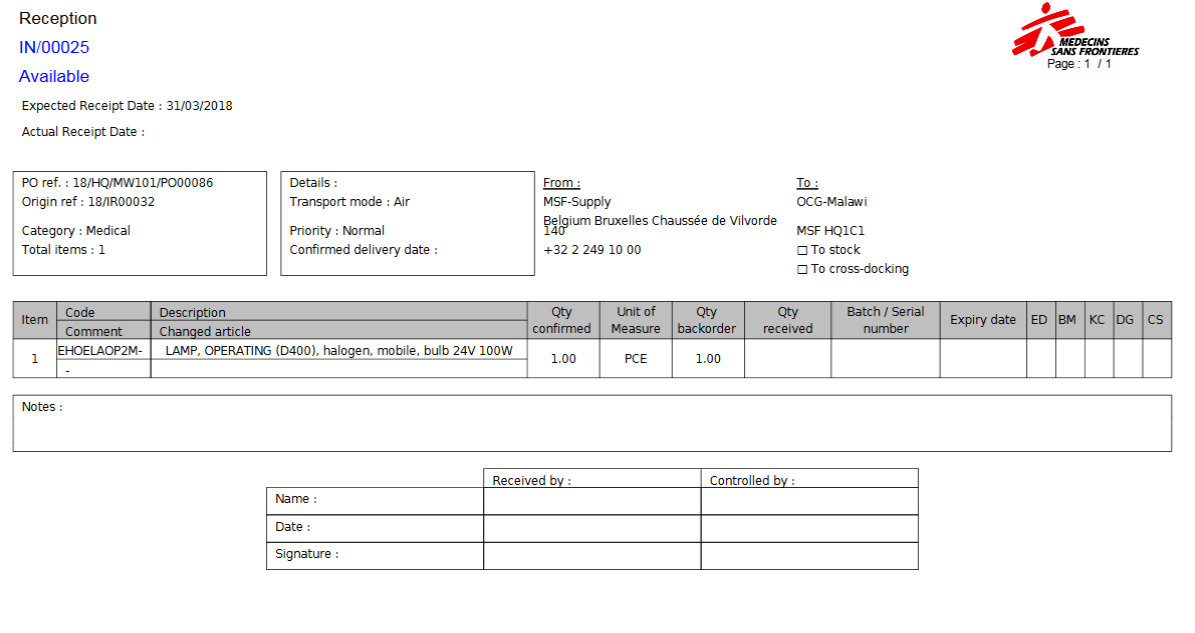
Note: On the PDF, “Cancelled” lines will not be displayed.
