
Supply User Manual ENG -> 5. Warehouse -> 5.5 LU-SU4104: Shipment -> C. HOW TO RETURN PARCELS FROM A "Ready to ship" shipment
C. HOW TO RETURN PARCELS FROM A “Ready to ship” shipment
It is still possible to remove parcels from a “Ready to ship” (sub) Shipment. This may happen if, for example, after preparing the (sub) Shipment, you realize that all parcels could not fit in the truck and some of them were left behind. You may then return these parcels from the “Ready to ship” (sub) Shipment to the “Draft” (main) Shipment. They will be shipped with the next (sub) Shipment.
Go to: Warehouse / Warehouse Management / Deliveries / Shipment
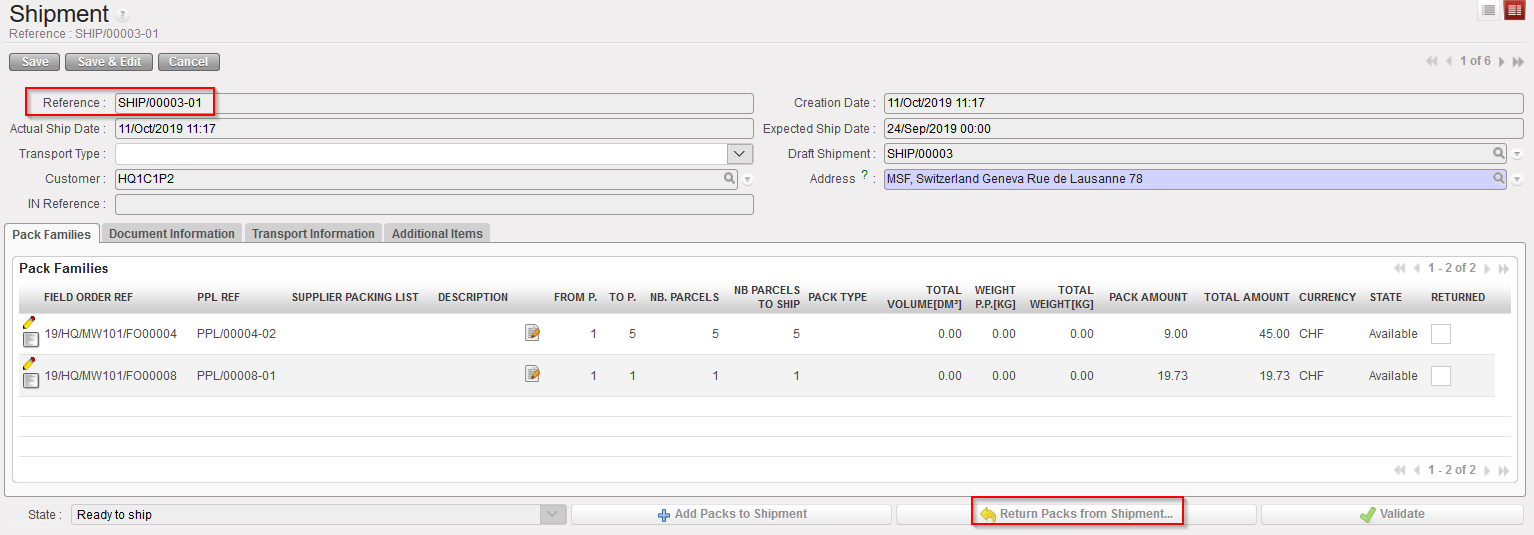
- Open the “Ready to ship” (sub) Shipment from which you would like to return parcels. The state of the Shipment should be “Ready to ship” and it will necessarily be a sub SHIP.
- Click on the “Return Packs from Shipment…” button at the bottom of the screen.
|
|
|
Returning parcels from a “Ready to ship” Shipment |
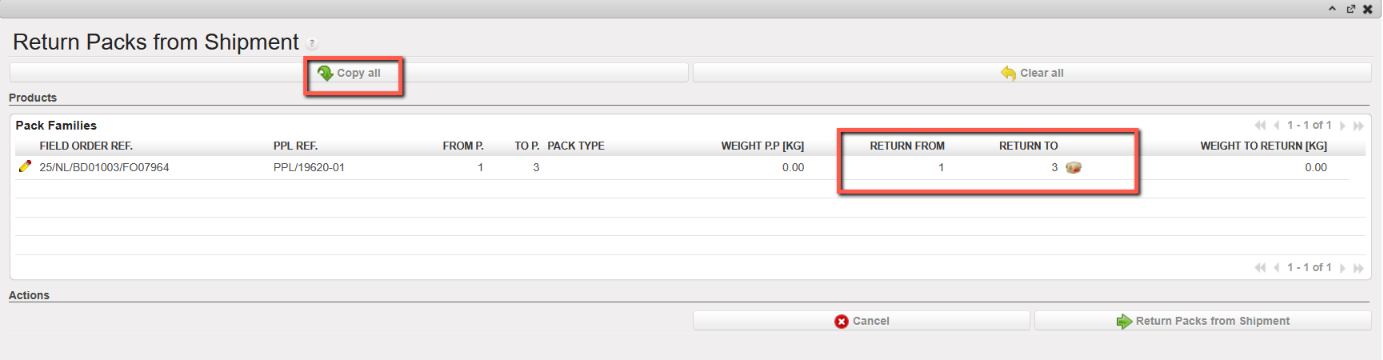
3. Using the pencil icons, select the parcels that you wish to return. Alternatively, you may select all parcels using the “Copy all” button if needed.
|
|
|
Returning parcels from a “Ready to ship” Shipment |
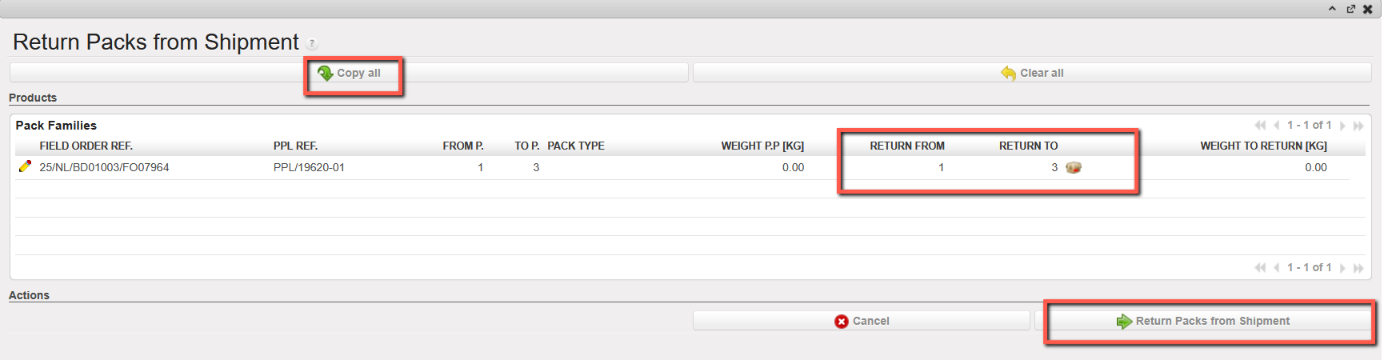
4. Click on the “Return Packs from Shipment” button.
|
|
|
Returning parcels from a “Ready to ship” Shipment |
|
|
|
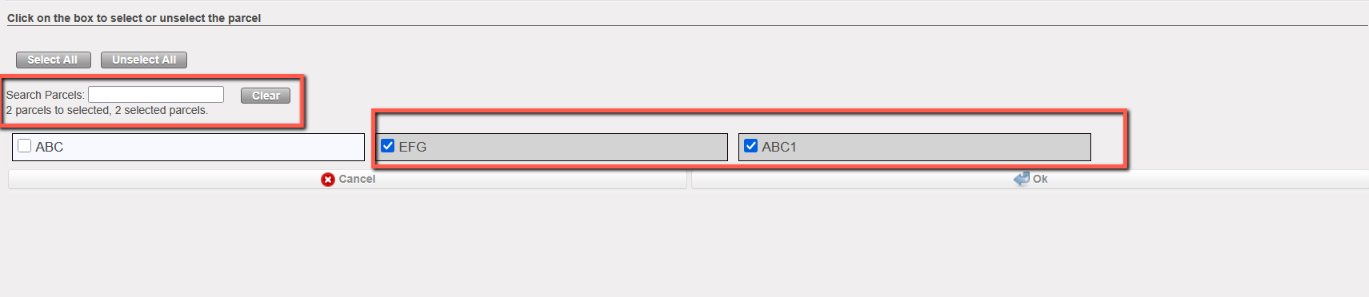
If Parcel ID is defined for parcels, the user needs to select Parcels ID to return
|
|
|
|
Sub SHIP after return |
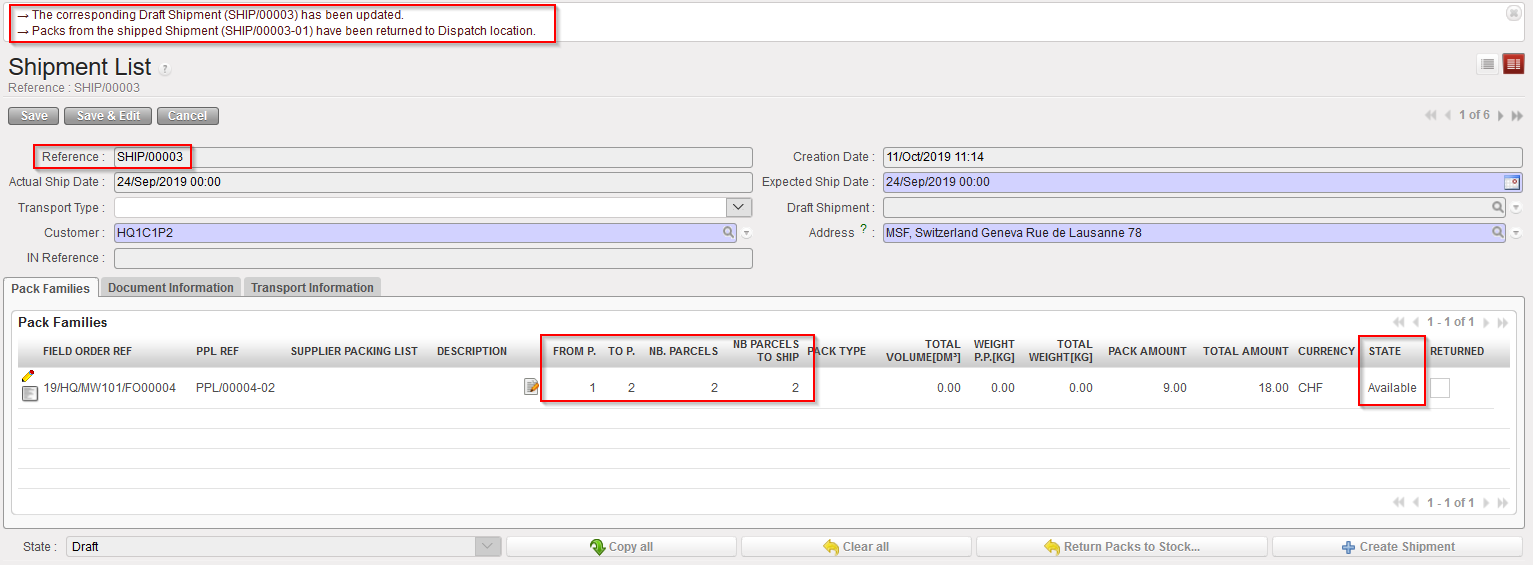
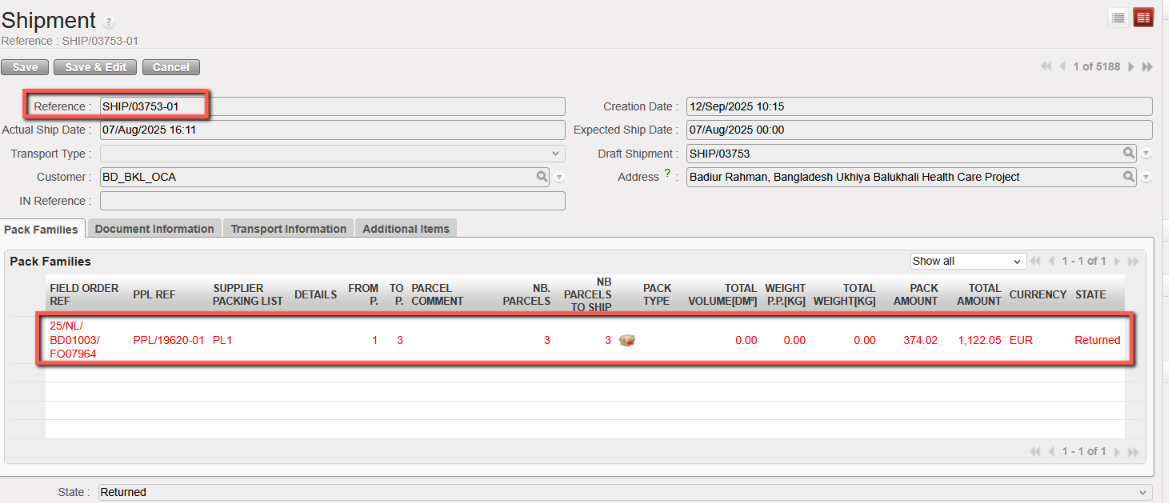
The system updates and opens the (main) Shipment.
The selected parcels have been sent back to the main SHIP. They are available in the “Shipment” location, ready to be shipped with the next (sub) Shipment.
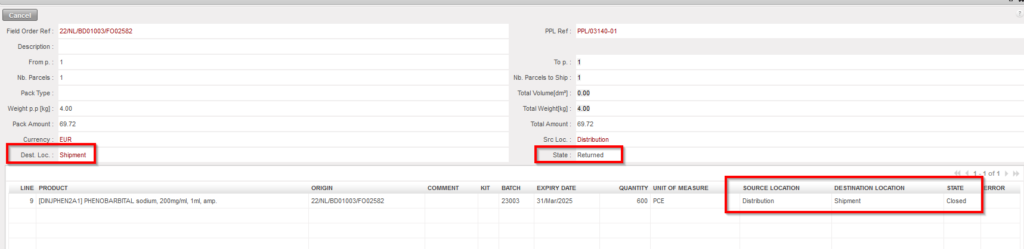
On the sub SHIP, it is still possible to see the returned lines by adjusting the filter to “Show All” or show “Returned Only”. Their destination location is “Shipment” (see below) and the State is “Returned“, indicating that the parcels have been returned.
|
|
|
Returned line on sub SHIP |
Please note that in case the user tries to return integer products partially with decimal quantities per boxes, the system will display the following blocking message:
|
|
|
The user tries to return 1 to 3 packs out of an initial range of 1 to 4 with decimals |
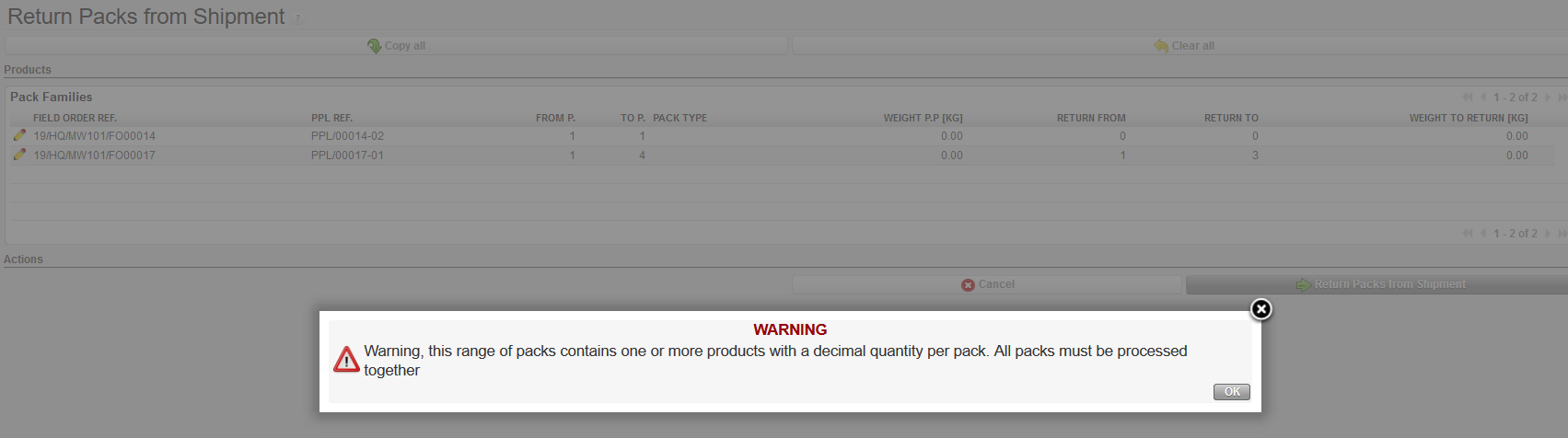
The user will have to return either all packs or none.
