Supply User Manual ENG ->Supply Configurations -> 2.3 LU-SU1103:Synchronization -> C. LU-SU1103: How to synchronize manually
C. LU-SU1103: How to synchronize manually
Go to: Synchronization / Synchronization / Manual
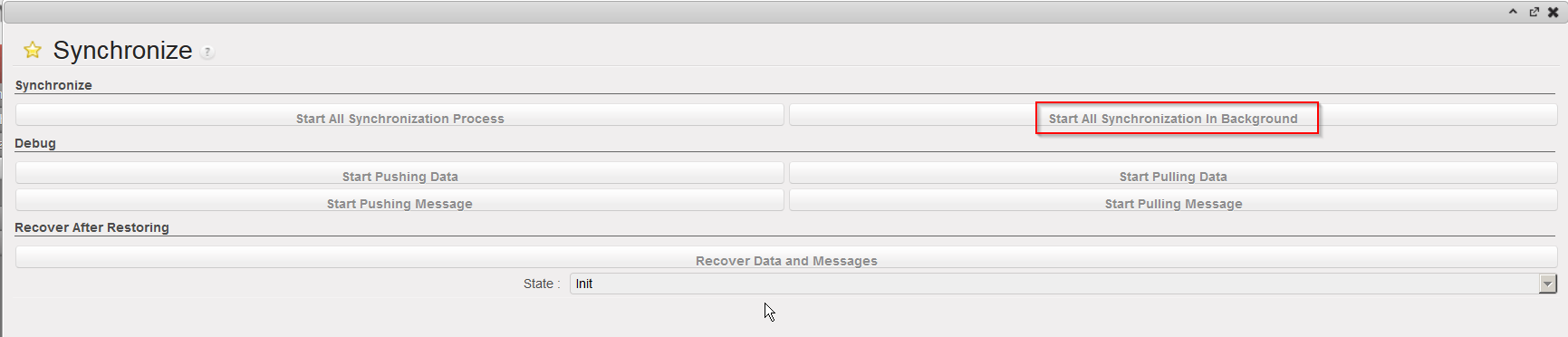
- The synchronization wizard opens.
- Click on “Start All Synchronization In Background”. This launches the synchronization process in background.
|
|
|
Launch a manual synchronization |
When the synchronization is running, the message “Syncing…” is displayed at the top of the screen.
|
|
|
Synchronization in process |

After the synchronization has finished, the system displays the following message at the top the screen, to indicate when synchronization finished.
|
|
|
Synchronization done |

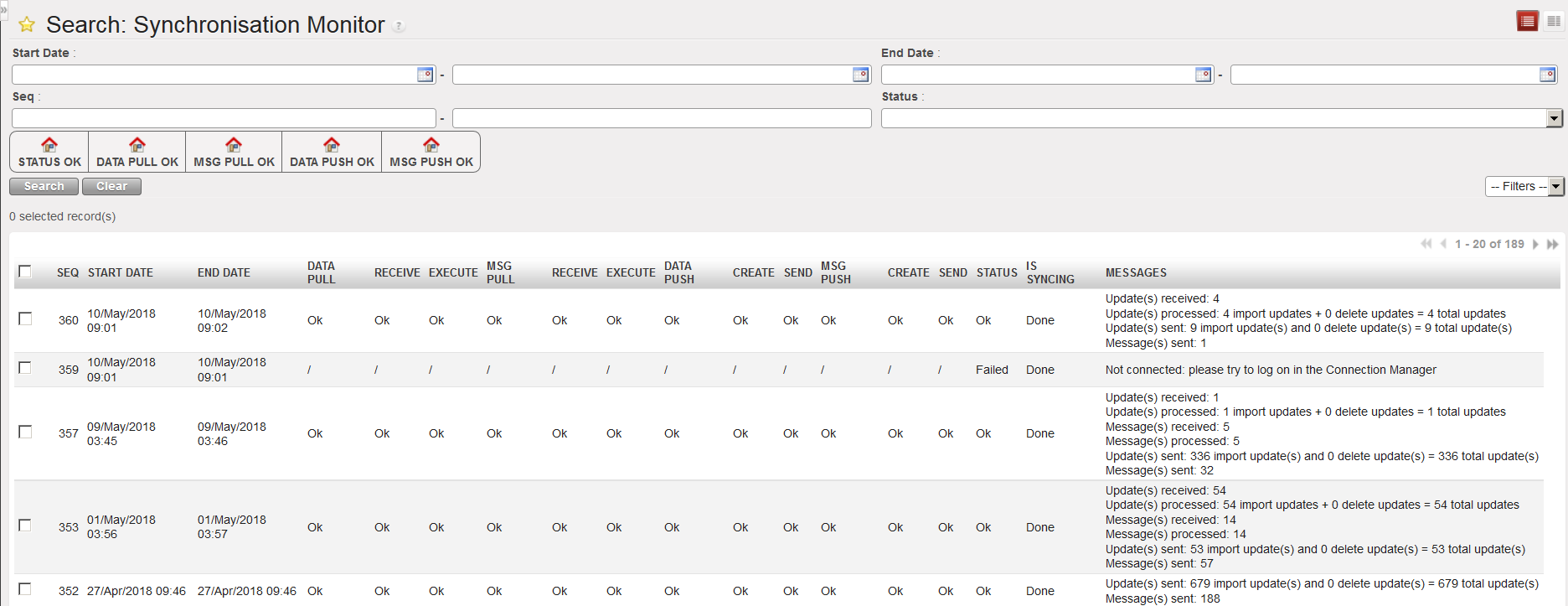
To get more details on the synchronization completed (amount of data pushed and pulled, error and/or warning messages, etc.),
Go to: Synchronization / Monitoring / Synchronization Processes Monitor.
You will see the results of the latest synchronizations carried out, ordered from the latest to the earliest. You can also use filters to search for specific synchronization runs.
|
|
|
Synchronization monitor |