
Supply User Manual ENG->Supply Configurations->2.2 LU-SU1102:Partners(customers and suppliers)-> C. LU-SU1102: How to update a partner
C. LU-SU1102: How to update a partner
Go to: Partners / Suppliers / Suppliers or Customers / Customers
The Supplier and Customer main screens contain filters to refine your search and grouping options. The lower part of the search screen shows existing partners and displays information such as name, reference, partner type, phone number, e-mail address, city, country, …
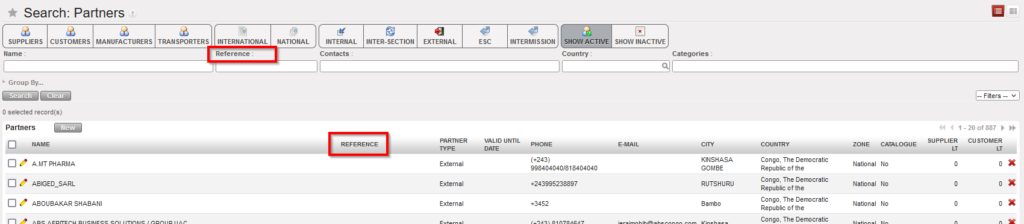
“Search: Suppliers” screen
- Click on the pencil
 next to the partner which you want to modify.
 - The Supplier or Customer page opens in edit mode. Make the necessary changes.
- Once complete, click on the “Save” button at the top of the screen.
