
Supply User Manual ENG -> 4. Procurement -> 4.9 LU-SU3301: Procurement Reporting -> C. How to use the Purchase Analysis
C. How to use the Purchase Analysis
The Purchase Analysis helps to analyze purchases. You can use the report to display and analyze procurement data according to different filters. This information could be useful in managing suppliers by providing information on amounts being spent per supplier, delivery times,….
It could also be useful in providing information on internal elements such as lead times for validation, who is responsible, cost centers,…
Go to: Purchase / Reporting / Purchase analysis
 |
| Purchase Analysis |
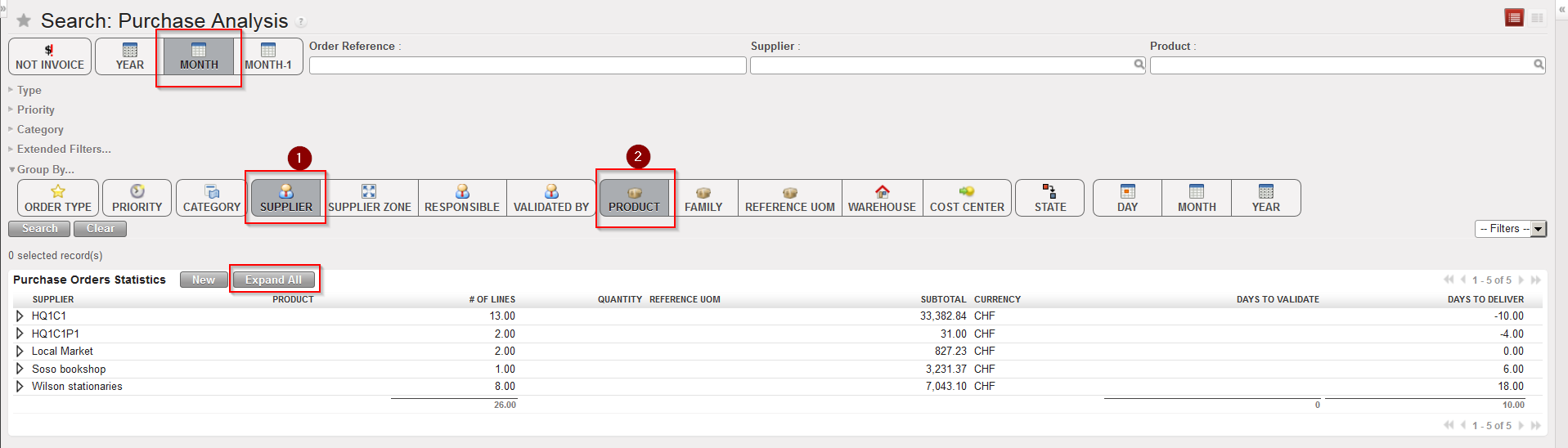
- By default, POs created during the current month appear on the screen and are grouped by supplier(1) and product(2). If you want to see the detail per product, click on the “Expand All” button.
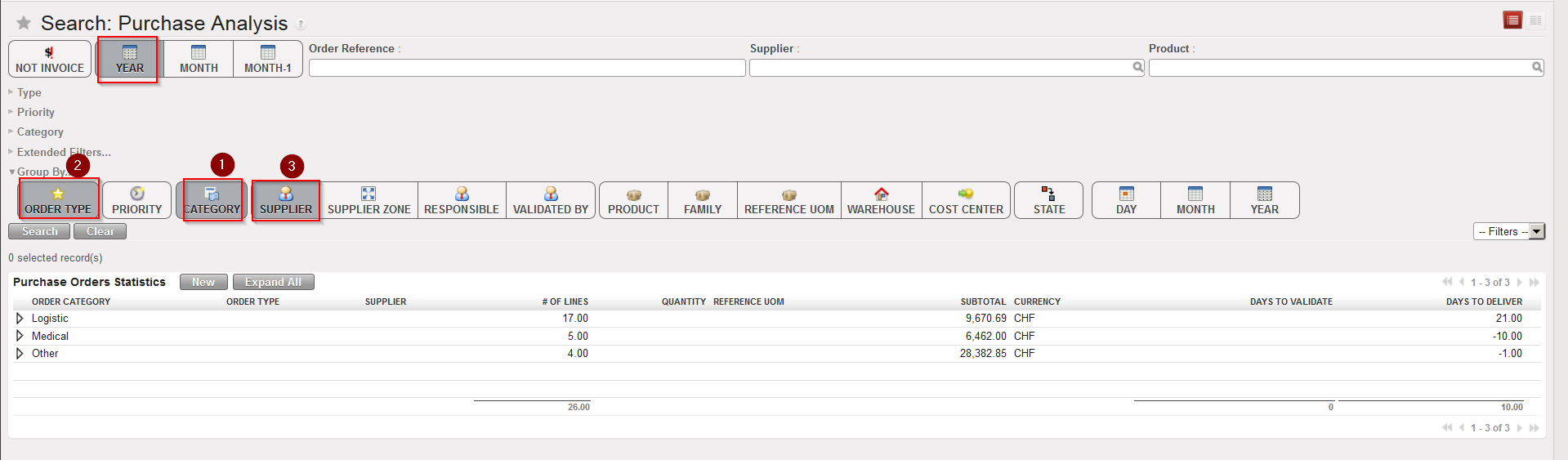
- Use the buttons if you want to change selection criteria and/or how the data are grouped by (e.g.show all POs created this year and organized them by category(1), order type(2) and supplier(3), see screen below).
 |
| Purchase Analysis |
The system displays an overview of the selected information and organized it as requested. In the example above the first column displayed is “Order category” and below this (hidden), “Order type” and “Supplier” will follow. The data for these is not currently displayed in this view (but will be if you click on the button “Expand All“). Besides the “grouped by” columns, additional columns will show data: #. of lines, Subtotal, Currency, Days to validate and Days to deliver.
Note that you can also use this tool for a specific Product or a specific Supplier by using the relevant search filters (on top right of the screen).
