
Supply User Manual ENG -> Products -> 3.7 Products Reports -> C. Track Changes – Product Attributes and Cost price.
C. Track Changes – Product Attributes and Cost price.
In order to track any modifications made to products, changes can be tracked via the Track Changes Tool in the Action Menu. In order to select these, from the Product data sheet (Products>Products) select the product (click in the checkbox) or open the product, then in the Action menu displayed to the right, select either Track Changes (for changes to product attributes) or Track Changes – Product prices, to display changes to the product’s price.
Go to: Products>Products> > Links (right hand menu) > Track changes
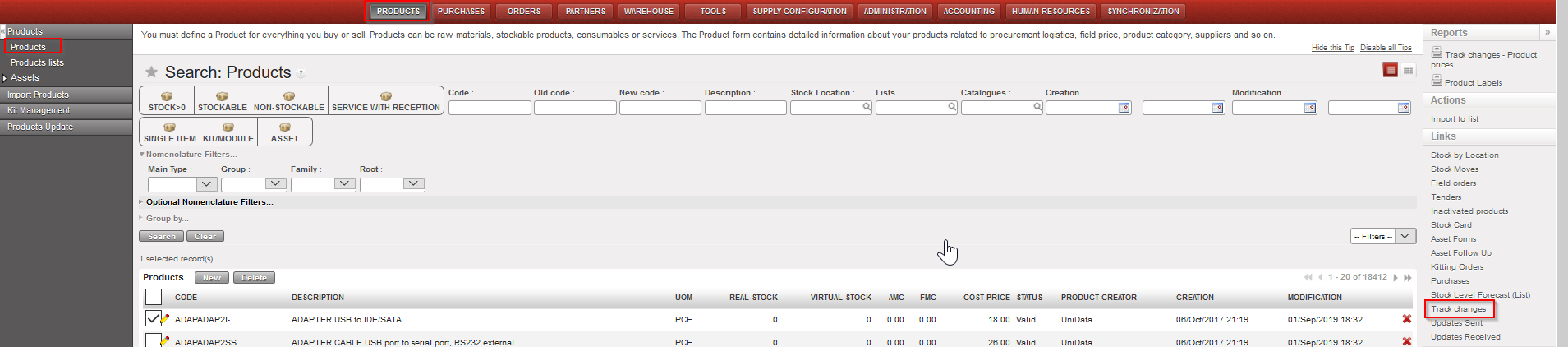
Product Track Changes report – access
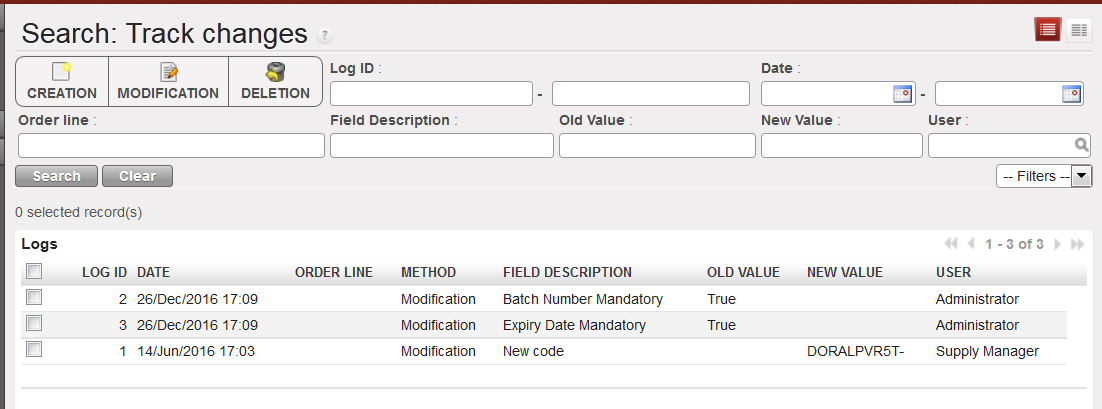
Product Track Changes report – screen
Track Changes will show the method of change, the date and time of the modification, the old value and new value of the attribute, and the user associated with this modification.
Track changes – Product prices:
Go to: Products> Products > Reports (right hand menu) > Track changes – Product prices
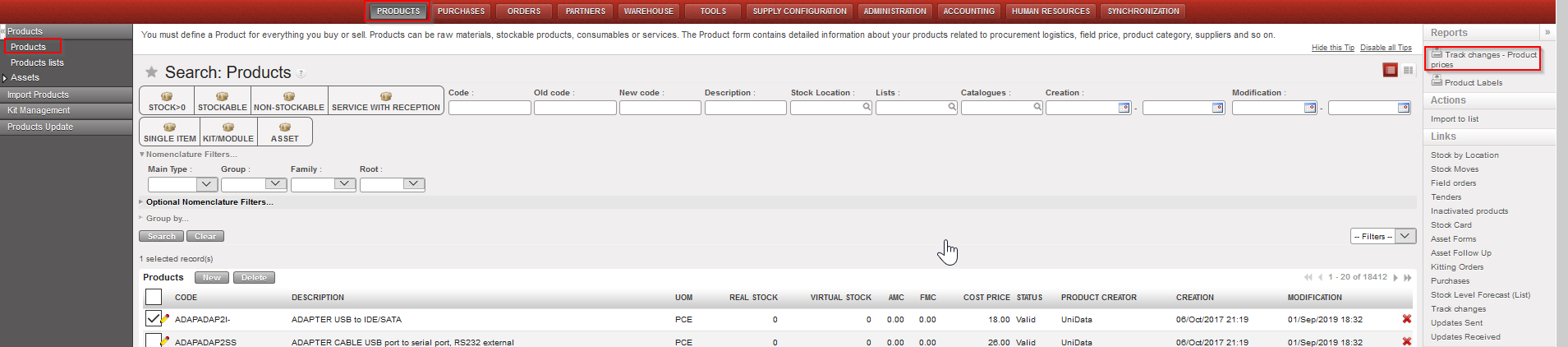
Track Changes- Product prices – access

Track Changes- Product prices – Excel
The excel report generated for “Track Changes – product prices” logs every time the product cost price has changed, together with the transaction which triggered this and, if this was due to a reception of Incoming Shipment in which the price was manually changed, this is displayed in the column “Manually changed (at reception)”. Other changes could be triggered by standard purchases at a new price (calculated according to Moving Average Cost (MAC) concept), at creation of a new Initial Stock Inventory, or at a Product cost revaluation.
Please note that you may find in this report a value named “Price corrected”, this value is the result of a mass correction that had to be done on UF9 after a discrepancy has been noted between the old price and new price (due to identified and corrected bugs).
