
Supply User Manual ENG -> Products -> 3.2 LU-SU2101: General Product Management -> D. How to change the product type
D. How to change the product type
Go to: Products / Products
- Use the relevant filter values to find the product you want to edit.
- Click on the pencil icon
 of the selected product to open it in edit mode
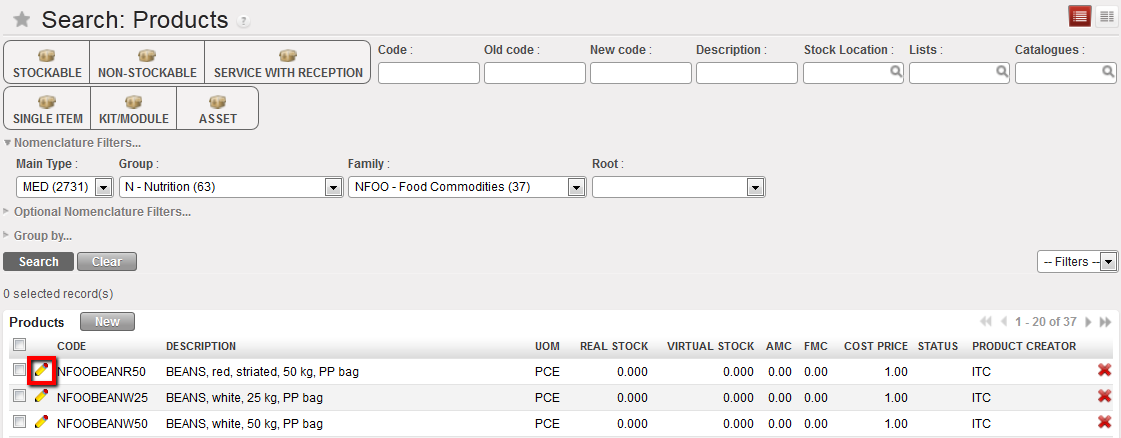
Changing a product type
3. Go to the information tab and change the product type.
4. Click on “Save” when you have finished, or if there are several changes, click on the “Save & Edit“ button to save changes regularly and then remember to Save your final changes.
