
Supply User Manual ENG -> 5. Warehouse -> 5.3 LU-SU4102: Picking -> D. HOW TO IMPORT A PPL TO AN EXCEL FILE
D. HOW TO IMPORT A PPL TO AN EXCEL FILE
Available PPL can be imported to Excel file with the information on screen:
Go to: Warehouse / Warehouse Management / Deliveries / Packing
- Click “Edit” (pencil icon) on the PPL you want to import
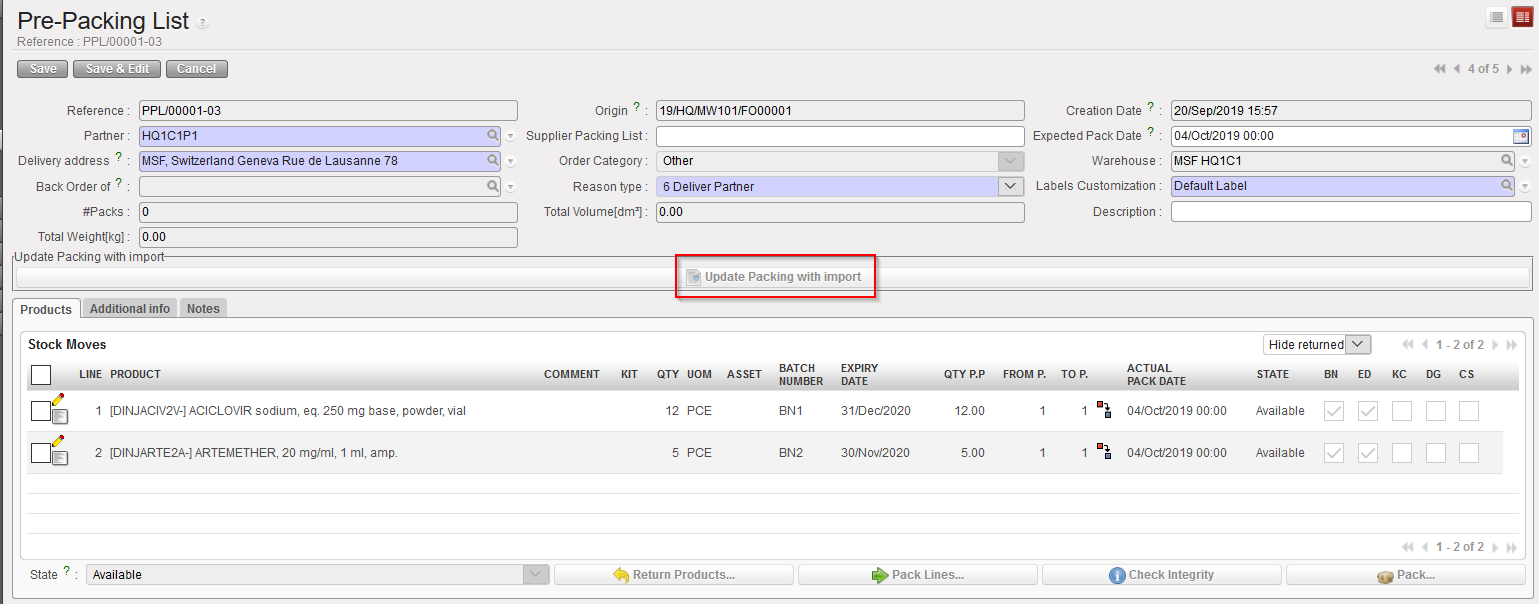
- From the PPL form view, click on button “Update Packing with import” and update your file
- Click on “add attachment”
- Click on “Browse” to retrieve the import file
- Click on “Import file”
|
|
|
Click on “Update Packing with import |
|
|
|
PPL in Excel – one line has been split in this example |
|
|
|
Result after import of above Excel file |

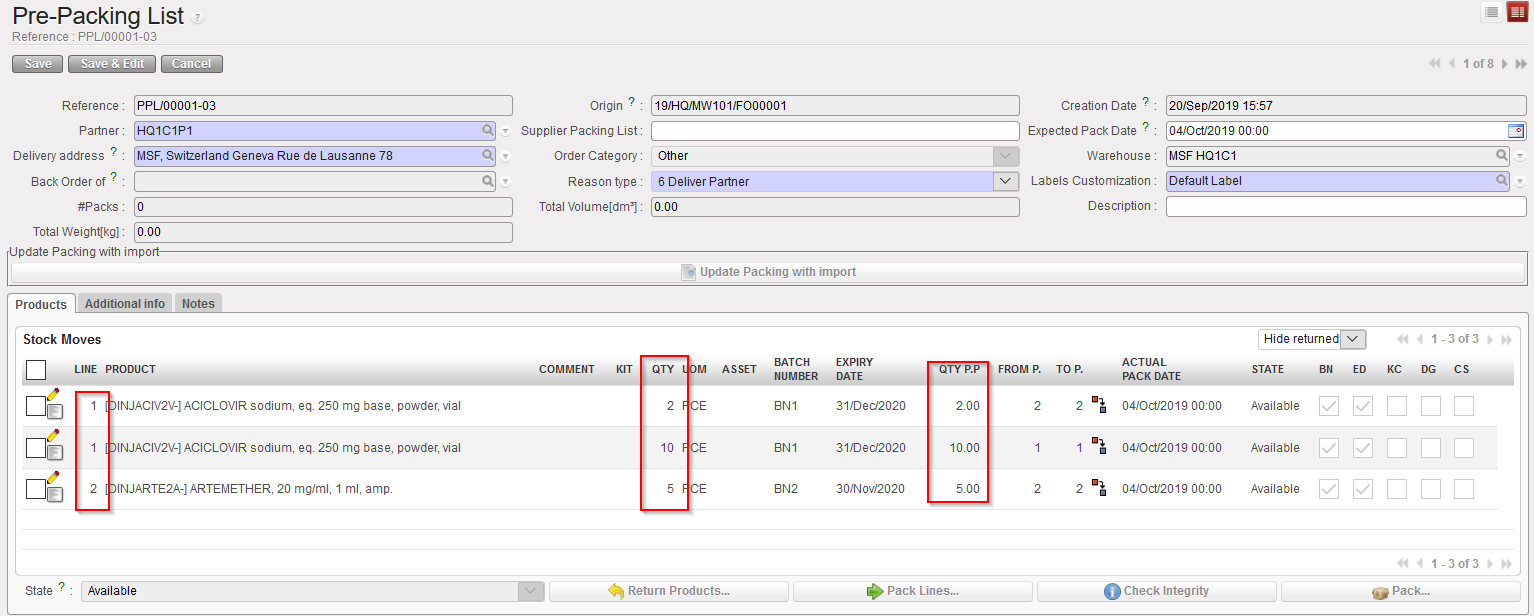
Note that after import the split lines cannot be aggregated back ( but they can be put in the same range pack eventually). Import checks will ensure that total of split quantities will equal original line quantity. Other checks will control line # and code matching; line Availability; BN/ED existence…
