
Supply User Manual ENG -> 4. Procurement -> 4.10 LU-SU3401: Procurement Advanced Features -> D. How to update the Scheduler Range Days
D. How to update the Scheduler Range Days
The planning horizon for which procurement documents will be generated is set to 180 days by default. This means that if the requested delivery date (RDD) on your IR or FO is more than 180 days in the future, the relevant document (e.g. PO or Tender) will not be created until the RDD falls within the planning horizon. If you decide that you would like the planning horizon to be extended so that the scheduler will generate procurement documents even for items requested more than 180 days in advance, you will need to increase the Scheduler Range Days for your instance. Please check with your OC guidelines.
Go to: Administration / Sociétés / Sociétés
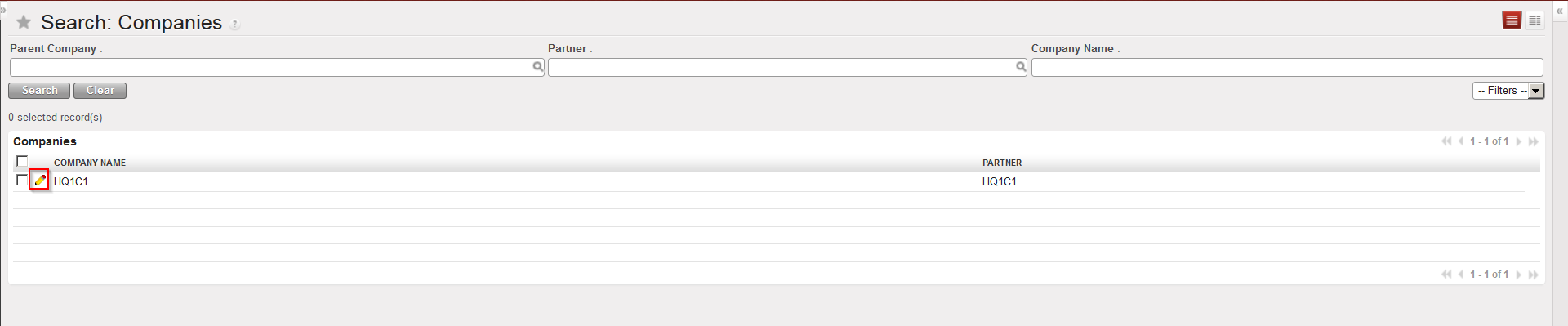 |
| Companies configuration |
- You should see the name of your instance database. Click on the pencil icon next to it to open it in edit mode.
- Click on the “Configuration” tab and in the “Scheduler Range Days” field, change the number of days to the one you have decided on.
- Click on the Save button to save your changes.
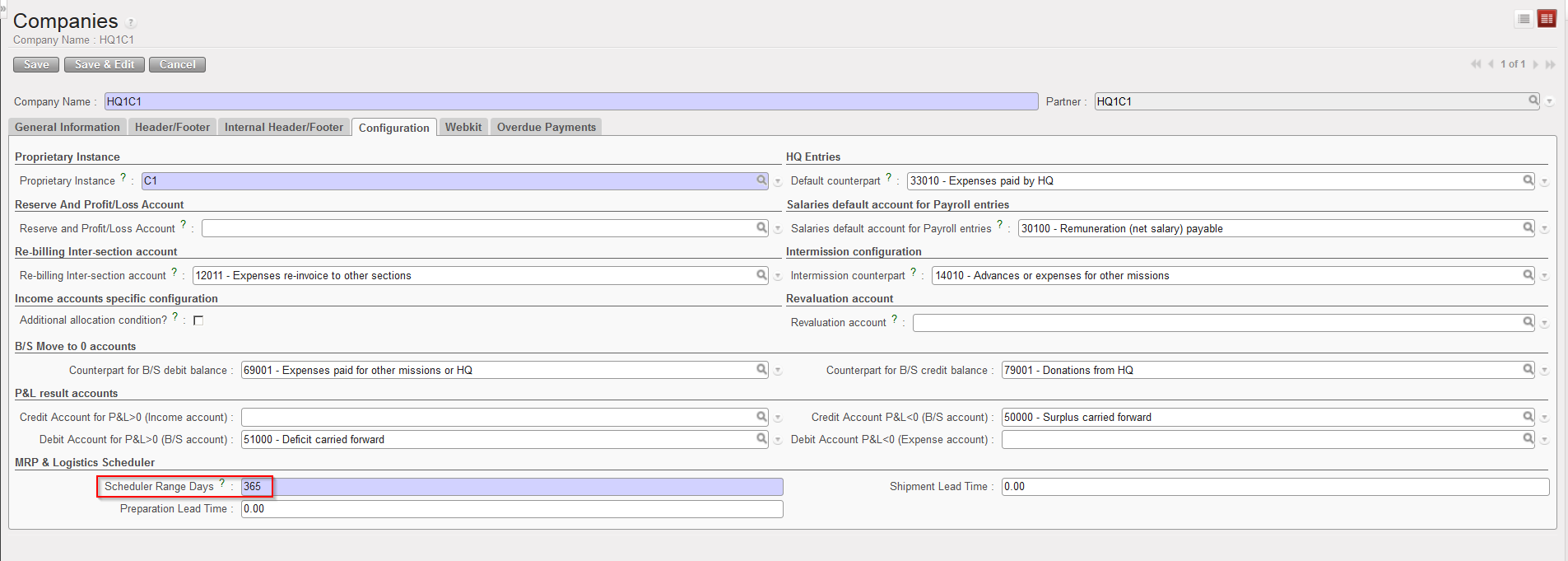 |
| Company configuration |
Of course the planning horizon of the scheduler can also be reduced by reducing this number.
