
Supply User Manual ENG -> 4. Procurement -> 4.9 LU-SU3301: Procurement Reporting -> D. How to use the Purchase Order Follow Up
D. How to use the Purchase Order Follow Up
Another report allows the follow-up of POs. The result can be provided in Excel or PDF.
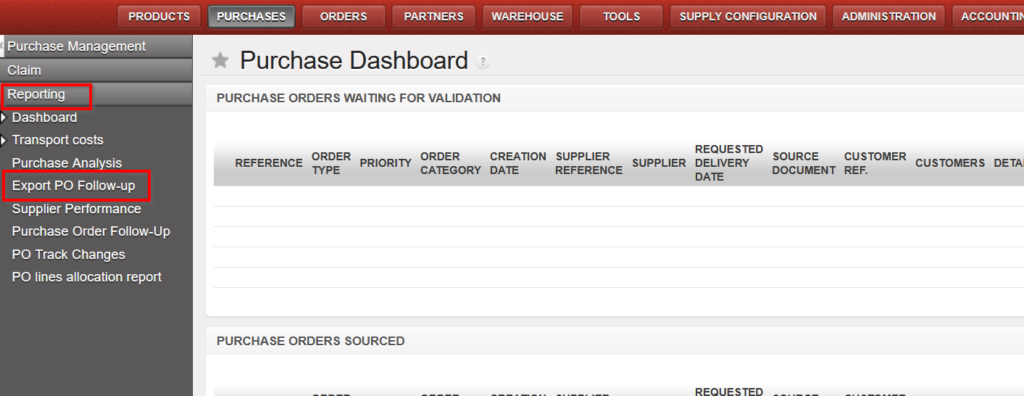
Go to: Purchases / Reporting / Export PO Follow-Up
|
|
| Export PO Follow Up |
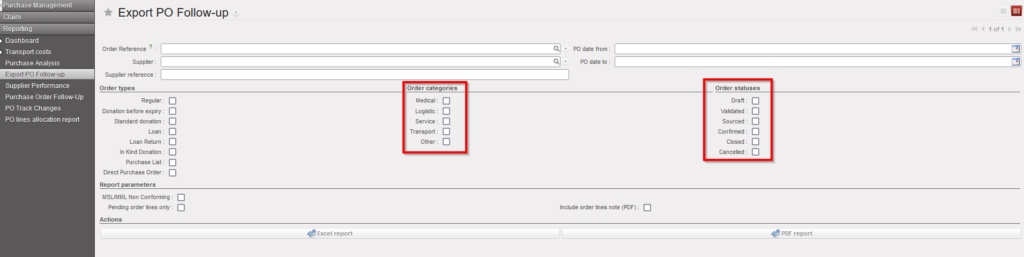
- Complete the fields according to the information that you want to fetch. The most relevant is to complete the “Supplier” or the “Order Reference” fields. You can select one, several or no of the following fields “Order status, Order categories, Order statuses” (for this last default case, all statuses will be displayed). You can also check the “Pending order lines only” box that will display the products in back order
- Click on “Excel report” or “PDF report” depending on the format you need.
|
|
| Export PO Follow Up – Excel Export |
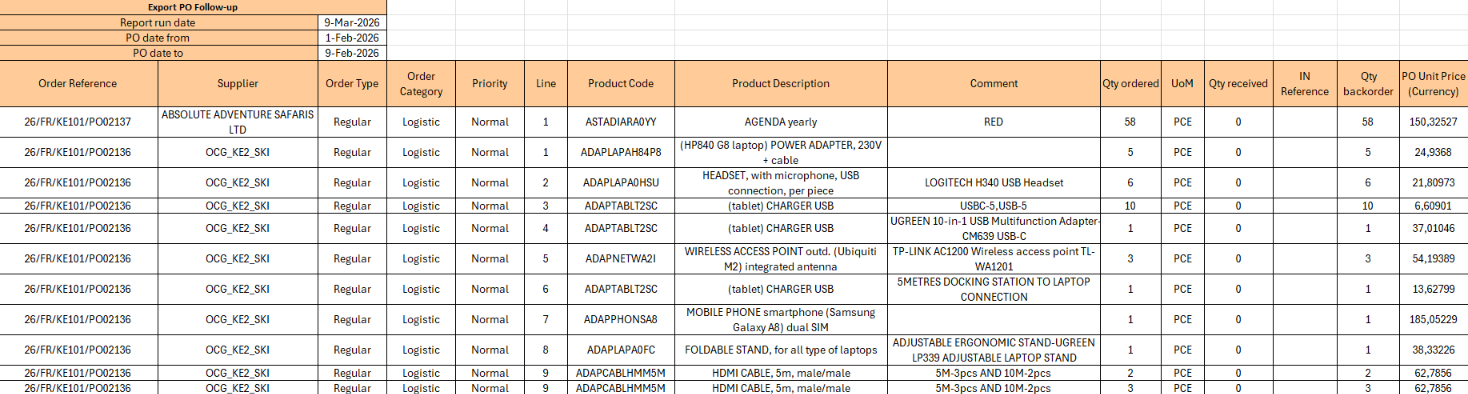
The Excel Export gives 1 Excel sheet with all lines of the selected POs and their detailed situation.
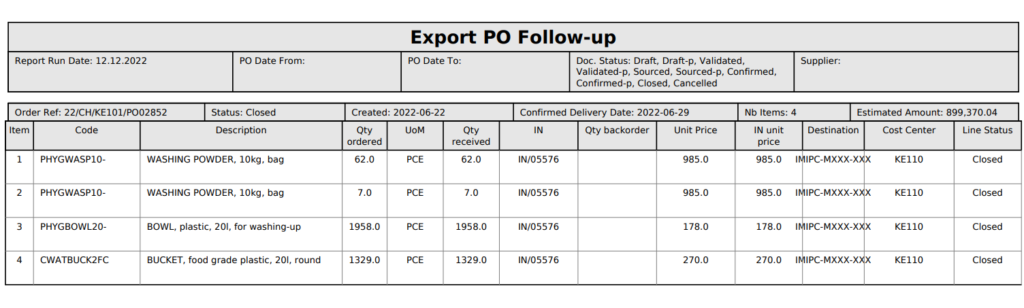 Export PO Follow Up –PDF Export Export PO Follow Up –PDF Export |
The PDF Export gives 1 PDF file with 1 PO per page including detailed situation of each PO line.
