
Supply User Manual ENG -> 5. Warehouse -> 5.10 LU-SU4203: Consumption Reports -> E. HISTORICAL CONSUMPTION REPORTS
E. HISTORICAL CONSUMPTION REPORTS
Although Monthly Consumption Reports allow you to see the AMC of the selected products, they are more actually existing to allow the introduction of FMCs for these products. AMC is mostly there to indicate what has been the consumption in order to help you to enter a good FMC.
Historical Consumption Reports are designed to analyze Average Monthly Consumptions (AMC), Real Average Consumption (RAC) and RR-AMC, as described below. It displays the consumption rates but also the actual consumptions month by month, allowing you to analyze variations.
As already mentioned, the AMC value is based on the total quantity of the product which has left the instance via a consumption report or outgoing deliveries (both quick and full shipment processes). Any quantities of the product which have left the instance due to loan, donation, loss or discrepancy will not be included in this calculation. If any of the products have been received (returned) back in (via IN – except IN from Scratch) to this instance within this period, this quantity will be deducted from the total consumption figure.
RAC is computed based on Real Consumption Reports only and is specific to one source location. Real Average Consumption is calculated using the total quantities which left one specific source location due to a Real Consumption Report. Unlike AMC it does not consider any other picking/transport documents which take products out of this location.
Go to: Warehouse / Reporting / Consumption Reports/ Historical Consumptions
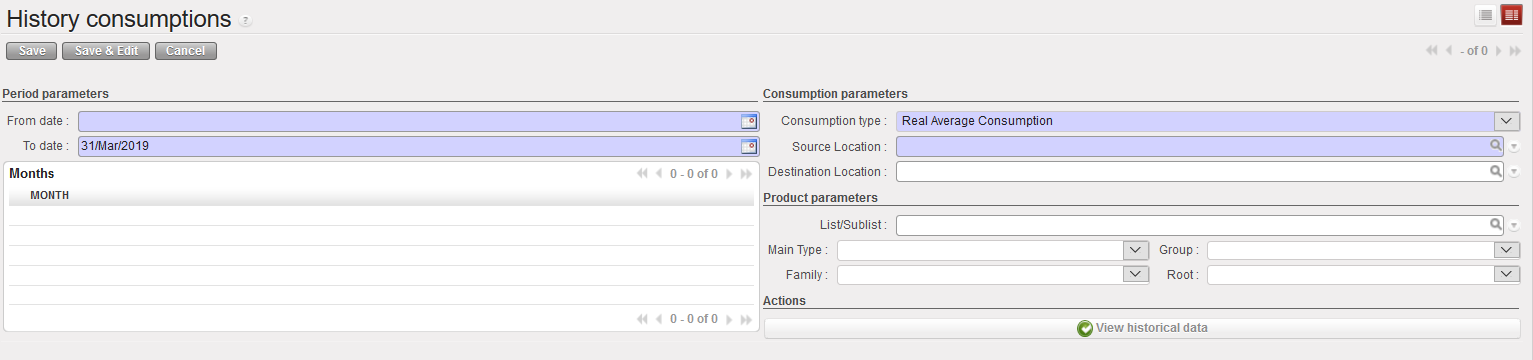
1. In the “From date“, enter the day from which you want the system to consider the data. This must be the first day of a month.
2. The “To date” field displays the last day of the current month, change it if necessary to the last day of another month, but it should obviously not be in the future.
Depending on the dates you entered, the system will display all relevant months in the “Months” table.
3. In the “Consumption type” field, the default type will be “Real Average Consumption” (RAC), but you can change this to the 2nd option “Average Monthly Consumption” (AMC) or to the 3rd option Replenishment Rules “RR-AMC” according to what you want to see.
4. As “Source Location“, enter the location for which you want to do the analysis. Note that the location is only available (and mandatory) for the RAC. It is not available for the AMC because AMC is always calculated for the full instance.
5. As “Destination Location”, enter the location for which you want to do the analysis. Note that the location is only available (and NOT mandatory) for the RAC. It is not available for the AMC because AMC is always calculated for the full instance.
Destination Location can be used to select any one External Consumption Unit. If an ECU is selected then report is generated and displays RAC for selected Source Location and Selected Destination Location only.
|
|
|
Historical Consumption Report |
6. For Consumption Report Average Monthly Consumption (AMC), The checkbox “Remove Negative AMCs” has a fuller explanation below it and when ticked, the “Historical Data report” can be generated without showing any negative AMCs at the month level, and the “Entire Period AMC” is based on the figures shown for each month. When the checkbox is not ticked, a similar report can be generated showing the figures as per the regular calculation for AMC (including negatives), and it is still possible to view the (original) onscreen version for this via the View Historical Data button, and this checkbox could be used also for RR-AMC.
Go to: Warehouse>Reporting>Consumption Reports>Historical Consumption/History consumptions
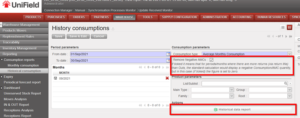
7. Click on the “Save” button on top of the screen.
8. Click on the “View historical data” button. If the report is heavy to generate, it may be launched in the background, otherwise you will see results directly.
|
|
|
Historical Consumption Report – RAC |
|
|
|
Historical Consumption Report – AMC |
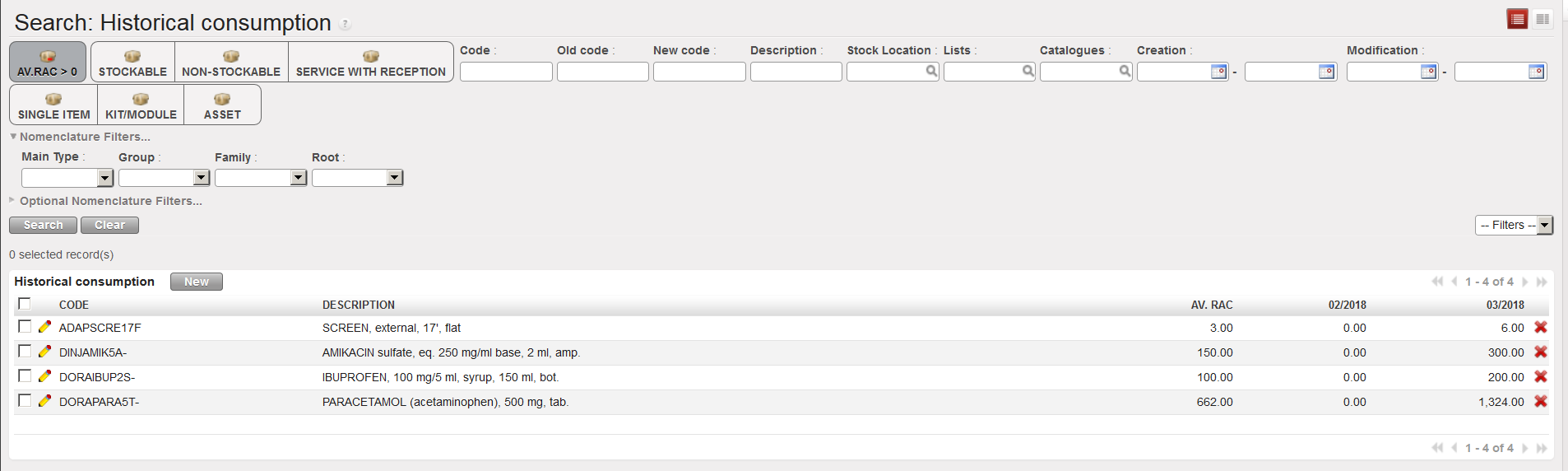
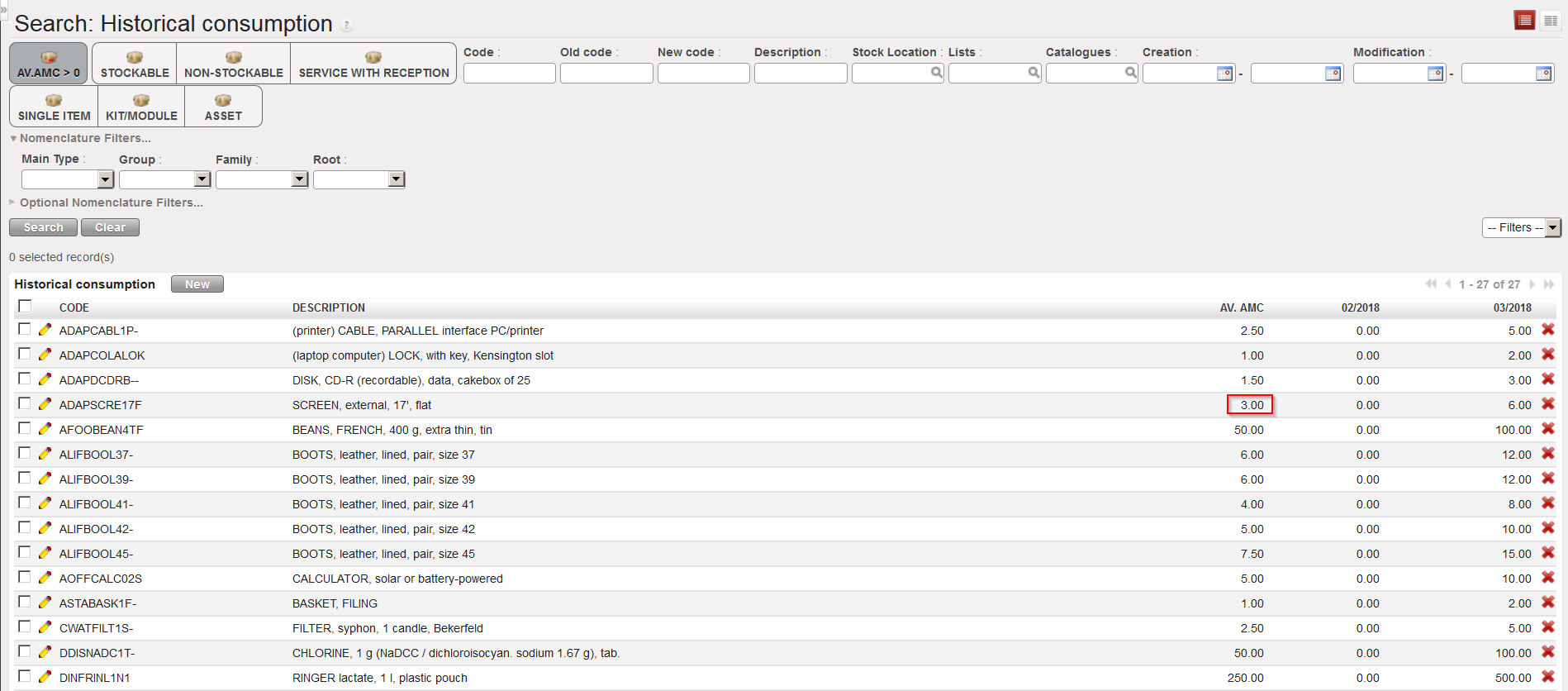
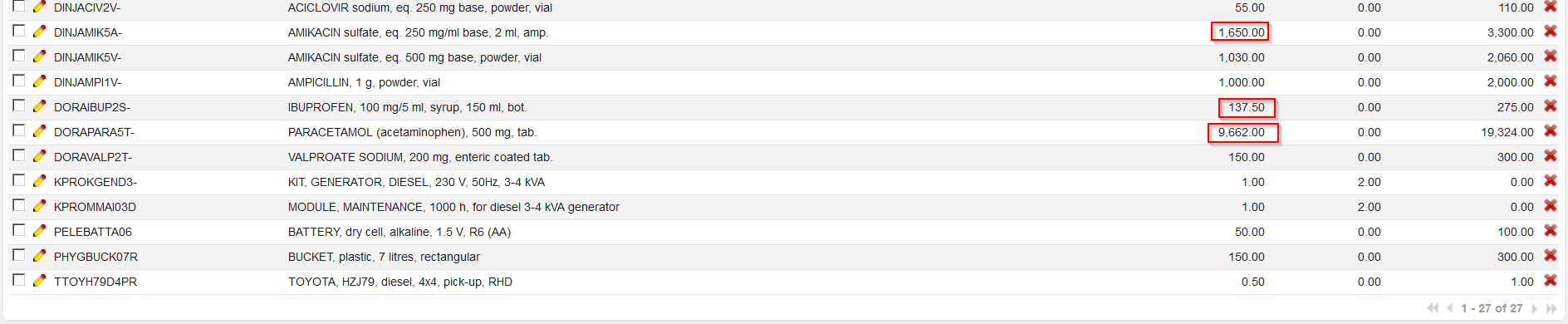
In the above examples, reports have been launched on 2 months only (February and March 2018), the system gives the RAC/AMC over these 2 months and the actual consumption’s month by month (here February and March 2018).
9. For Consumption Report Replenishment Rules – Average Monthly Consumption RR-AMC, When the 3rd option is selected, it is possible to select one or multiple Source Locations and/or one / multiple Destination locations and/or one/multiple External Partner. This means it will be possible to see consumption for a specific location or group of locations or see consumption to a specific destination location or set of destinations. Source location(s) must be internal but destination location(s) can be internal or external.
When 3rd option (RR-AMC) is selected, there is a checkbox named “Adjusted RR-AMC”. When selected, the report will take into account and show the adjusted AMC based on any stock outs / substitution for products via a recorded “Stock Out” with selected period. When the 3rd option RR-AMC is selected, it is still possible to see and use the “Remove negative AMCs” meaning no negative AMC figures (due to returns) will be displayed.
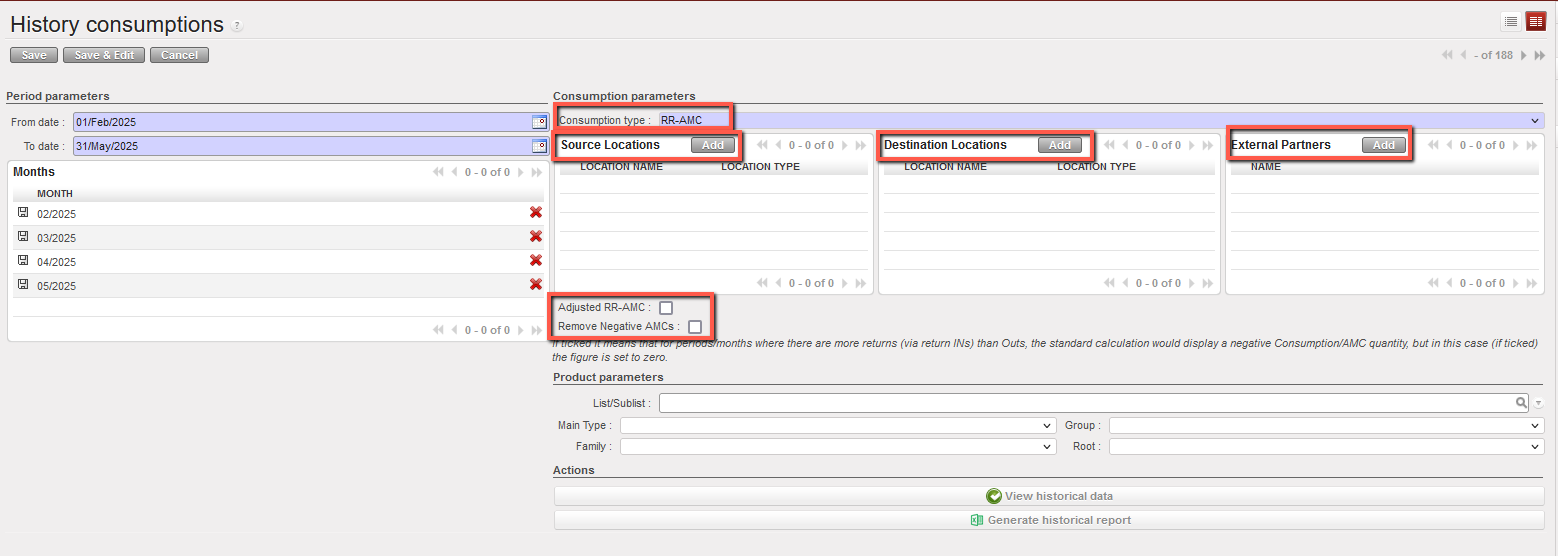
– If an External Partner (Type: Customer) is selected as the destination location, the source location must be either Internal Locations or Cross-Docking.
– The source location can also be left empty, in which case only movements from Internal Locations and Cross-Docking will be included in the RR-AMC calculation.
– An External Partner can be combined with an External Consumption Unit as the destination location.
– If “Other Customer” is selected as the destination and you attempt to select one or more External Customers, a warning message will block this action.
– Similarly, if “External Customer” is selected as the destination and you attempt to select “Other Customer” a warning message will also block this action.

