
Supply User Manual ENG -> Products -> 3.6 LU-SU2105: Kits/Modules -> E. How to create a Kit Composition List
E. How to create a Kit Composition List
Go to: Products/ Kit Management / Composition List / Kit Composition List
- Click on the “New” button to start the process
- Enter the Kit Product created earlier or search for it and select it from the database by clicking on the magnifying glass
- Enter the Version of the kit by clicking on the magnifying glass and then on

to insert identified products from the kit which is in progress. - The Creation date will have been populated automatically with today’s date but can be modified
- Add the products to your kit, either by importing them by clicking on the “add attachment button” and follow the import process, or manually (see previous task, how to create a TKCL).
- Click on the floppy disk to save each product line
NB: If any component in a kit need to be managed by Batch Number/Expiry Date, these fields will be mandatory in the KCL for the kit.
- Remember to click on button
 to ensure that the Expiry Date for your Kit is matching the one of the earliest product to expire.
 - Click on the Save button to save your Kit Composition List
- Click on the “Mark as Completed” button, and status will pass from Draft to Completed. At this stage “Comment” field can still be edited.
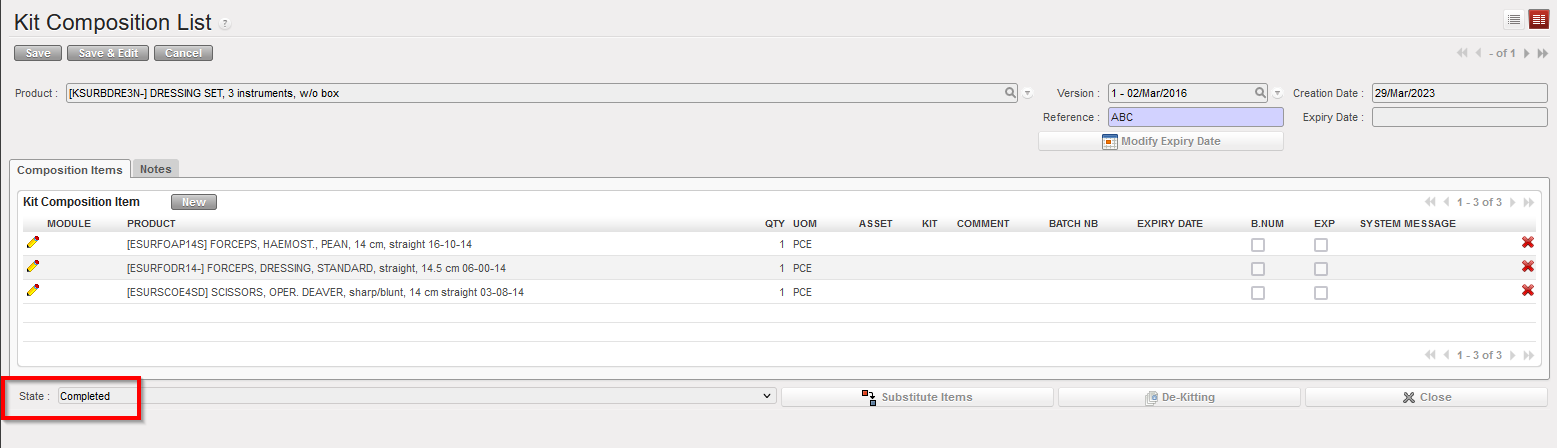
Kit composition list completed
10. If needed, this version of Kit Composition can be exported by clicking on the link “Real Composition Kit Excel Export” or Kit Composition for a PDF version in the Action Menu.

Excel version of a Kit composition list
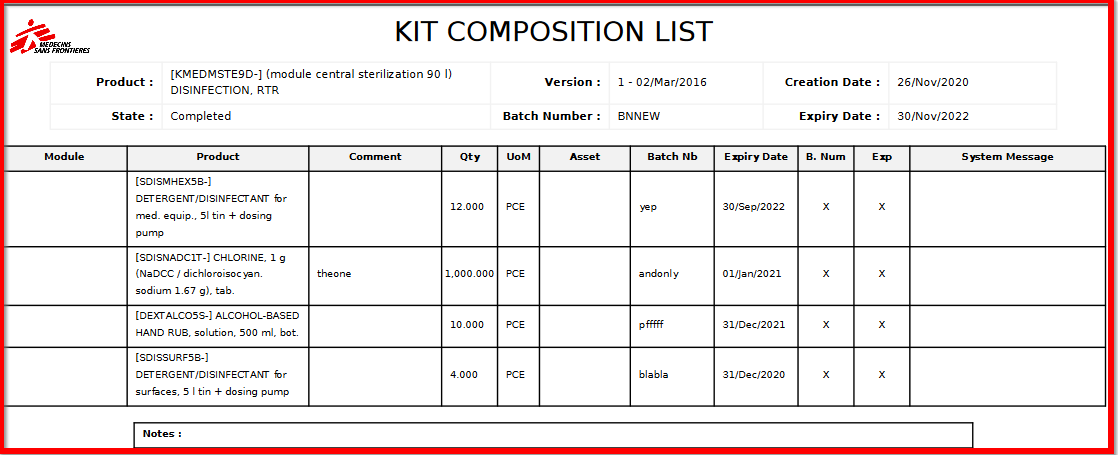
PDF version of a Kit composition list
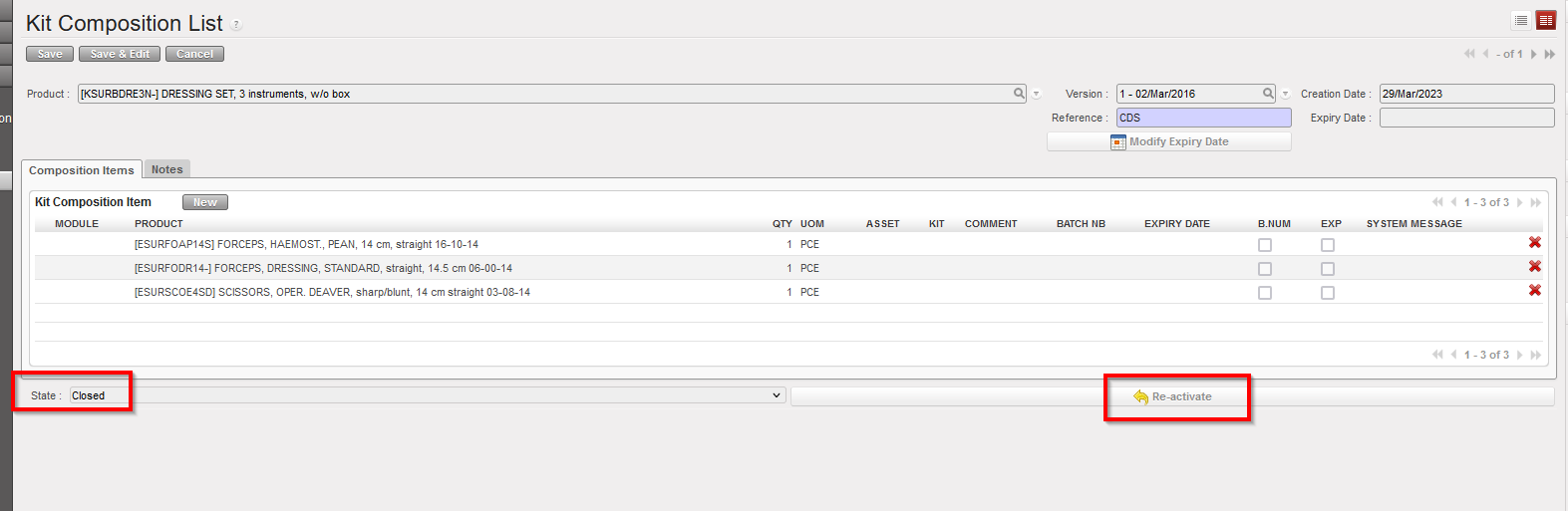
After a KCL has been Closed, providing the relevant user right, it still can be re-activated in case there I still stock of this product that needs to be substituted or de-kitted.
Finally if you need to check which items are associated to a KIT
Go to: Products/ Kit Management / Composition List / Kit Composition Item
A list of items will be displayed with their associated kit reference. Please note that this list of item is non-editable.
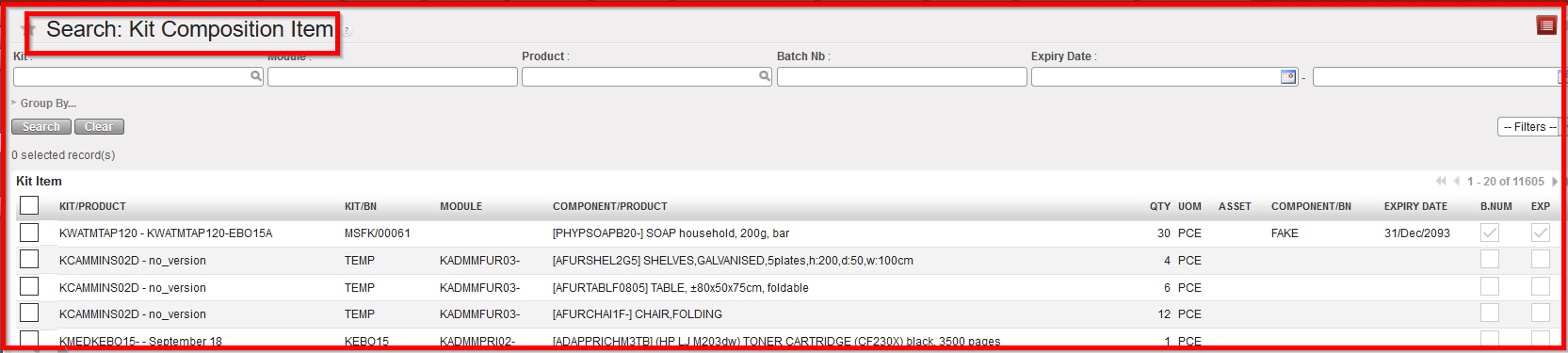
Kit Composition Item
The chapter Procurement will explain the creation of orders for product of type Kit and the replacement of kit components at this time.
The chapter Warehouse will focus in the kit reception, kitting and de-kitting process (see Warehouse chapter – LUSU4204 Kits management).
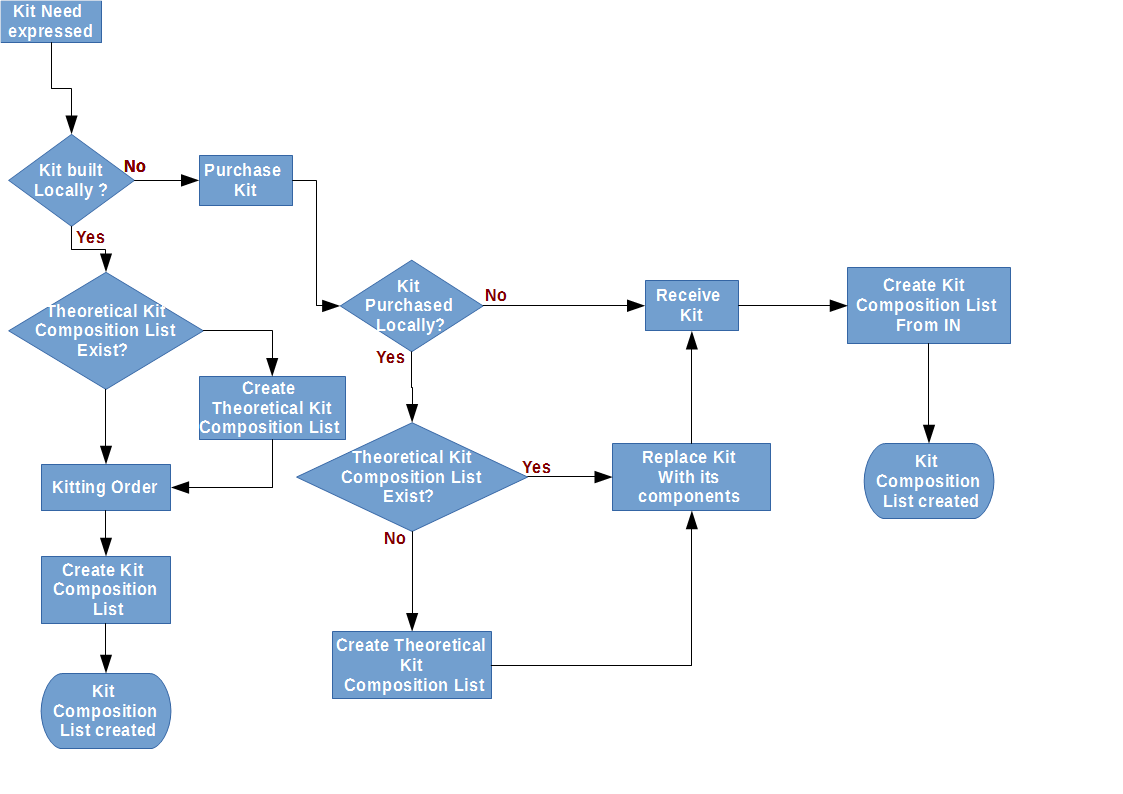
Process Flow for Kits for using Theoretical Kit Compositions and Kit Composition Lists
