
Supply User Manual ENG -> 4. Procurement -> 4.7 PURCHASE ORDERS (POs) - SPECIFICS -> E. How to create a Purchase Order for (receiving) an In Kind Donation
E. How to create a Purchase Order for (receiving) an In Kind Donation
An In Kind donation PO is a PO reflecting free-of-charge goods supplied by donors which are defined in the system as external partners (e.g.mosquito nets donated by Unicef).
Note that the In Kind Donation (unlike the Standard donation and the Donation before expiry) cannot be initiated from an FO, which is logic as external partners are not using UniField.
Go to: Purchases / Purchase Management / Purchase Orders
- Create a new PO by clicking on the “New” button.
- As “Order Type“, select “In Kind Donation“.
- Fill in the rest of the header information (order category, priority, details,…).
- As “Supplier“, select the external partner which will donate the goods (the giver).
- Insert product lines (manually or via file import).
- Add the analytical distribution.
- Save the PO.
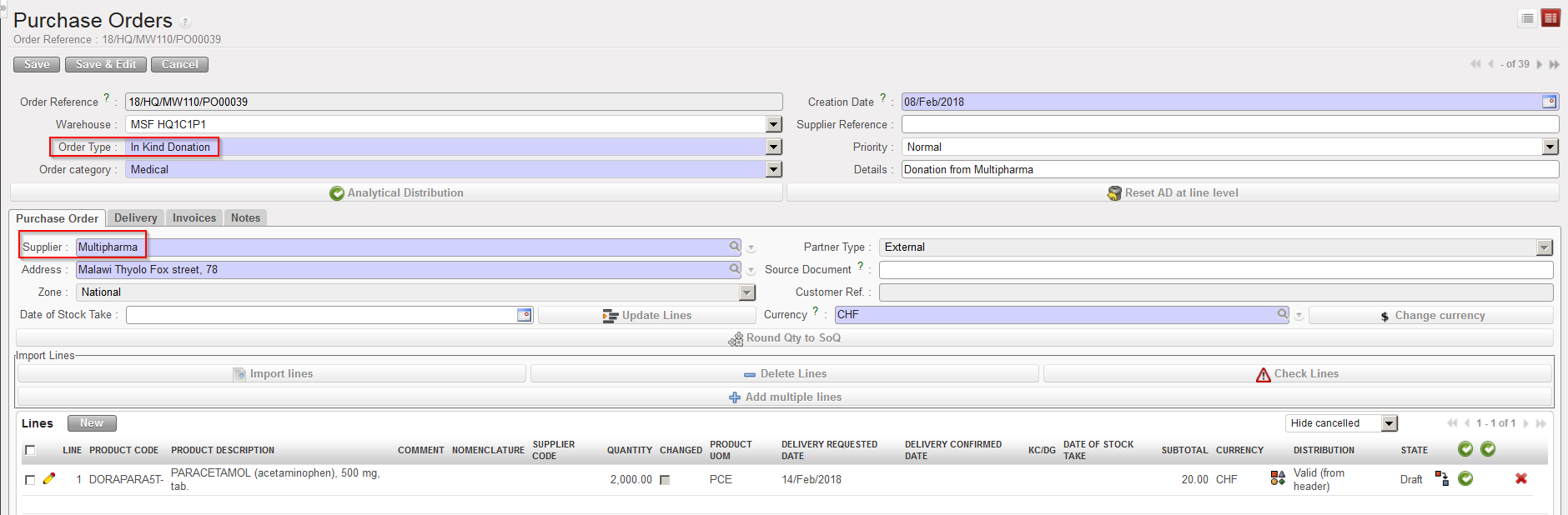 |
| In Kind Donation PO |
Note that to be able to validate the PO, the partner should have a “Donation Payable Account” on its partner sheet (master data). Check with finance which accounts should be used if you are not sure.
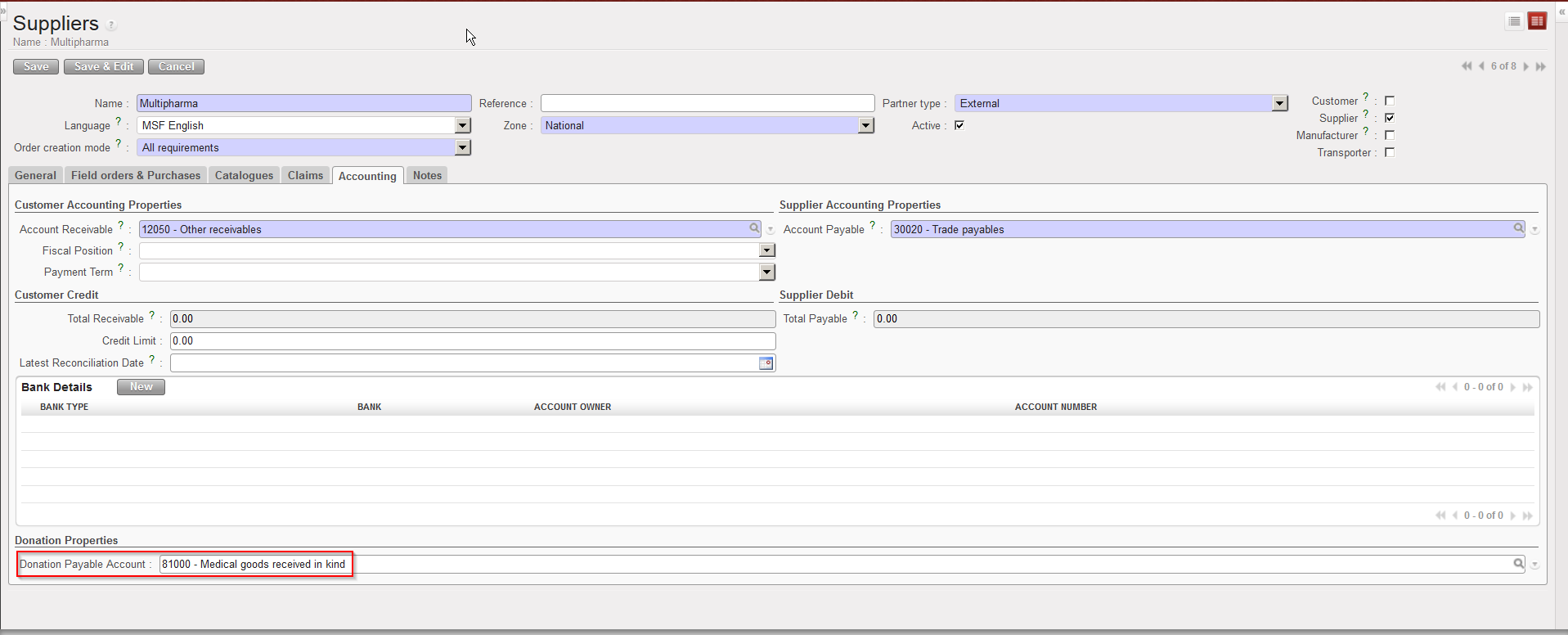 |
| Partners donating goods via an In Kind Donation PO |
