
Supply User Manual ENG -> Products -> 3.5 Assets -> E. How to print asset records
E. How to print asset records
Go to: Products/ Assets /Asset Forms
- Use the search fields in the header to find the assets that you want to see the records
- Tick the checkbox of all those you wish to see (to select all assets from search result, tick the checkbox immediately below Asset Forms)
- In the Action menu on the right, click on Asset Form under Reports
- The system will display all of the asset forms of the selected assets in printable format
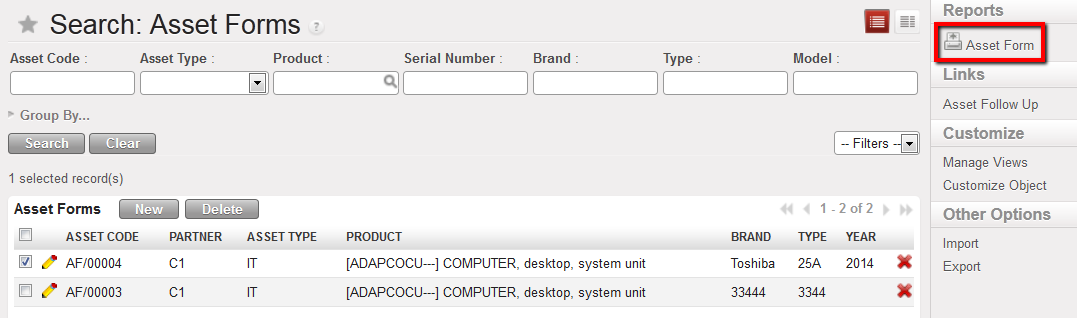
Assets for which the Asset Forms can be printed
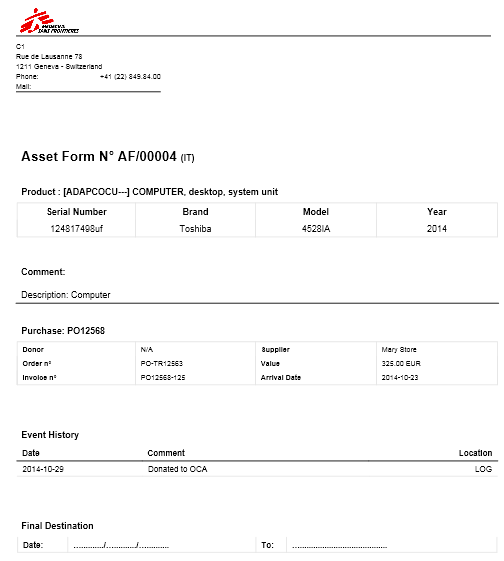
Print view of example Asset Form
