Supply User Manual ENG -> 4. Procurement -> 4.4 LU-SU3103: Field Orders (FOs) – General -> E. How to update / amend a Field Order
E. How to update / amend a Field Order
Once a synchronized Field Order has been received from a project, coordination members can amend the order prior to its validation to change the products, the quantities, the unit prices or any other information included in the Field Order. All changes will be reflected in the Project’s Purchase Order as soon as both sides have synchronized their instances.
Go to: Orders / Orders / Field Orders
- Select the Field Order to be updated by clicking on the pencil
 at the left of the appropriate row.
 - Change any information in the header of the order.
- Update any line (product, quantity, unit price,) if needed. Note that the field “Modification Comment” can be used to explain a change and will be synchronized on the corresponding PO of the requesting instance.
- Cancel a whole order line if needed by clicking on the red cross of the appropriate order line (on the right side of the screen).
- Click the “Save” button on the top of the screen.
Note that an FO created by the synchronization will have “Synch” as responsible while and FO created manually will have as responsible the user who created the FO.
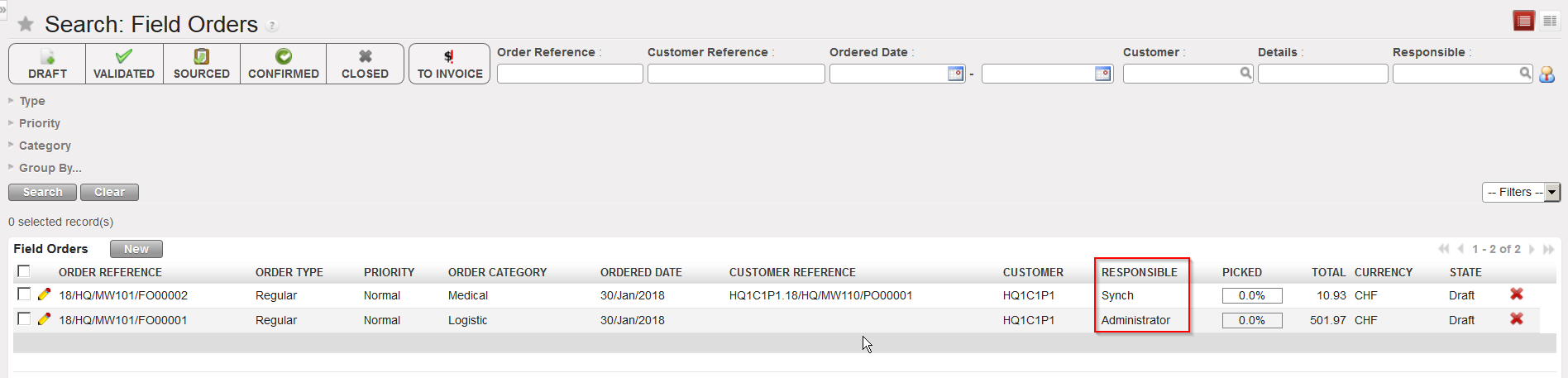 |
| FO created by the synchronization versus FO created manually |
Please note that any change on “Product”, “Quantity”, “Price” and “UoM” to a “Validated” line will trigger the ticking of the “Changed” checkbox. These changes will also trigger the checkbox if the FO is still in Draft but only for FOs created by sync (i.e.: pulled FO).
Changes can be seen by clicking on the updated line; this will open a pop up with the details of the line (the same one as when clicking on “new”). You will see the “Original value” compared to the actual one:
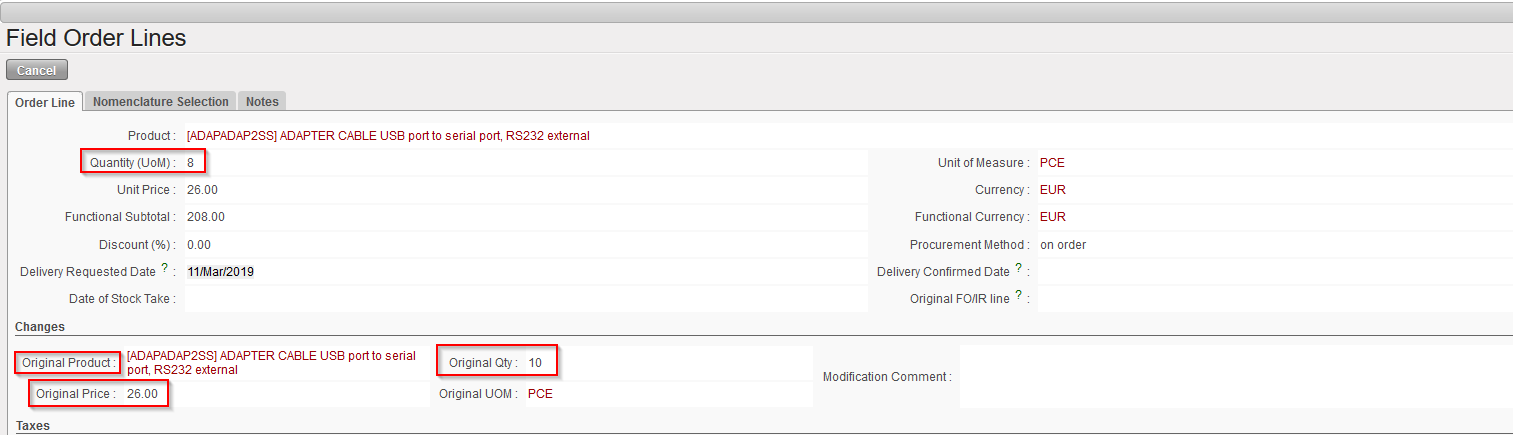 |
| FO line updated: in this example “Quantity (UoM)” has been updated to 8 vs “Original Qty” of 10 |
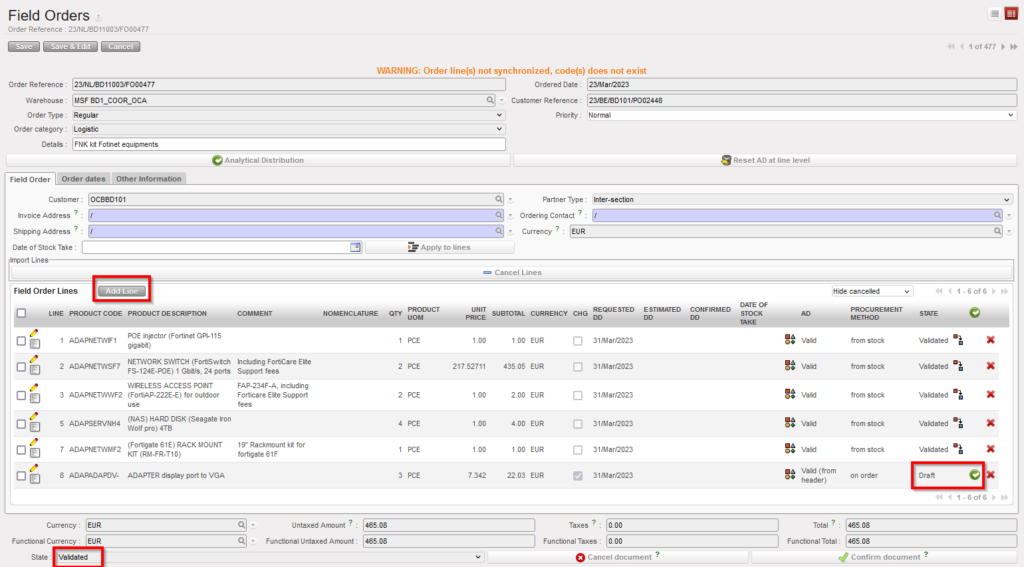
As long as the FO is in “Validated” status, it is still possible to add new line to the order however this will trigger the “Changed” checkbox.
The addition of new lines to a “Validated” FO is conditioned by User rights. A new button named “Add line” will replace the “New” button which is only used for Draft FO. New lines added at “Validated” state will still be created as “Draft” and will need validation from authorized user.
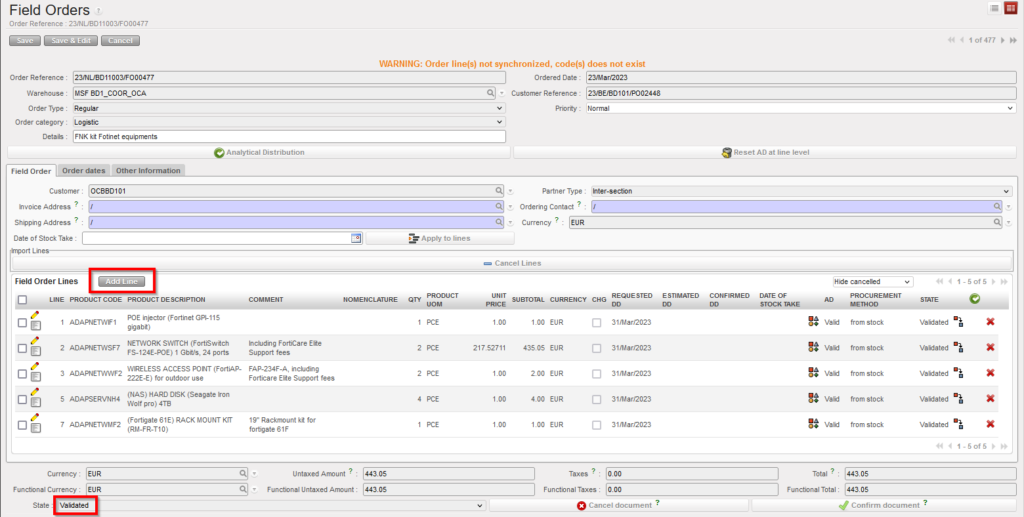
Please note that after adding a new line to a “Validated” FO, the FO remains “Validated” (document status does not “go backward – not to “draft-p”) despite the new Draft line.